



Kup plan
Wybierz kierunek, pakiet danych i okres ważności.






Wybierz długość wyjazdu i sposób korzystania z danych. Dopasowanie opiera się na aktualnych planach i cenach.
Mapy, media społecznościowe, zdjęcia i krótka wideorozmowa prawie codziennie, około 0,5 GB dziennie
Szacowane zapotrzebowanie: około 7 GB
Ważny przez 30 dni, więc wystarczy na 14 dni wyjazdu.
Na wyjazd na 14 dni: 3 GB na 30 dni za €2.05, jeśli korzystasz głównie z Wi-Fi, 10 GB na 30 dni za €6.41 przy codziennym korzystaniu lub 50 GB na 30 dni za €31.28 przy intensywnym korzystaniu albo używaniu hotspotu.
Nie ma terminu na pierwsze użycie. Możesz kupić pakiet teraz i zachować go na przyszłą podróż.
Ta strona z eSIM do Indonezji to główna opcja na Bali, a także do Dżakarty, na Lombok, Jawę i inne wymienione miejsca w Indonezji. Porównaj plany typu prepaid pod względem ilości danych, ważności, zasięgu i ceny całkowitej, a następnie zainstaluj przez Wi-Fi jeszcze przed wyjazdem – przyda się do map, aplikacji przewozowych, wiadomości i rezerwacji. Dwa bardzo różne wyjazdy na Bali korzystają z tej samej strony, ale zużywają dane w zupełnie inny sposób. Pobyt w willi lub w resorcie jest w większości stacjonarny: obciążenie to głównie wiadomości z rezerwacjami, kontakt z kierowcą, adresy restauracji i plaż oraz codzienne przesyłanie zdjęć. Podróż po wyspach to odwrotność – promy, zmiana noclegu co kilka dni i długie przejazdy, podczas których zasięg może się różnić. Dobierz plan do tego, jak faktycznie wygląda twój tydzień.
Użyj eSIM do Indonezji na wakacje na Bali, przy przesiadce w Dżakarcie, w podróży na Lombok albo na dłuższej trasie przez kilka wysp. Zasięg i jakość połączenia zależą od wybranego planu, wyspy, urządzenia, terenu i lokalnych warunków sieciowych. Podczas tygodnia w willi lub resorcie liczy się zwykle nie numer ulicy, a brama przy wąskiej uliczce, dlatego zachowaj pinezkę wysłaną przez gospodarza oraz sposób kontaktu z nim bez otwierania aplikacji rezerwacyjnej. Podróż po wyspach testuje plan zupełnie inaczej – to przeprawa promem, transfer i odcinek między portem przylotu a noclegiem są tu najbardziej wymagające. Zasięg może się różnić na promach, na wiejskich drogach, na spokojniejszych plażach i w dolinach w głębi lądu, dlatego pobierz trasę przeprawy, pinezkę noclegu i transfer powrotny, dopóki sieć jeszcze działa.
Zasady zwrotów
Na życzenie zawsze zwracamy całą zapłaconą kwotę, niezależnie od tego, czy eSIM jest nieużywana, częściowo czy całkowicie wykorzystana. Nie ma terminu na złożenie wniosku o zwrot.
Bez terminu pierwszego użycia
Ważność zaczyna biec dopiero od pierwszego połączenia z obsługiwaną siecią na miejscu. Nie ma terminu na pierwsze użycie. Możesz kupić pakiet teraz i zachować go na przyszłą podróż.
Bezpieczna płatność
Karty, Apple Pay i Google Pay — szyfrowanie zapewnia Paysera.
Obsługa 24/7 we wszystkich językach
Gwarantowana natychmiastowa odpowiedź.
Wybierz plan danych dla kierunku Indonezja, zainstaluj eSIM przez stabilne Wi-Fi przed podróżą i postępuj zgodnie z instrukcją aktywacji wybranego planu. Twoja zwykła karta SIM może zostać w telefonie, a eSIM zapewni Ci dane komórkowe do aplikacji podróżnych, wiadomości, map i przeglądania internetu.
Wybierz kierunek, pakiet danych i okres ważności.
Zeskanuj kod QR lub zainstaluj automatycznie w aplikacji — bez fizycznej karty SIM.
Dane aktywują się przy pierwszym połączeniu w miejscu docelowym.
Wybierz profil najbliższy Twojej podróży. Szacunek zakłada normalne korzystanie — mapy, wiadomości, zdjęcia, krótką rozmowę z domem.
Orientacyjnie: city break na 3–4 dni to około 1–3 GB, tygodniowy wyjazd — 3–5 GB, dwutygodniowa trasa po kilku krajach — 8–12 GB, a praca w podróży to około 1 GB dziennie, czyli co najmniej 15 GB na dwa tygodnie.
Łącznie pakiet 5 GB wystarcza na około 1700 udostępnionych zdjęć, 83 godzin mediów społecznościowych i przeglądania, 15 godzin wideorozmów, 63 godzin streamingu muzyki lub około 1000 godzin map i nawigacji. Komunikatory prawie nie zużywają danych.
Dżakarta · Przewodnik po mieście
eSIM do Dżakarty pomaga się nie zgubić w stolicy rozciągającej się we wszystkich kierunkach. Korzystaj z transmisji danych, by zwiedzać starówkę Kota Tua, sprawdzać informacje o Pomniku Narodowym i czasy dojazdu przed wyjściem na tętniące życiem nabrzeże. Ponieważ zasięg zależy od lokalizacji i lokalnych warunków sieciowych w centrum miasta, możesz zamówić przejazd i pisać do grupy, przemieszczając się z jednej dzielnicy do drugiej.
eSIM Dżakarta — skonfiguruj przed wylotemDenpasar · Przewodnik po mieście
Jako brama do balijskich plaż, to właśnie tutaj zaczyna się większość wypraw po wyspie. Plan danych na Denpasar pozwala przeglądać tradycyjne targi, wyznaczać trasę do pobliskich świątyń i udostępniać zdjęcia na bieżąco. Zasięg zależy od lokalizacji i lokalnych warunków sieciowych w bardziej turystycznych rejonach, więc warto mieć włączoną transmisję danych do nawigacji, tłumaczenia menu czy sprawdzenia prognozy pogody przed dniem na plaży. Przylot to najbardziej intensywny moment całej podróży: transfer, brama do willi i pierwsza wiadomość do domu przypadają niemal jednocześnie. Ustal punkt odbioru i imię kierowcy jeszcze przed lądowaniem, a nie po nim, i zachowaj własne, spisane wskazówki od gospodarza, bo wąskiej uliczki często nie da się opisać samą mapą. W bardziej turystycznych rejonach zasięg może się różnić w zależności od budynku i pory dnia, dlatego wyślij ważną wiadomość, zanim wejdziesz do lobby czy windy.
eSIM Denpasar — skonfiguruj przed wylotemUbud · Przewodnik po mieście
Ubud rozciąga się daleko poza centrum – na wioski, świątynie i tarasy ryżowe, dlatego eSIM na Bali przydaje się długo po opuszczeniu głównych ulic. Miej pod ręką mapy Tegallalang, potwierdź kierowcę na wczesną wizytę w świątyni i pisz do noclegu, przemieszczając się między okolicznymi dolinami. Zapisz trasę offline przed cichszymi bocznymi drogami, gdzie zasięg może się różnić. W głębi Bali telefon przestaje być narzędziem do wyszukiwania, a staje się zapiskiem: droga przez dolinę, brama świątyni, numer kierowcy i ustalona godzina powrotu są warte więcej zapisane niż wyszukane na nowo. Deszcz potrafi zmienić plan dnia bardziej niż korki, więc sprawdź prognozę, dopóki sieć jeszcze działa, i ustal z kierowcą wariant zapasowy, zamiast zakładać, że zmianę da się przekazać wiadomością później.
eSIM Ubud — skonfiguruj przed wylotemCanggu · Przewodnik po mieście
Plaże, kawiarnie i przestrzenie coworkingowe w Canggu leżą przy ruchliwych drogach, gdzie nawigacja na żywo oszczędza czas. Skorzystaj z eSIM na Bali, by porównać trasy między Batu Bolong a Berawą, zarezerwować stolik lub biurko i zamówić transport po zachodzie słońca. Pobierz kluczowe adresy, zanim ruszysz dalej wzdłuż wybrzeża. Dłuższy pobyt zmienia ten wzorzec: tydzień pracy opiera się tu na przesyłaniu plików, rozmowach wideo i drugim urządzeniu, więc dobierz plan pod te dni, a nie pod dni plażowe, i dopasuj ważność do ostatniej nocy, a nie ostatniego pełnego dnia. Ruch na tym odcinku wybrzeża bywa powolny, więc nawigacja na żywo często daje więcej niż wczesny wyjazd – warto też zachować zapisany adres powrotny na wypadek, gdyby wyszukiwanie nie wczytało się w drodze powrotnej.
eSIM Canggu — skonfiguruj przed wylotemYogyakarta · Przewodnik po mieście
eSIM do Yogyakarty sprawdza się w spokojne dni zwiedzania. Korzystaj z transmisji danych, by zaplanować wczesny wyjazd do pobliskiej świątyni Borobudur, poczytać o płaskorzeźbach w świątyni Prambanan i przygotować się przed wizytą w pałacu kraton. Łączność zależy od lokalnych warunków sieciowych w mieście, dzięki czemu możesz pisać do domu i sprawdzać trasy między kolejnymi punktami bez dotykania fizycznej karty SIM.
eSIM Yogyakarta — skonfiguruj przed wylotemBandung · Przewodnik po mieście
Dzięki chłodnemu, górskiemu położeniu to miasto to łatwa ucieczka od upału nizin. Plan danych na Bandung pomaga podziwiać kolonialną architekturę, znaleźć kawiarnię między atrakcjami i wyznaczyć trasy wypadów do okolicznych plantacji herbaty. Zasięg zależy od lokalizacji i lokalnych warunków sieciowych w centrum, ale może słabnąć wraz ze wzniesieniem w góry, dlatego pobierz trasę, dopóki masz jeszcze dostępny sygnał.
eSIM Bandung — skonfiguruj przed wylotemDlaczego Horizon
Na Bali porównaj ilość danych w planie, jego ważność, podany zasięg i cenę całkowitą, zamiast polegać na ogólnej etykiecie „najlepszy eSIM”. Przy trasie obejmującej kilka wysp sprawdź każdą z nich osobno i pobierz mapy offline przed rejsami łodzią lub podróżą przez odludne tereny. Praktycznym sposobem na dobranie planu jest policzenie dni intensywnego korzystania z map i transferów, zamiast uśredniania całego pobytu – dzień w willi i dzień przeprawy promem to zupełnie inne obciążenie. Dopasuj ważność planu do ostatniej nocy, a nie do ostatniego pełnego dnia, i upewnij się, że telefon w podróży obsługuje eSIM i jest odblokowany. Na zgodnym urządzeniu jedna linia może obsłużyć laptopa lub drugi telefon w willi, korzystając z tego samego pakietu danych. Jeśli pobyt może się wydłużyć, sprawdź, czy wybrany plan umożliwia doładowanie, zamiast zakładać, że mniejszy pakiet da się później rozszerzyć.
Plan na
Indonezja
Porównaj podane pakiety danych i okresy ważności dla swojego kierunku.
Zainstaluj przez stabilne Wi-Fi przed wyjazdem i postępuj według instrukcji aktywacji planu.
Przejrzyj aktualną cenę, dane, ważność i zasięg przed zakupem. Plany Horizon nie mają ograniczania prędkości.
Gdy wybrany plan pozwala na ponowne użycie lub doładowania, sekcja Moje eSIM-y pokazuje dostępne opcje dla zainstalowanego profilu.
Powiadomimy Cię, gdy zbliżysz się do limitu. Jeśli plan pozwala na doładowanie, Moje eSIM-y pokażą dostępne opcje.
Wybierz zasięg krajowy, regionalny lub globalny i sprawdź każdy kierunek w szczegółach planu.
Wybierz plan na Indonezję z ilością danych i ważnością wystarczającą na cały pobyt na Bali, obejmujący Denpasar, Ubud i Canggu. Zainstaluj go przez Wi-Fi jeszcze przed lotem z Australii, zachowaj instrukcje offline i wybierz go jako transmisję danych po lądowaniu. Aktualne szczegóły planów i ceny znajdziesz na tej stronie. Jeśli Bali to cały wyjazd, jeden plan na Indonezję jest zwykle prostszym rozwiązaniem niż plan regionalny; jeśli trasa obejmuje też Lombok, wyspy Gili lub odcinek na Jawie, przed zakupem sprawdź, czy każde z tych miejsc pojawia się w szczegółach zasięgu tego samego planu. Wyłącz też roaming danych w australijskiej karcie SIM, ponieważ jej operator rozlicza tę linię osobno od wszystkiego, co kupisz tutaj.
Sprawdź w wybranym planie na Indonezję, jakie sieci lokalne są obsługiwane; dostępność i prędkość 5G lub 4G zależą od planu, urządzenia, lokalizacji i warunków lokalnych. W Dżakarcie, na Bali i w innych miejscach wybierz eSIM jako linię transmisji danych po jego połączeniu i miej mapy offline na odludne trasy.
Tak. Zasięg zależy od lokalizacji i lokalnych warunków sieciowych w głównych rejonach turystycznych Bali, wysp Gili i Lombok, więc w popularnych miejscach możesz nawigować, pisać wiadomości i dokonywać rezerwacji. Sygnał może zanikać na łodziach między wyspami i na odludnych plażach, dlatego warto zapisać mapy i potwierdzenia rezerwacji offline przed wyruszeniem. Planuj pod kątem samej przeprawy, a nie celu podróży, bo to właśnie łódź jest zwykle najdłuższym odcinkiem bez użytecznego sygnału. Zapisz przeprawę powrotną, pinezkę noclegu i numer kierowcy przed wejściem na pokład i ustal miejsce spotkania, zamiast obiecywać wiadomość po przybyciu. Sprawdź aktualny rozkład rejsów tego samego ranka, bo spóźniona łódź potrafi zamienić krótki transfer w całe popołudnie.
Traktuj Indonezję jako jeden cel podróży tylko wtedy, gdy tak właśnie wynika ze szczegółów wybranego planu. Jeśli trasa prowadzi dalej – do Singapuru, Malezji, Tajlandii lub gdzie indziej – porównaj plany regionalne i przed zakupem sprawdź każdy kraj na opublikowanej liście celów.
Zainstaluj eSIM do Indonezji przez Wi-Fi na dzień lub dwa przed lotem i zapisz szczegóły konfiguracji offline. Po dotarciu na lotnisko Soekarno-Hatta wybierz go jako transmisję danych i postępuj zgodnie z instrukcjami planu. Okres ważności zacznie biec dopiero wtedy, gdy eSIM po raz pierwszy połączy się z obsługiwaną siecią komórkową w Indonezji; kroki połączenia sprawdź w warunkach wybranego planu.
Sprawdź dokładny model telefonu i jego wariant regionalny pod kątem obsługi eSIM, braku blokady operatora oraz zgodności z wymaganiami wybranego planu. Sam fakt, że telefon jest nowy, tego nie potwierdza. Jeśli jest zgodny, zainstaluj profil kodem QR lub dostępną metodą ręczną według instrukcji planu. Przed podróżą sprawdź ustawienia urządzenia i informacje producenta, ponieważ dostępność może zależeć od modelu i rynku.
Tak. eSIM dodaje transmisję danych obok twojej dotychczasowej karty SIM, więc twój zwykły numer pozostaje aktywny do połączeń i wiadomości, a plan na Indonezję obsługuje dane komórkowe. Hotspot jest bezpłatny w każdym planie Horizon.
Na Bali porównaj podany zasięg wybranego planu dla Denpasar, Ubud, Canggu i twoich plaż, a także limit danych, ważność i szczegóły sieci. Zainstaluj przez kod QR z użyciem Wi-Fi jeszcze przed podróżą, a po lądowaniu wybierz go jako transmisję danych. Jeśli podróż prowadzi dalej niż Bali, sprawdź, czy każde miejsce w Indonezji pojawia się w szczegółach zasięgu tego samego planu. Nie ma jednej odpowiedzi pasującej do każdego wyjazdu na Bali: stacjonarny tydzień w willi i trasa po kilku wyspach obciążają plan zupełnie inaczej. Porównaj ilość danych, ważność i dokładną listę miejsc w Indonezji z tygodniem, który faktycznie rezerwujesz, i czytaj szczegóły planu, a nie samą etykietę.
Przygotuj się przed lotem, korzystając z Wi-Fi w domu w Australii: zainstaluj eSIM — instalacja nie uruchamia okresu ważności, który zacznie biec dopiero wtedy, gdy eSIM po raz pierwszy połączy się z obsługiwaną siecią komórkową w Indonezji. Australijski numer pozostaje dostępny do rozmów i wiadomości, a eSIM obsługuje dane. Po przylocie na Bali wybierz ją do danych komórkowych według instrukcji połączenia. Wyłącz roaming danych na macierzystej SIM, ponieważ jej operator może naliczać opłaty za tę linię. Zainstaluj profil poprzedniego wieczoru zamiast na lotnisku, aby problem z urządzeniem lub profilem dało się jeszcze rozwiązać w domu. Przed lotem zapisz offline pisemne wskazówki dojazdu do willi i numer kierowcy. Przyjazd nie jest dobrym momentem, by zależeć od wyszukiwania na żywo.
Nie. Plany Horizon nie mają ograniczania prędkości. Nie ma dziennego limitu, po którym internet zwalnia, więc w razie potrzeby możesz zużyć cały plan w jeden dzień. Prędkość zależy od lokalnej sieci, sygnału i obciążenia sieci. Gdy pakiet danych się skończy, plan przestaje działać, zamiast zwalniać.
Tak. Na życzenie zawsze zwracamy całą zapłaconą kwotę, niezależnie od tego, czy eSIM jest nieużywana, częściowo czy całkowicie wykorzystana. Nie ma terminu na złożenie wniosku o zwrot.

Większość podróżnych zużywa 8–10 GB przez jeden–dwa tygodnie na Bali. Przy mapach, wiadomościach i wieczornym Wi-Fi wystarczy 3–5 GB; hotspot i streaming wymagają 15 GB lub więcej.
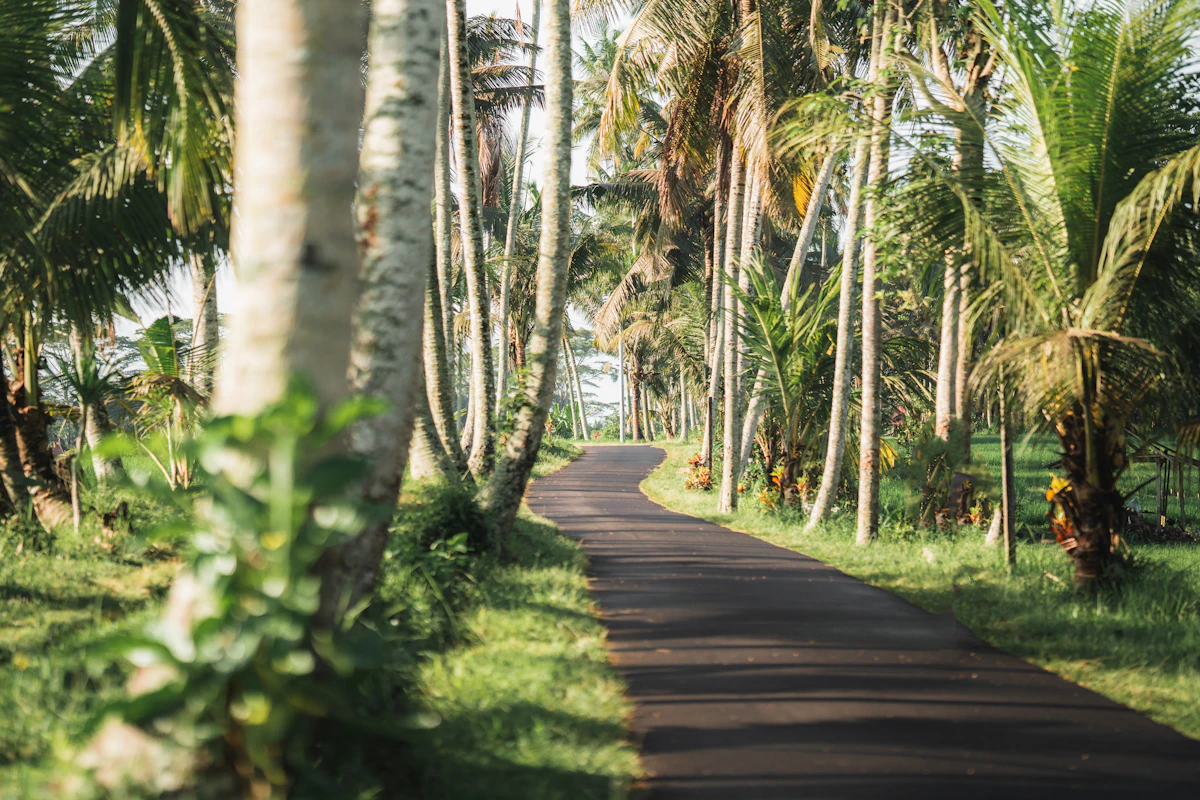
Bali sprzedawane jest w planie Indonezja od Horizon. Cała konfiguracja po kolei: sprawdź telefon, dobierz rozmiar, zainstaluj w domu na Wi-Fi i włącz linię dopiero w Ngurah Rai.
Dobra eSIM na Bali dopasowuje aktualne warunki planu do Indonezji do Twojej podróży, zapewnia około 8–10 GB na tydzień lub dwa i może działać obok domowej linii w zgodnym telefonie.


