



Kup plan
Wybierz kierunek, pakiet danych i okres ważności.






Nie ma terminu na pierwsze użycie. Możesz kupić pakiet teraz i zachować go na przyszłą podróż.
Porównaj przedpłacone plany eSIM do Maroka pod względem ilości danych, ważności, podanego zasięgu i całkowitej ceny. Zainstaluj przed wylotem i korzystaj z transmisji danych do map, transferów, wiadomości, tłumaczenia i rezerwacji w Casablance, Marrakeszu, Rabacie, Fezie i innych miejscach z listy. Te same loty łączą dwa bardzo różne rodzaje podróży. Wizyta u rodziny często trwa kilka tygodni, w trakcie podróży zmienia się adres, a wszystko zależy od okresu ważności podanego w planie oraz od tego, czy wybrany plan obsługuje doładowanie. Wakacje trwają tydzień lub dwa i skupiają zużycie danych na przylocie, transferach i dniach z wycieczkami, jeśli wieczorami korzystasz z Wi-Fi w riadzie lub hotelu. Przemyśl każdy z tych wariantów osobno, zanim zdecydujesz się na ilość danych.
Korzystaj z eSIM do Maroka, sprawdzając połączenia pociągów i autokarów między Casablanką, Rabatem a Marrakeszem, do map po medynach, tłumaczenia i wiadomości do riadu. Zainstaluj przez Wi-Fi przed wylotem i sprawdź podany zasięg wybranego planu dla każdego przystanku; dostępność zależy od urządzenia, terenu i lokalnych warunków sieciowych. Typowa trasa prowadzi z lotniska do miasta, a potem w uliczkę, gdzie adresem jest raczej charakterystyczny punkt niż nazwa ulicy, dlatego zapisz offline mapę dzielnicy, dokładny adres noclegu i numer gospodarza, zanim wejdziesz do medyny. Zachowaj ten sam nawyk na wybrzeżu i na południowych trasach: rezerwację, miejsce spotkania i drogę powrotną trzymaj offline, zanim opuścisz ostatnie miasto.
Zasady zwrotów
Na życzenie zawsze zwracamy całą zapłaconą kwotę, niezależnie od tego, czy eSIM jest nieużywana, częściowo czy całkowicie wykorzystana. Nie ma terminu na złożenie wniosku o zwrot.
Bez terminu pierwszego użycia
Ważność zaczyna biec dopiero od pierwszego połączenia z obsługiwaną siecią na miejscu. Nie ma terminu na pierwsze użycie. Możesz kupić pakiet teraz i zachować go na przyszłą podróż.
Bezpieczna płatność
Karty, Apple Pay i Google Pay — szyfrowanie zapewnia Paysera.
Obsługa 24/7 we wszystkich językach
Gwarantowana natychmiastowa odpowiedź.
Zainstaluj przez Wi-Fi w domu, dzień lub dwa przed lotem, i zachowaj offline własne instrukcje planu. Po lądowaniu ustaw eSIM jako linię transmisji danych, postępuj tylko według kroków aktywacji kupionego planu, a zwykłą kartę SIM zostaw do połączeń i SMS-ów. Jeśli pobyt odbywa się u rodziny, a nie w hotelu, weź pod uwagę domowe Wi-Fi, z którego możesz nie móc skorzystać, oraz adres, który może się zmienić w trakcie wizyty; zapisana lokalizacja sprawdza się tu lepiej niż nazwa ulicy.
Wybierz kierunek, pakiet danych i okres ważności.
Zeskanuj kod QR lub zainstaluj automatycznie w aplikacji — bez fizycznej karty SIM.
Dane aktywują się przy pierwszym połączeniu w miejscu docelowym.
Wybierz profil najbliższy Twojej podróży. Szacunek zakłada normalne korzystanie — mapy, wiadomości, zdjęcia, krótką rozmowę z domem.
Orientacyjnie: city break na 3–4 dni to około 1–3 GB, tygodniowy wyjazd — 3–5 GB, dwutygodniowa trasa po kilku krajach — 8–12 GB, a praca w podróży to około 1 GB dziennie, czyli co najmniej 15 GB na dwa tygodnie.
Łącznie pakiet 5 GB wystarcza na około 1700 udostępnionych zdjęć, 83 godzin mediów społecznościowych i przeglądania, 15 godzin wideorozmów, 63 godzin streamingu muzyki lub około 1000 godzin map i nawigacji. Komunikatory prawie nie zużywają danych.
Marrakesz · Przewodnik po mieście
Marrakesz otula cię labiryntem uliczek, a eSIM do Marrakeszu utrzymuje twoją mapę aktywną, gdy przechodzisz z placu Jemaa el-Fnaa w gąszcz medyny i suków. Gdy handlowa uliczka zawija się z powrotem, transmisja danych pomaga ci prześledzić drogę wstecz albo po prostu zostawić pinezkę, żeby móc wrócić do minaretu Koutoubia. Dzięki połączeniu możesz swobodnie się błąkać, nie martwiąc się, że zgubisz się w tym labiryncie. Jeśli riad znajduje się wewnątrz medyny, poproś o miejsce, do którego dojedzie samochód, i zapisz je, bo ostatni odcinek pokonuje się pieszo, a wspólną pinezką łatwiej się nim podzielić niż nazwą ulicy.
eSIM Marrakesz — skonfiguruj przed wylotemCasablanca · Przewodnik po mieście
Wiele podróży po Maroku zaczyna się w Casablance. Korzystaj z transmisji danych, by dotrzeć do Meczetu Hassana II, zamówić przejazd z lotniska, sprawdzić mapę atlantyckiej promenady, adresy w dzielnicy biznesowej i wysyłać wiadomości, gdy zasięg jest dostępny. Dostępność zależy od planu, urządzenia, budynku, lokalizacji i lokalnych warunków sieciowych, dlatego zapisz adres hotelu offline. Podczas wizyty rodzinnej to często tu zaczyna się dalsza część podróży, więc trzymaj offline również adres kolejnego etapu i miejsce spotkania, a także sprawdź, czy okres ważności obejmuje cały pobyt, a nie tylko pierwsze kilka dni.
eSIM Casablanca — skonfiguruj przed wylotemFez · Przewodnik po mieście
Fez ma jedną z najbardziej zawiłych starówek na świecie, a eSIM do Fezu pomaga ci się nie zgubić, gdy przemierzasz średniowieczną medynę. Korzystaj z transmisji danych, żeby poruszać się wąskimi uliczkami w stronę garbarni, sprawdzić historię dzielnicy Al-Qarawiyyin, stojąc akurat w niej, albo dać znać komuś, gdy wszystkie zaułki zaczynają wyglądać tak samo. Dzięki połączeniu labirynt, w którym łatwo się zgubić, zmienia się w miejsce, które możesz pewnie zwiedzać. Zapamiętaj bramę medyny, którą wszedłeś: to prosty punkt orientacyjny, który możesz podać kierowcy lub gospodarzowi, gdy uliczki przestaną pasować do mapy.
eSIM Fez — skonfiguruj przed wylotemRabat · Przewodnik po mieście
Jako stolica Rabat nagradza wolniejsze tempo zwiedzania, a eSIM do Rabatu pozwala ci je utrzymać, nie tracąc orientacji. Wyznacz trasę od kasby Udajów w dół, nad rzekę, poczytaj o Wieży Hassana, gdy się do niej zbliżasz, i korzystaj z transmisji danych przez całą drogę. Mając pod ręką transmisję danych, możesz sprawdzać godziny otwarcia, pisać do swojej grupy i trzymać trasę pod ręką, przemieszczając się między zabytkami miasta. Jeśli pobyt jest podzielony między stolicę a Casablankę, ustaloną godzinę wyjazdu i adres na wieczór trzymaj offline, zanim wyruszysz.
eSIM Rabat — skonfiguruj przed wylotemDlaczego Horizon
Wybierz ilość danych i okres ważności dopasowane do całej trasy i sprawdź w szczegółach zasięgu wybranego planu każde miasto, wybrzeże, górski lub pustynny przystanek. Pobierz mapy i informacje o rezerwacjach przed dłuższymi przejazdami poza miastem, gdzie zasięg może się różnić. Zanim zapłacisz, warto przeczytać cztery rzeczy w szczegółach wybranego planu: ilość danych, podany okres ważności, obecność Maroka na liście krajów oraz kwestię urządzenia, czyli czy telefon obsługuje eSIM i nie jest zablokowany do jednego operatora. Maroko nie należy automatycznie do ofert europejskich, dlatego przy każdym planie regionalnym, także naszym, sprawdź, czy ten kraj jest wymieniony z nazwy na liście krajów.
Plan na
Maroko
Porównaj podane pakiety danych i okresy ważności dla swojego kierunku.
Zainstaluj przez stabilne Wi-Fi przed wyjazdem i postępuj według instrukcji aktywacji planu.
Przejrzyj aktualną cenę, dane, ważność i zasięg przed zakupem. Plany Horizon nie mają ograniczania prędkości.
Gdy wybrany plan pozwala na ponowne użycie lub doładowania, sekcja Moje eSIM-y pokazuje dostępne opcje dla zainstalowanego profilu.
Powiadomimy Cię, gdy zbliżysz się do limitu. Jeśli plan pozwala na doładowanie, Moje eSIM-y pokażą dostępne opcje.
Wybierz zasięg krajowy, regionalny lub globalny i sprawdź każdy kierunek w szczegółach planu.
Obsługiwane sieci zależą od wybranego planu na Maroko. Przed zakupem sprawdź podane w nim lokalne sieci oraz to, czy 4G jest oferowane dla twojego urządzenia i twoich przystanków. Po przylocie wybierz eSIM do transmisji danych i postępuj zgodnie z ustawieniami sieci w telefonie; dostępność zależy od lokalizacji i lokalnych warunków.
Zasięg w miastach i w ich okolicach zależy od lokalizacji i lokalnych warunków sieciowych, a im dalej w tereny odludne, tym bardziej bywa on zmienny. Na wycieczkach w Góry Atlas i na Saharę sygnał słabnie w miarę oddalania się od miast, dlatego pobierz mapy offline z wyprzedzeniem i korzystaj z transmisji danych, dopóki jesteś jeszcze w pobliżu zabudowań. Przed nocą na pustyni lub długą trasą w górach zapisz również miejsce odbioru, szczegóły powrotu i kontakt do miejsca noclegu.
Strona produktu dotycząca Maroka nie zapewnia zasięgu poza Marokiem. Otwórz listę krajów objętych wybranym planem i, jeśli trasa obejmuje również Hiszpanię, Portugalię lub inny kraj, porównaj opcje regionalne i potwierdź każdy kraj przed zakupem.
Zainstaluj eSIM do Maroka przez Wi-Fi na dzień lub dwa przed wylotem i zachowaj szczegóły konfiguracji offline. Po lądowaniu na lotnisku Mohammed V w Casablance wybierz go do transmisji danych i postępuj zgodnie z instrukcjami planu. Okres ważności zacznie biec dopiero wtedy, gdy eSIM po raz pierwszy połączy się z obsługiwaną siecią komórkową w Maroku; kroki połączenia znajdziesz w warunkach wybranego planu. Do tego samego zapisanego zestawu dodaj adres riadu lub rodziny, numer referencyjny transferu oraz jedną zapisaną offline mapę pierwszej dzielnicy.
Większość telefonów z ostatnich kilku lat obsługuje eSIM i jest odblokowana, a to wszystko, czego potrzebujesz. Sprawdź w ustawieniach, czy jest opcja dodania planu danych lub eSIM; jeśli tak i telefon nie jest zablokowany do jednego operatora, możesz zainstalować plan jeszcze przed podróżą. Jeśli tej opcji brakuje, telefon w ogóle nie obsłuży podróżnego eSIM, a alternatywą pozostaje lokalna fizyczna karta SIM kupiona na miejscu po przylocie.
Tak. eSIM dodaje transmisję danych obok twojej zwykłej karty SIM, więc twój domowy numer pozostaje aktywny do połączeń i SMS-ów, podczas gdy dane obsługuje eSIM. Hotspot jest bezpłatny w każdym planie Horizon.
Nie. Plany Horizon nie mają ograniczania prędkości. Nie ma dziennego limitu, po którym internet zwalnia, więc w razie potrzeby możesz zużyć cały plan w jeden dzień. Prędkość zależy od lokalnej sieci, sygnału i obciążenia sieci. Gdy pakiet danych się skończy, plan przestaje działać, zamiast zwalniać.
Tak. Na życzenie zawsze zwracamy całą zapłaconą kwotę, niezależnie od tego, czy eSIM jest nieużywana, częściowo czy całkowicie wykorzystana. Nie ma terminu na złożenie wniosku o zwrot.
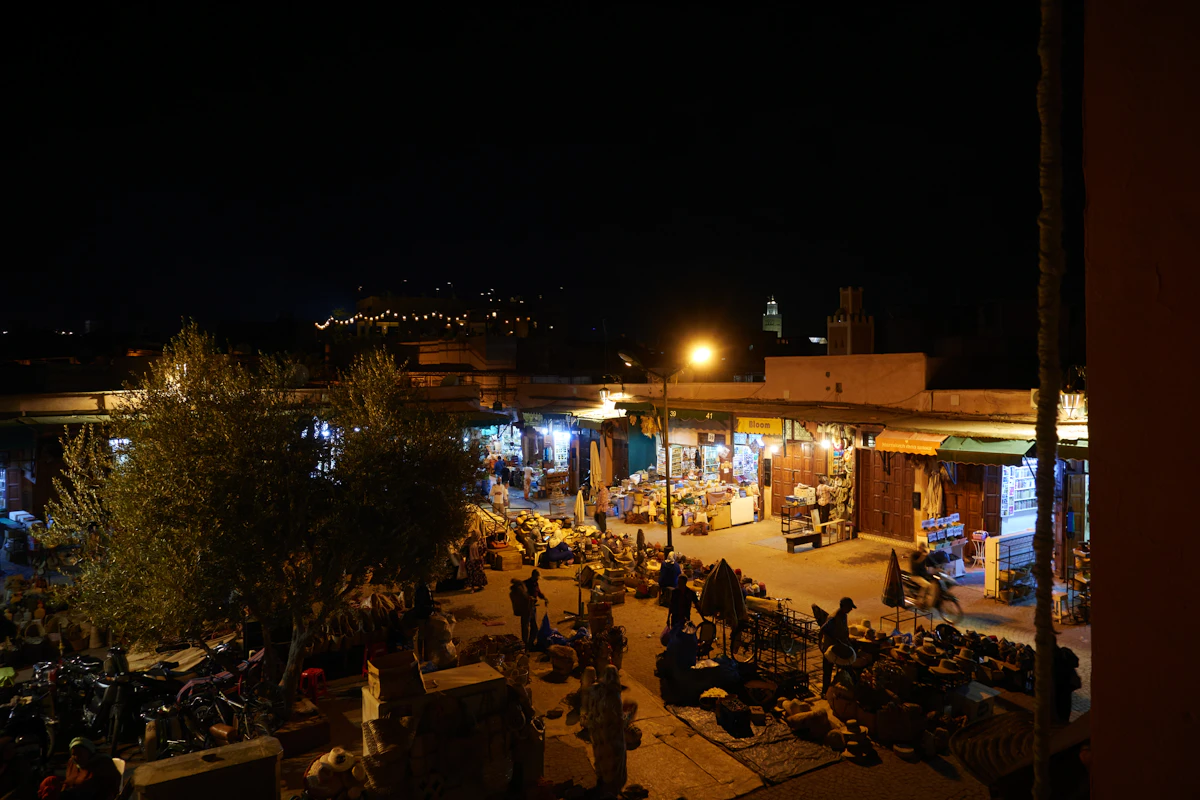
Większości tygodniowych wyjazdów do Maroka wystarcza 3–5 GB przy niewielkim zużyciu lub 5–10 GB na mapy, wiadomości i zdjęcia; na hotspot, wideo lub pracę przewidź co najmniej 15 GB.
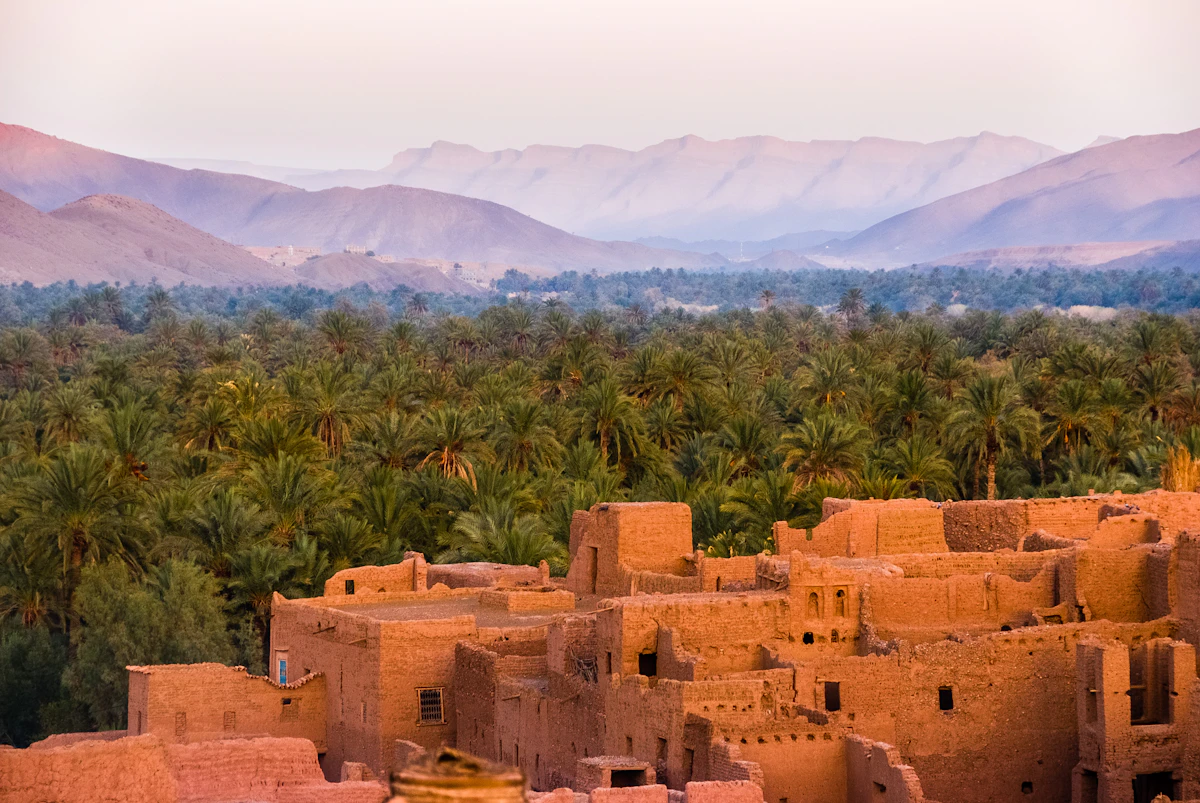
Marrakesz, wybrzeże, Sahara — na większość podróży po Maroku pasuje 8–10 GB, na mapy i wiadomości wystarcza 3–5 GB, a przy hotspocie przyda się co najmniej 15 GB.
Porównaj ceny eSIM w Maroku dla pakietów 5, 10 i 20 GB, w tym miejsca, gdzie Nomad jest tańszy, wyłączenia regionalne oraz natychmiastową pomoc Horizon.


