


اشترِ باقة
اختر الوجهة وحصة البيانات ومدة الصلاحية.






لا يوجد موعد نهائي للاستخدام الأول. يمكنك شراء الباقة الآن والاحتفاظ بها لرحلة مستقبلية.
قارن باقات eSIM المغرب مسبقة الدفع حسب البيانات والصلاحية والتغطية المدرجة والسعر الإجمالي. ثبّتها قبل المغادرة واستخدم بيانات الهاتف للخرائط والانتقالات والرسائل والترجمة والحجوزات في الدار البيضاء ومراكش والرباط وفاس والمحطات الأخرى المدرجة. قد تحمل الرحلات الجوية نفسها نوعين مختلفين من الزيارات. فزيارة الأقارب تمتد غالبًا عدة أسابيع وتتغير العناوين خلالها، وتعتمد على الصلاحية المكتوبة في الباقة وإمكانية إضافة الرصيد إلى الباقة المختارة. أما العطلة فتستغرق أسبوعًا أو أسبوعين ويتركز استخدام البيانات عند الوصول والانتقالات وأيام الجولات، إذا اعتمدت الأمسيات على Wi-Fi الرياض أو الفندق. قدّر كل نمط على حدة قبل تحديد كمية البيانات.
استخدم eSIM المغرب للتحقق من القطارات والحافلات بين الدار البيضاء والرباط ومراكش، وللخرائط داخل المدن العتيقة والترجمة ومراسلة الرياض. ثبّتها عبر Wi-Fi قبل المغادرة وفق تعليمات الباقة، وراجع تغطيتها المدرجة لكل محطة؛ إذ تتفاوت الإتاحة حسب الجهاز والتضاريس وظروف الشبكة المحلية. يبدأ المسار المعتاد من المطار إلى المدينة ثم إلى زقاق قد يُعرّف بمعلم بدل اسم شارع، لذا احفظ خريطة الحي وعنوان السكن الدقيق ورقم المضيف دون اتصال قبل دخول المدينة العتيقة. حافظ على العادة نفسها للساحل والطرق الجنوبية: الحجز ونقطة اللقاء وطريق العودة محفوظة دون اتصال قبل مغادرة آخر بلدة.
سياسة الاسترداد
نعيد دائمًا كامل المبلغ الذي دفعته عند طلبك، سواء كانت eSIM غير مستخدمة أو مستخدمة جزئيًا أو بالكامل. لا يوجد حد زمني لطلب الاسترداد.
لا موعد نهائي للاستخدام الأول
لا تبدأ الصلاحية إلا عندما يتصل eSIM بشبكة مدعومة في وجهتك. لا يوجد موعد نهائي للاستخدام الأول. يمكنك شراء الباقة الآن والاحتفاظ بها لرحلة مستقبلية.
دفع آمن
البطاقات، Apple Pay، Google Pay — مشفّرة عبر Paysera.
دعم على مدار الساعة بجميع اللغات
ردود فورية مضمونة.
ثبّت الملف عبر Wi-Fi في المنزل قبل السفر بيوم أو يومين، واحتفظ بتعليمات الباقة نفسها دون إنترنت. بعد الهبوط، اختر eSIM خطًا لبيانات الهاتف، واتبع فقط خطوات تفعيل الباقة التي اشتريتها، واترك شريحتك المعتادة للمكالمات والرسائل. إذا كنت تقيم لدى الأقارب بدلًا من الفندق، فضع في الحسبان شبكة Wi-Fi منزلية قد لا تتمكن من استخدامها وعنوانًا قد يتغير أثناء الزيارة؛ فهنا يسهل الاستدلال بنقطة محددة على الخريطة أكثر من اسم شارع.
اختر الوجهة وحصة البيانات ومدة الصلاحية.
امسح رمز QR أو ثبّته تلقائيًا داخل التطبيق — دون شريحة SIM فعلية.
تُفعَّل البيانات عند أول اتصال في وجهتك.
اختر النمط الأقرب إلى رحلتك. ويفترض التقدير استخدامًا عاديًا — خرائط ومراسلة وصور ومكالمة قصيرة إلى الأهل.
كقاعدة عامة، تحتاج رحلة مدينة من 3–4 يوم إلى نحو 1–3 GB، ورحلة أسبوع إلى 3–5 GB، وجولة أسبوعين بين عدة دول إلى 8–12 GB، أما العمل أثناء التنقل فيستهلك نحو 1 GB يوميًا، أي 15 GB أو أكثر لأسبوعين.
إجمالًا، تغطي حصة بيانات قدرها 5 GB نحو 1,700 صورة مشاركة، أو 83 ساعة من وسائل التواصل والتصفح، أو 15 ساعة من مكالمات الفيديو، أو 63 ساعة من بث الموسيقى، أو نحو 1000 ساعة من الخرائط والملاحة. أما تطبيقات المراسلة فتستهلك بيانات ضئيلة.
مراكش · دليل المدينة
تشبه أزقة مراكش شبكة متداخلة، وتساعد eSIM مراكش على استخدام الخرائط المتاحة أثناء الانتقال من ساحة جامع الفنا إلى المدينة العتيقة والأسواق. وعندما ينعطف زقاق تسوق إلى الخلف، تساعد البيانات على تتبع خطواتك أو وضع علامة للعودة نحو صومعة الكتبية. يمكن للاتصال المتاح أن يسهّل الاستكشاف، لكن احتفظ أيضًا بمعالم ومسار محفوظين. وإذا كان الرياض داخل المدينة العتيقة، فاطلب نقطة إنزال تصل إليها السيارة واحفظها؛ إذ تكمل الجزء الأخير سيرًا، ويسهل توضيحه بموقع مشترك أكثر من اسم شارع.
eSIM لمدينة مراكش — أعدّه قبل السفرالدار البيضاء · دليل المدينة
تبدأ رحلات مغربية كثيرة من الدار البيضاء. استخدم البيانات للاتجاهات إلى مسجد الحسن الثاني والنقل من المطار وخرائط الكورنيش الأطلسي وعناوين أحياء الأعمال والرسائل عندما تتاح الخدمة. تختلف الإتاحة حسب الباقة والجهاز والمبنى والموقع وظروف الشبكة المحلية، لذا احفظ عنوان الفندق دون اتصال. وفي زيارة عائلية تكون هذه غالبًا نقطة انطلاق بقية الرحلة، فاحتفظ بالعنوان التالي ونقطة اللقاء دون اتصال أيضًا، وتأكد من أن فترة الصلاحية تغطي الإقامة كلها لا الأيام الأولى فقط.
eSIM لمدينة الدار البيضاء — أعدّه قبل السفرفاس · دليل المدينة
تضم فاس مدينة عتيقة كثيرة الأزقة المتشابكة، وتساعد eSIM فاس على تحديد الاتجاه أثناء استكشافها عندما تتاح الخدمة. استخدم البيانات للوصول عبر الممرات الضيقة إلى دور الدباغة وقراءة تاريخ حي القرويين أو مراسلة شخص عندما تبدأ الأزقة بالتشابه. قد يسهّل الاتصال التجول، مع أهمية الاحتفاظ بمعالم ثابتة دون اتصال. دوّن باب المدينة الذي دخلت منه؛ فهو معلم يسهل إعطاؤه للسائق أو المضيف عندما لا تتطابق الأزقة بوضوح مع الخريطة.
eSIM لمدينة فاس — أعدّه قبل السفرالرباط · دليل المدينة
تناسب الرباط الاستكشاف بهدوء، وتساعد eSIM الرباط على تنظيم المسار. افتح الاتجاهات من قصبة الأوداية إلى ضفة النهر، واقرأ عن صومعة حسان أثناء الاقتراب منها، واستخدم البيانات حيث تتاح. يمكنك التحقق من مواعيد الفتح ومراسلة المجموعة والاحتفاظ بمسارك أثناء التنقل بين المعالم. وإذا قسمت الإقامة بين العاصمة والدار البيضاء، فاحفظ موعد المغادرة الذي اخترته وعنوان المساء دون اتصال قبل الانطلاق.
eSIM لمدينة الرباط — أعدّه قبل السفرلماذا Horizon
اختر البيانات والصلاحية للرحلة كاملة، وتحقق من تغطية كل محطة في مدينة أو ساحل أو جبل أو صحراء في تفاصيل الباقة المختارة. نزّل الخرائط ومعلومات الحجز قبل القيادة في مناطق نائية قد يتفاوت فيها الاستقبال. اقرأ أربعة أمور في تفاصيل الباقة نفسها قبل الدفع: كمية البيانات، وفترة الصلاحية، وإدراج المغرب في قائمة الوجهات، ودعم الهاتف لـ eSIM وكونه غير مقفل على مشغّل. لا يندرج المغرب تلقائيًا ضمن عرض لأوروبا، لذا تحقق في أي باقة إقليمية، بما فيها باقاتنا، من ظهور البلد بالاسم في قائمة الوجهات.
باقة إلى
المغرب
قارن حصص البيانات ومدد الصلاحية المدرجة لوجهتك.
ثبّتها عبر شبكة Wi-Fi موثوقة قبل المغادرة، واتبع تعليمات تفعيل الباقة.
راجع السعر الحالي والبيانات والصلاحية والتغطية قبل الدفع. لا توجد قيود على السرعة في باقات Horizon.
عندما تدعم الباقة المختارة إعادة الاستخدام أو إعادة التعبئة، يعرض قسم «eSIM الخاصة بي» الخيارات المتاحة لملف التعريف المثبّت.
سننبّهك عند اقترابك من الحد. وإذا كانت الباقة تدعم إعادة التعبئة، فسيعرض قسم «eSIM الخاصة بي» الخيارات المتاحة.
اختر تغطية دولة واحدة أو إقليمية أو عالمية، وتحقق من كل وجهة في تفاصيل الباقة.
تعتمد الشبكات المدعومة على باقة المغرب المختارة. تحقق قبل الشراء من الشبكات المحلية المدرجة وما إذا كانت تتيح 4G لجهازك ومحطاتك. بعد الوصول، اختر eSIM لبيانات الهاتف واتبع إعدادات الشبكة على الهاتف؛ فالإتاحة تختلف حسب الموقع والظروف المحلية.
تعتمد التغطية في المدن وحولها على الموقع وظروف الشبكة المحلية، وتزداد تفاوتًا في المناطق النائية. قد تضعف الإشارة أو تنقطع بعيدًا عن البلدات في جولات جبال الأطلس والصحراء، لذا نزّل الخرائط دون اتصال مسبقًا واستخدم البيانات المتاحة قرب العمران. وقبل ليلة في الصحراء أو قيادة جبلية طويلة، احفظ نقطة الاستقبال ومسار العودة وبيانات السكن أيضًا.
لا تثبت صفحة منتج المغرب الخدمة خارج المغرب. افتح قائمة وجهات الباقة المختارة، وإذا وصل المسار إلى إسبانيا أو البرتغال أو دولة أخرى، فقارن الخيارات الإقليمية وتحقق من كل دولة قبل إتمام الشراء.
ثبّت eSIM المغرب عبر Wi-Fi قبل المغادرة بيوم أو يومين واحتفظ بتفاصيل الإعداد دون اتصال. بعد الهبوط في مطار محمد الخامس بالدار البيضاء، اخترها لبيانات الهاتف واتبع تعليمات الباقة. لا تبدأ مدة الصلاحية إلا عندما يتصل eSIM لأول مرة بشبكة جوال مدعومة في المغرب؛ وتجد خطوات الاتصال في شروط الباقة المختارة. احفظ معها عنوان الرياض أو منزل العائلة ومرجع الانتقال وخريطة دون اتصال للحي الأول.
تدعم معظم هواتف السنوات القليلة الماضية eSIM ولا تكون مقفلة على مشغّل معين، وهذا كل ما تحتاجه. ابحث في الإعدادات عن خيار لإضافة باقة بيانات أو eSIM؛ فإذا وجدته ولم يكن هاتفك مقفلًا على مشغّل، فأنت جاهز للتثبيت قبل السفر. إذا غاب هذا الخيار، فلن يقبل الجهاز أي eSIM للسفر، وتبقى شريحة SIM محلية فعلية تشتريها عند الوصول هي البديل.
نعم. تضيف eSIM بيانات إلى جانب شريحتك المعتادة، فيبقى رقمك متاحًا للمكالمات والرسائل بينما تحمل eSIM البيانات. تستهلك المشاركة من كمية البيانات نفسها، وقد يستهلكها الحاسوب أسرع من الهاتف. مشاركة الإنترنت عبر نقطة الاتصال مجانية في كل باقات Horizon.
لا. لا توجد قيود على السرعة في باقات Horizon. لا يوجد حد يومي يبطئ اتصالك، لذا يمكنك استخدام باقتك كلها في يوم واحد إذا احتجت إلى ذلك. تعتمد السرعة على الشبكة المحلية وقوة الإشارة ومدى ازدحام الشبكة. وعندما تنفد بياناتك، تتوقف الباقة بدلًا من أن تبطئ.
نعم. نعيد دائمًا كامل المبلغ الذي دفعته عند طلبك، سواء كانت eSIM غير مستخدمة أو مستخدمة جزئيًا أو بالكامل. لا يوجد حد زمني لطلب الاسترداد.
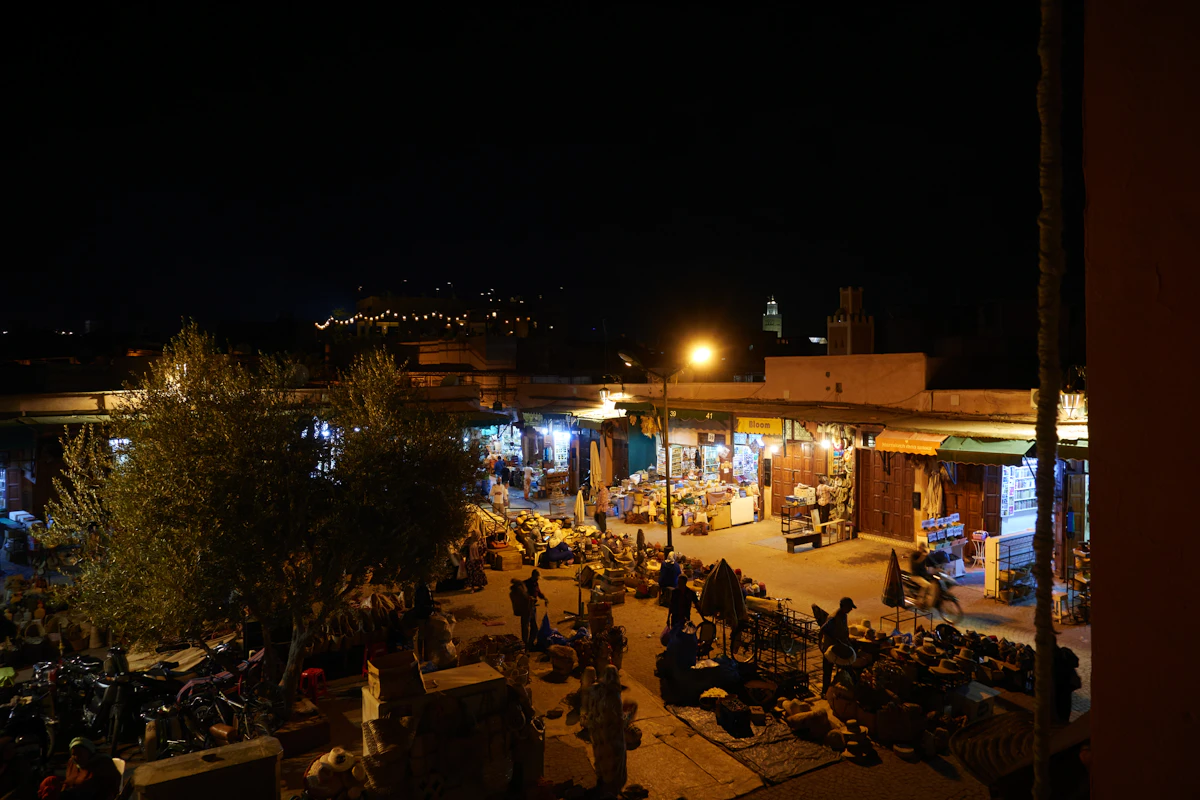
تكفي لمعظم رحلات المغرب لأسبوع سعة 3–5 GB للاستخدام الخفيف أو 5–10 GB للخرائط والرسائل والصور؛ خصص 15 GB أو أكثر لنقطة الاتصال والفيديو والعمل.
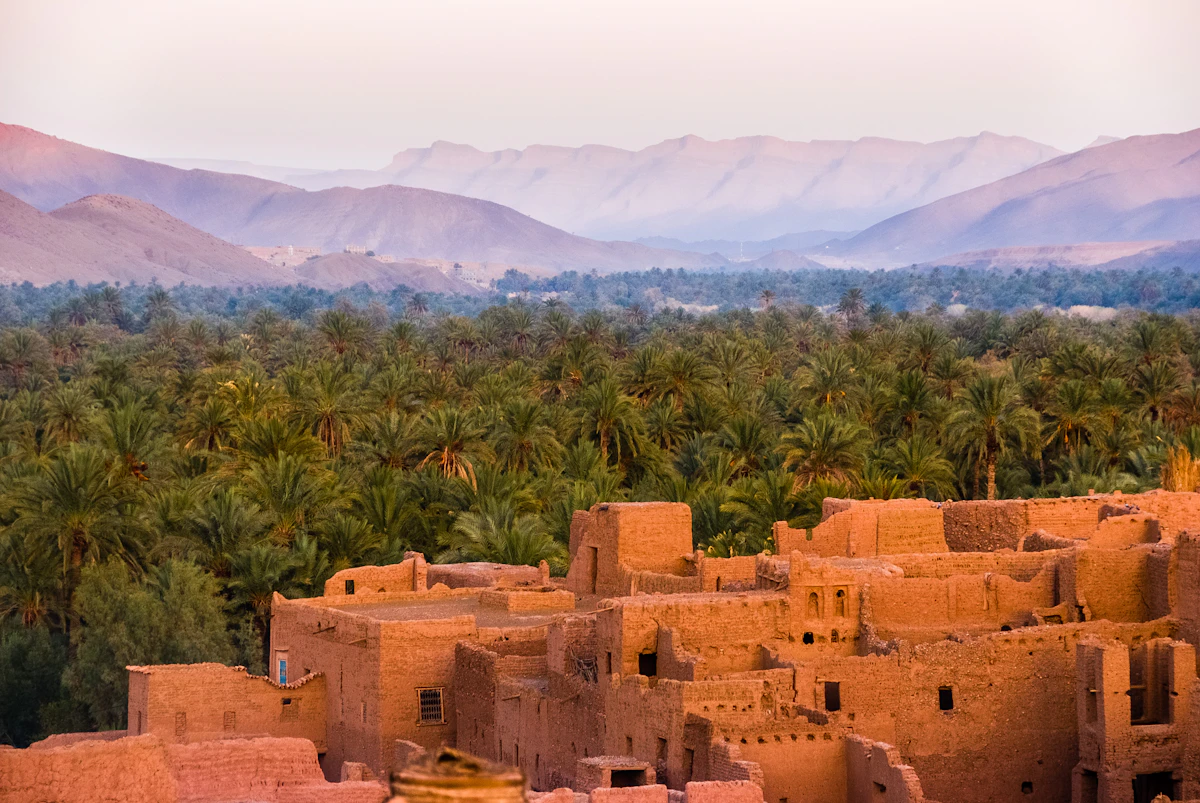
مراكش والساحل والصحراء: تكفي 8–10 GB لمعظم رحلات المغرب، و3–5 GB للخرائط والرسائل، و15 GB أو أكثر عند استخدام نقطة الاتصال.
قارن أسعار eSIM للمغرب بسعة 5 و10 و20 غيغابايت، والحالات التي تكون فيها Nomad أقل تكلفة، والاستثناءات الإقليمية ودعم Horizon الفوري.


