



Kup plan
Wybierz kierunek, pakiet danych i okres ważności.






Wybierz długość wyjazdu i sposób korzystania z danych. Dopasowanie opiera się na aktualnych planach i cenach.
Mapy, media społecznościowe, zdjęcia i krótka wideorozmowa prawie codziennie, około 0,5 GB dziennie
Szacowane zapotrzebowanie: około 7 GB
Ważny przez 30 dni, więc wystarczy na 14 dni wyjazdu.
Na wyjazd na 14 dni: 3 GB na 30 dni za €2.24, jeśli korzystasz głównie z Wi-Fi, 10 GB na 30 dni za €7.05 przy codziennym korzystaniu lub 20 GB na 30 dni za €13.93 przy intensywnym korzystaniu albo używaniu hotspotu.
Nie ma terminu na pierwsze użycie. Możesz kupić pakiet teraz i zachować go na przyszłą podróż.
Pakiet do Nowej Zelandii dobiera się do dwóch bardzo różnych części kraju. Na Wyspie Północnej bezpośrednia droga prowadzi z Auckland do Rotorua; na Wyspie Południowej trasa biegnie z Christchurch do Queenstown przez wyżyny, a dalej do Fiordlandu. Porównaj ilość danych, okres ważności i terytorium wymienione w pakiecie. Traktuj działanie połączenia jako zmienne: zależy od pakietu, telefonu, dokładnego miejsca, skał lub tunelu nad drogą oraz sieci partnerskiej docierającej do danej doliny.
Dwie wyspy bez łączącej je drogi. Auckland jest głównym międzynarodowym punktem przylotu i największym miastem. Rotorua leży około 230 kilometrów na południe, na aktywnym obszarze geotermalnym z gejzerami, wrzącym błotem i parującą ziemią. Na Wyspę Południową dociera się samolotem lub promem przez Cieśninę Cooka, a odległości na niej są duże: Christchurch–Queenstown to około 485 kilometrów przez wyżynne tereny. Za Te Anau Fiordland ciągnie się długimi odcinkami bez żadnych miejscowości.
Zasady zwrotów
Na życzenie zawsze zwracamy całą zapłaconą kwotę, niezależnie od tego, czy eSIM jest nieużywana, częściowo czy całkowicie wykorzystana. Nie ma terminu na złożenie wniosku o zwrot.
Bez terminu pierwszego użycia
Ważność zaczyna biec dopiero od pierwszego połączenia z obsługiwaną siecią na miejscu. Nie ma terminu na pierwsze użycie. Możesz kupić pakiet teraz i zachować go na przyszłą podróż.
Bezpieczna płatność
Karty, Apple Pay i Google Pay — szyfrowanie zapewnia Paysera.
Obsługa 24/7 we wszystkich językach
Gwarantowana natychmiastowa odpowiedź.
Przed lotem zainstaluj profil przez zaufane Wi-Fi; okres ważności zacznie biec dopiero wtedy, gdy eSIM po raz pierwszy połączy się z obsługiwaną siecią komórkową w Nowej Zelandii. Terminal międzynarodowy Auckland leży około 21 kilometrów na południe od centrum. AirportLink łączy lotnisko ze stacją Puhinui, gdzie można przesiąść się na pociąg, oraz z Manukau. SkyDrive kursuje do SkyCity w centrum Auckland. Dostępne są też taksówki i przejazdy zamawiane aplikacją. Sprawdź aktualny planer podróży przewoźnika, w tym odjazdy i ewentualną komunikację zastępczą za pociągi. Wybierz eSIM jako linię danych komórkowych w momencie wskazanym przez pakiet, a następnie zachowaj offline informacje o promie, wynajmie i noclegach na spokojniejsze odcinki w głębi kraju.
Wybierz kierunek, pakiet danych i okres ważności.
Zeskanuj kod QR lub zainstaluj automatycznie w aplikacji — bez fizycznej karty SIM.
Dane aktywują się przy pierwszym połączeniu w miejscu docelowym.
Wybierz profil najbliższy Twojej podróży. Szacunek zakłada normalne korzystanie — mapy, wiadomości, zdjęcia, krótką rozmowę z domem.
Orientacyjnie: city break na 3–4 dni to około 1–3 GB, tygodniowy wyjazd — 3–5 GB, dwutygodniowa trasa po kilku krajach — 8–12 GB, a praca w podróży to około 1 GB dziennie, czyli co najmniej 15 GB na dwa tygodnie.
Łącznie pakiet 5 GB wystarcza na około 1700 udostępnionych zdjęć, 83 godzin mediów społecznościowych i przeglądania, 15 godzin wideorozmów, 63 godzin streamingu muzyki lub około 1000 godzin map i nawigacji. Komunikatory prawie nie zużywają danych.
Auckland · Przewodnik po mieście
Auckland jest największym miastem i głównym punktem przylotów międzynarodowych, więc tu zaczyna się większość tras. Sky Tower, Auckland War Memorial Museum i nabrzeże Viaduct Harbour mieszczą się w centrum dostępnym pieszo. Na wyspę Waiheke i do jej winnic płynie się promem przez otwartą wodę; podczas przeprawy telefon korzysta z sygnału, który dociera z brzegu. Lotnisko leży około 21 kilometrów na południe od centrum.
eSIM Auckland — skonfiguruj przed wylotemRotorua · Przewodnik po mieście
Rotorua leży około 230 kilometrów od Auckland, mniej więcej dwie godziny i 45 minut–trzy godziny jazdy bezpośrednią drogą. W Te Puia i Wai-O-Tapu trasy po kładkach prowadzą między gejzerami, wrzącymi błotnymi sadzawkami i kolorowymi tarasami. Dzień uzupełniają maoryska wioska Whakarewarewa i jezioro Rotorua. Miasto stoi na aktywnym obszarze geotermalnym, z parującą ziemią między atrakcjami, więc mapy parków pobierz przed wejściem. Lotnisko Rotorua leży kilka kilometrów na południowy wschód.
eSIM Rotorua — skonfiguruj przed wylotemChristchurch · Przewodnik po mieście
Christchurch jest bramą Wyspy Południowej i nazywa siebie Miastem Ogrodów. Ogrody botaniczne, Cathedral Square, Riccarton House i rejon zabytkowego tramwaju znajdują się w centrum, a dalej otwiera się Canterbury. Przy wyborze danych ważny jest następny odcinek: droga do Queenstown ma około 485 kilometrów i zajmuje pięć i pół–sześć godzin przez wyżynne wnętrze wyspy, w tym przełęcz Lindis, gdzie od czerwca do sierpnia może leżeć śnieg. Lotnisko jest około 10 kilometrów na północny zachód.
eSIM Christchurch — skonfiguruj przed wylotemQueenstown · Przewodnik po mieście
Queenstown to alpejski kurort nad jeziorem Wakatipu, z kolejką Skyline Gondola na Bob's Peak, pasmem Remarkables po drugiej stronie wody i pobliskim dawnym miastem poszukiwaczy złota Arrowtown. Lotnisko leży kilka kilometrów dalej we Frankton i należy do najbardziej centralnie położonych w kraju. Klasyczną długą wycieczką jest Milford Sound: około 290 kilometrów przez Te Anau, cztery–cztery i pół godziny w każdą stronę, przez krainę fiordów i tunel Homera.
eSIM Queenstown — skonfiguruj przed wylotemDlaczego Horizon
Dopasuj dane do układu podróży. Dwa lub trzy tygodnie na obu wyspach oznaczają lotniska, długie odcinki dróg i przeprawę, z mapą otwartą przez większą część dnia. Krótka pętla po Wyspie Północnej przez Auckland i Rotorua wymaga znacznie mniej. Sprawdź, czy ważność pakietu obejmuje również powrót, i potwierdź na liście terytoriów, że wymieniona jest Nowa Zelandia.
Plan na
Nowa Zelandia
Porównaj podane pakiety danych i okresy ważności dla swojego kierunku.
Zainstaluj przez stabilne Wi-Fi przed wyjazdem i postępuj według instrukcji aktywacji planu.
Przejrzyj aktualną cenę, dane, ważność i zasięg przed zakupem. Plany Horizon nie mają ograniczania prędkości.
Gdy wybrany plan pozwala na ponowne użycie lub doładowania, sekcja Moje eSIM-y pokazuje dostępne opcje dla zainstalowanego profilu.
Powiadomimy Cię, gdy zbliżysz się do limitu. Jeśli plan pozwala na doładowanie, Moje eSIM-y pokażą dostępne opcje.
Wybierz zasięg krajowy, regionalny lub globalny i sprawdź każdy kierunek w szczegółach planu.
Tak, a większość pierwszych tras planuje się na dwa lub trzy tygodnie. Wysp nie łączy droga, więc trzeba uwzględnić albo lot krajowy Auckland–Christchurch trwający około godziny i 20 minut, albo dojazd do Wellington i prom Interislander do Picton. Przy pobycie krótszym niż dwa tygodnie zwykle coś wypada z planu, najczęściej Fiordland, położony najdalej od obu głównych punktów przylotu.
Tak i warto uwzględnić to w planie. Droga Milford Road prowadzi przez tunel Homera o długości 1270 metrów, ze wschodnim wlotem na wysokości 945 metrów i ruchem wahadłowym sterowanym światłami. W chłodniejszych miesiącach droga jest zamykana średnio przez około osiem dni rocznie, a nad trasą prowadzi się kontrolowane wyzwalanie lawin z helikoptera. Między Te Anau a fiordem ciągną się długie odcinki bez miejscowości, więc przed wyruszeniem sprawdź status drogi.
Oba warianty są popularne. Lot między Auckland a Christchurch trwa około godziny i dwudziestu minut. Aby przeprawić się przez Cieśninę Cooka, dojedź lądem do Wellington, popłyń Interislanderem do Picton w około trzy i pół godziny, a potem kontynuuj podróż. Jeśli chcesz zabrać samochód z wypożyczalni, najpierw potwierdź jej zgodę i zarezerwuj przewóz pojazdu u operatora promu; nie zakładaj, że ten sam samochód może towarzyszyć Ci na obu wyspach. Zapisz szczegóły rejsu i dalszej trasy offline, ponieważ połączenie na otwartej wodzie może się zmieniać.
Samodzielna jazda jest popularna na każdej z wysp, lecz wymaga przygotowania do ruchu lewostronnego i nieznanych dróg. Przeczytaj wskazówki NZ Transport Agency, zaplanuj przerwy i nie zaczynaj długiej jazdy w stanie zmęczenia po locie. Kręte drogi i zmienna pogoda mogą wydłużyć podróż bardziej, niż sugeruje odległość w linii prostej: Christchurch–Queenstown to około 485 kilometrów i pięć i pół do sześciu godzin bez postojów. Porównaj loty lub transport zorganizowany, jeśli prowadzenie samochodu Ci nie odpowiada, i uwzględnij osobną przeprawę między wyspami.
To zależy od celu podróży. Christchurch jest większą bramą regionu, płaską i centralną, oraz naturalnym początkiem zwiedzania Canterbury i dłuższej pętli po Wyspie Południowej. Queenstown to baza alpejska nad jeziorem Wakatipu pod pasmem Remarkables i rozsądny punkt startowy wycieczki do Milford Sound, około 290 kilometrów w jedną stronę przez Te Anau. Miasta dzieli mniej więcej 485 kilometrów albo godzina lotu krajowego.
Pory roku są odwrotne niż w Europie i Ameryce Północnej. Od grudnia do lutego jest najcieplej i wtedy planuje się plażowanie. Kąpiele przypadają zasadniczo od grudnia do marca, choć woda pozostaje chłodna w porównaniu z tropikami. Od czerwca do sierpnia jest najzimniej, a sezon narciarski koło Queenstown i Wanaka trwa od czerwca do września. Listopad i marzec to miesiące poza szczytem sezonu, z dobrymi warunkami i mniejszymi tłumami.
Tak, to standardowy krótki odcinek na Wyspie Północnej. Rotorua leży około 230 kilometrów od Auckland przy bezpośredniej drodze, mniej więcej dwie godziny i 45 minut–trzy godziny jazdy, więc łatwo połączyć je na dwie lub trzy noce przed lotem na południe. Auckland zapewnia zwiedzanie miasta, muzeum i prom na Waiheke; Rotorua parki geotermalne Te Puia i Wai-O-Tapu, wioskę Whakarewarewa i jezioro. Oba miejsca leżą na głównej trasie turystycznej Wyspy Północnej.
Nie. Plany Horizon nie mają ograniczania prędkości. Nie ma dziennego limitu, po którym internet zwalnia, więc w razie potrzeby możesz zużyć cały plan w jeden dzień. Prędkość zależy od lokalnej sieci, sygnału i obciążenia sieci. Gdy pakiet danych się skończy, plan przestaje działać, zamiast zwalniać.
Tak. Na życzenie zawsze zwracamy całą zapłaconą kwotę, niezależnie od tego, czy eSIM jest nieużywana, częściowo czy całkowicie wykorzystana. Nie ma terminu na złożenie wniosku o zwrot.
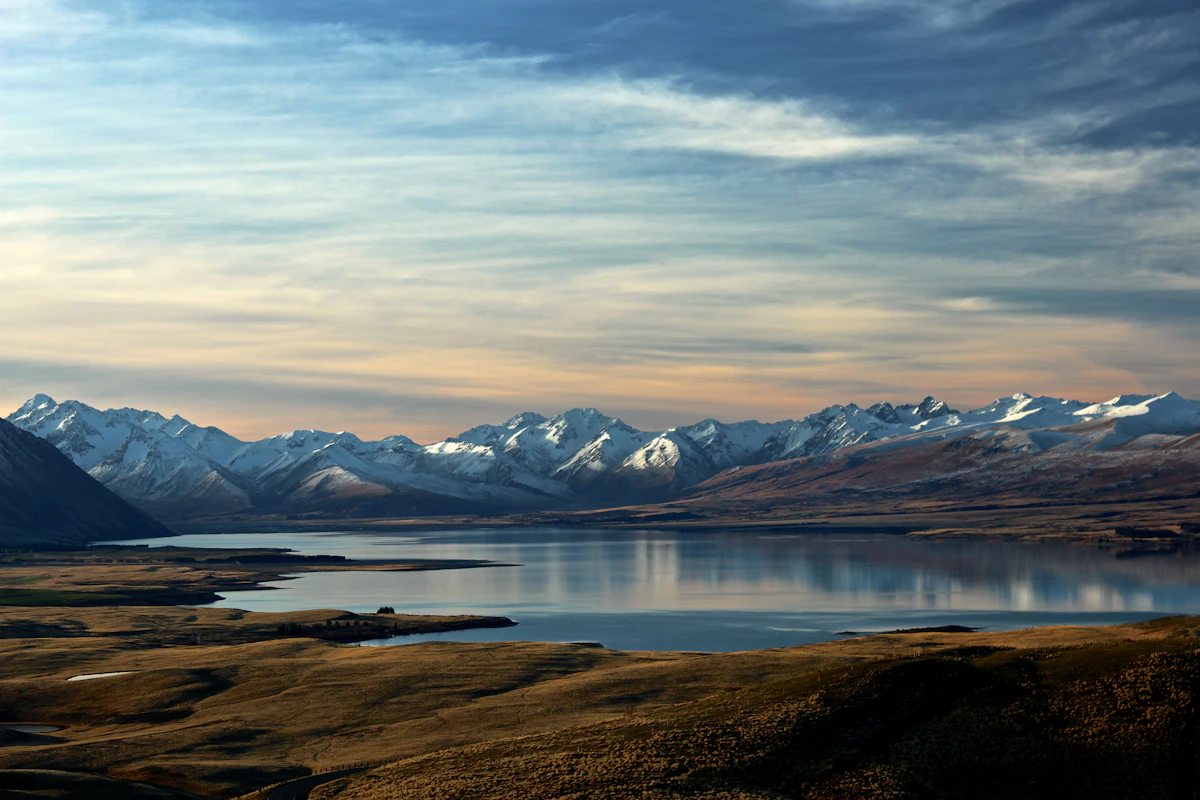
Wybierz eSIM na Nową Zelandię według trasy, zużycia danych i dat podróży. Porównaj aktualne pakiety, a następnie sprawdź telefon i instrukcję konfiguracji.
Długi weekend w jednym nowozelandzkim mieście to 2–4 GB, tydzień zwiedzania 6–10 GB, a dwa tygodnie lub podróż samochodem — od 12 GB. Australijski numer zostaje z Tobą.
