



اشترِ باقة
اختر الوجهة وحصة البيانات ومدة الصلاحية.






اختر مدة رحلتك وطريقة استخدامك للبيانات. تعتمد التوصية على الباقات والأسعار الحالية.
خرائط ووسائل تواصل وصور ومكالمة فيديو قصيرة في معظم الأيام، نحو 0.5 GB يوميًا
الاحتياج التقديري: نحو 7 GB
صالحة لمدة 30 يومًا، وهذا يكفي لرحلتك التي تستمر 14 يومًا.
لرحلة مدتها 14 يومًا: 3 GB لمدة 30 يومًا بسعر €2.24 إذا كنت تعتمد غالبًا على Wi-Fi، أو 10 GB لمدة 30 يومًا بسعر €7.05 للاستخدام اليومي، أو 20 GB لمدة 30 يومًا بسعر €13.93 للاستخدام الكثيف أو نقطة الاتصال.
لا يوجد موعد نهائي للاستخدام الأول. يمكنك شراء الباقة الآن والاحتفاظ بها لرحلة مستقبلية.
اختر باقة نيوزيلندا وفق جزأين مختلفين من البلاد. في الجزيرة الشمالية يمتد طريق مباشر من أوكلاند إلى روتوروا، بينما تربط الجزيرة الجنوبية كرايستشيرش بكوينزتاون عبر المرتفعات ثم فيوردلاند. قارن حجم البيانات ومدة الصلاحية والوجهات المذكورة، وتعامل مع الأداء بوصفه متغيرًا بحسب الباقة والهاتف والموقع الدقيق والصخور أو الأنفاق فوق الطريق والشبكة الشريكة التي تصل إلى الوادي.
جزيرتان بلا طريق بينهما. أوكلاند أكبر المدن والبوابة الدولية الرئيسية، وتبعد روتوروا نحو 230 كيلومترًا جنوبها داخل حقل حراري أرضي نشط من النوافير الحارة والطين المغلي والأرض المتصاعدة البخار. تصل إلى الجزيرة الجنوبية بالطائرة أو بعبّارة عبر مضيق كوك، ومسافاتها طويلة بدورها؛ فكرايستشيرش إلى كوينزتاون نحو 485 كيلومترًا عبر المرتفعات. بعد تي أناو تمتد فيوردلاند لمسافات طويلة بلا بلدات.
سياسة الاسترداد
نعيد دائمًا كامل المبلغ الذي دفعته عند طلبك، سواء كانت eSIM غير مستخدمة أو مستخدمة جزئيًا أو بالكامل. لا يوجد حد زمني لطلب الاسترداد.
لا موعد نهائي للاستخدام الأول
لا تبدأ الصلاحية إلا عندما يتصل eSIM بشبكة مدعومة في وجهتك. لا يوجد موعد نهائي للاستخدام الأول. يمكنك شراء الباقة الآن والاحتفاظ بها لرحلة مستقبلية.
دفع آمن
البطاقات، Apple Pay، Google Pay — مشفّرة عبر Paysera.
دعم على مدار الساعة بجميع اللغات
ردود فورية مضمونة.
قبل الرحلة، ثبّت الملف عبر شبكة Wi-Fi موثوقة؛ ولن تبدأ مدة الصلاحية إلا عندما يتصل eSIM لأول مرة بشبكة جوال مدعومة في نيوزيلندا. تقع صالة أوكلاند الدولية على بُعد نحو 21 كيلومترًا جنوب وسط المدينة. تربط حافلة AirportLink المطار بمحطة بوهينوي لمواصلة الرحلة بالقطار، وبمانوكاو؛ وتصل خدمة SkyDrive إلى SkyCity في وسط أوكلاند. تتوفر أيضًا سيارات الأجرة والسيارات المطلوبة عبر التطبيقات. راجع مخطط الرحلات الحالي للمشغل لمعرفة مواعيد المغادرة وأي حافلات بديلة للقطارات. اختر eSIM خطًا لبيانات الهاتف عندما تنص تعليمات باقتك على ذلك، ثم احفظ تفاصيل العبّارة وتأجير السيارة والإقامة دون اتصال لاستخدامها في الأجزاء الأكثر هدوءًا داخل البلاد.
اختر الوجهة وحصة البيانات ومدة الصلاحية.
امسح رمز QR أو ثبّته تلقائيًا داخل التطبيق — دون شريحة SIM فعلية.
تُفعَّل البيانات عند أول اتصال في وجهتك.
اختر النمط الأقرب إلى رحلتك. ويفترض التقدير استخدامًا عاديًا — خرائط ومراسلة وصور ومكالمة قصيرة إلى الأهل.
كقاعدة عامة، تحتاج رحلة مدينة من 3–4 يوم إلى نحو 1–3 GB، ورحلة أسبوع إلى 3–5 GB، وجولة أسبوعين بين عدة دول إلى 8–12 GB، أما العمل أثناء التنقل فيستهلك نحو 1 GB يوميًا، أي 15 GB أو أكثر لأسبوعين.
إجمالًا، تغطي حصة بيانات قدرها 5 GB نحو 1,700 صورة مشاركة، أو 83 ساعة من وسائل التواصل والتصفح، أو 15 ساعة من مكالمات الفيديو، أو 63 ساعة من بث الموسيقى، أو نحو 1000 ساعة من الخرائط والملاحة. أما تطبيقات المراسلة فتستهلك بيانات ضئيلة.
أوكلاند · دليل المدينة
أوكلاند أكبر المدن والبوابة الدولية الرئيسية، فتبدأ هنا رحلات كثيرة. يمكن جمع سكاي تاور ومتحف أوكلاند التذكاري الحربي وواجهة فيادكت هاربور في برنامج المدينة، بينما تتطلب جزيرة وايهيكي وكرومها عبورًا بالعبّارة عبر مياه مفتوحة قد يتفاوت فيها ما يصل إلى الهاتف من شبكات الساحل. يبعد المطار نحو 21 كيلومترًا جنوب المركز.
eSIM لمدينة أوكلاند — أعدّه قبل السفرروتوروا · دليل المدينة
تبعد روتوروا نحو 230 كيلومترًا عن أوكلاند، أي قرابة ساعتين وثلاثة أرباع الساعة إلى ثلاث ساعات بالسيارة على طريق مباشر. تنتظم في تي بويا وواي أو تابو نوافير حارة وبرك طين مغلي ومدرجات ملونة حول ممرات خشبية، وتكمل قرية واكاريواريوَا الماورية وبحيرة روتوروا برنامج اليوم. تقع البلدة داخل حقل حراري أرضي نشط مع بخار يصعد من الأرض بين المعالم، لذا افتح خرائط المتنزهات قبل الدخول. يقع مطار روتوروا على بعد بضعة كيلومترات من المدينة.
eSIM لمدينة روتوروا — أعدّه قبل السفركرايستشيرش · دليل المدينة
كرايستشيرش بوابة الجزيرة الجنوبية وتعرف بمدينة الحدائق. تشمل معالمها الحدائق النباتية وساحة الكاتدرائية وريكارتون هاوس ومنطقة الترام التراثي، ومنها تنفتح كانتربري. عند اختيار البيانات، احسب المرحلة التالية: الطريق إلى كوينزتاون نحو 485 كيلومترًا وخمس ساعات ونصف إلى ست ساعات عبر مرتفعات داخلية مثل ممر لينديس، الذي قد يشهد الثلوج بين يونيو وأغسطس. يبعد المطار نحو 10 كيلومترات شمال غرب المدينة.
eSIM لمدينة كرايستشيرش — أعدّه قبل السفركوينزتاون · دليل المدينة
كوينزتاون منتجع جبلي على بحيرة واكاتيبو، يصعد منه تلفريك سكاي لاين إلى بوبس بيك، وتقابله سلسلة ريماركابلز عبر الماء، مع بلدة الذهب القديمة أروتاون قريبًا. يقع مطارها في فرانكتون على بعد بضعة كيلومترات من المركز. الرحلة اليومية الطويلة المعروفة هي ميلفورد ساوند، نحو 290 كيلومترًا عبر تي أناو وأربع إلى أربع ساعات ونصف في كل اتجاه، وسط تضاريس الفيوردات وعبر نفق هومر.
eSIM لمدينة كوينزتاون — أعدّه قبل السفرلماذا Horizon
طابق البيانات مع شكل الرحلة، لا عدد الليالي وحده. إقامة أسبوعين أو ثلاثة في الجزيرتين تشمل مطارات ومراحل طرق طويلة وعبورًا بالقارب، مع استخدام الخرائط كثيرًا خلال اليوم؛ بينما تحتاج جولة قصيرة في أوكلاند وروتوروا إلى أقل عادة. تحقق من امتداد الصلاحية إلى مرحلة العودة، واقرأ قائمة الوجهات للتأكد من ذكر نيوزيلندا نفسها في الباقة.
باقة إلى
نيوزيلندا
قارن حصص البيانات ومدد الصلاحية المدرجة لوجهتك.
ثبّتها عبر شبكة Wi-Fi موثوقة قبل المغادرة، واتبع تعليمات تفعيل الباقة.
راجع السعر الحالي والبيانات والصلاحية والتغطية قبل الدفع. لا توجد قيود على السرعة في باقات Horizon.
عندما تدعم الباقة المختارة إعادة الاستخدام أو إعادة التعبئة، يعرض قسم «eSIM الخاصة بي» الخيارات المتاحة لملف التعريف المثبّت.
سننبّهك عند اقترابك من الحد. وإذا كانت الباقة تدعم إعادة التعبئة، فسيعرض قسم «eSIM الخاصة بي» الخيارات المتاحة.
اختر تغطية دولة واحدة أو إقليمية أو عالمية، وتحقق من كل وجهة في تفاصيل الباقة.
نعم، وتبنى رحلات أولى كثيرة على أسبوعين إلى ثلاثة. لا طريق بين الجزيرتين، لذا يجب احتساب رحلة داخلية بنحو ساعة وعشرين دقيقة بين أوكلاند وكرايستشيرش، أو القيادة إلى ويلينغتون ثم عبّارة Interislander إلى بيكتون. إذا كانت المدة أقل من أسبوعين، فعادة يلزم حذف جزء، وغالبًا فيوردلاند الأبعد عن بوابتي الوصول.
نعم، فضع احتمال الإغلاق في الخطة. يمر طريق ميلفورد بنفق هومر الذي يبلغ طوله 1,270 مترًا وارتفاع مدخله الشرقي 945 مترًا، مع مرور أحادي الاتجاه تنظمه الإشارات. يذكر متوسط إغلاق للطريق يقارب ثمانية أيام سنويًا في الأشهر الباردة، وتستخدم المروحيات في التحكم بالانهيارات الثلجية فوق المسار. توجد بين تي أناو وميلفورد ساوند مقاطع طويلة بلا بلدات، لذا راجع حالة الطريق قبل الانطلاق.
كلاهما خيار معتاد. تستغرق الرحلة الجوية بين أوكلاند وكرايستشيرش نحو ساعة وعشرين دقيقة. ولعبور مضيق كوك، تصل برًا إلى ويلينغتون، ثم تركب Interislander إلى بيكتون في نحو ثلاث ساعات ونصف وتتابع الرحلة. إذا كنت تريد اصطحاب سيارة مستأجرة، فتحقق أولًا من سماح شركة التأجير بذلك ومن حجز المركبة لدى مشغّل العبّارة؛ لا تفترض بقاء السيارة نفسها معك بين الجزيرتين. احفظ تفاصيل الإبحار والمرحلة التالية دون إنترنت لأن الاتصال قد يختلف في المياه المفتوحة.
القيادة الذاتية خيار شائع داخل كل جزيرة، لكنها تحتاج إلى استعداد للقيادة على اليسار والطرق غير المألوفة. راجع إرشادات هيئة النقل النيوزيلندية، وخطط لفترات راحة ولا تبدأ قيادة طويلة وأنت مرهق بعد الطيران. تطيل الطرق المتعرجة والطقس المتغير زمن الرحلات عما توحي به المسافة المباشرة؛ فكرايستشيرش إلى كوينزتاون نحو 485 كيلومترًا وخمس ساعات ونصف إلى ست ساعات قبل إضافة التوقفات. قارن الطيران أو النقل المنظم إذا لم تناسبك القيادة، واحتسب عبورًا منفصلًا عند الانتقال بين الجزيرتين.
يعتمد ذلك على هدف الرحلة. كرايستشيرش بوابة أوسع ومستوية، وبداية طبيعية لكانتربري وجولة أطول في الجزيرة الجنوبية. كوينزتاون قاعدة جبلية على بحيرة واكاتيبو تحت ريماركابلز، ونقطة انطلاق لرحلة ميلفورد ساوند اليومية الطويلة، نحو 290 كيلومترًا في كل اتجاه عبر تي أناو. تفصل المدينتين نحو 485 كيلومترًا، أو ساعة برحلة جوية داخلية.
الفصول معاكسة لأوروبا وأمريكا الشمالية. ديسمبر إلى فبراير أدفأ فترة وتناسب أيام الشاطئ، ويمتد موسم السباحة عمومًا من ديسمبر إلى مارس، رغم أن المياه تبقى باردة مقارنة بالمناطق المدارية. يونيو إلى أغسطس الأبرد، ويمتد موسم التزلج حول كوينزتاون وواناكا من يونيو إلى سبتمبر بحسب الثلج والتشغيل. نوفمبر ومارس من أشهر الموسم الانتقالي وقد يقدمان ظروفًا مناسبة وازدحامًا أقل.
نعم، فهما مرحلة قصيرة معتادة في الجزيرة الشمالية. تبعد روتوروا نحو 230 كيلومترًا عن أوكلاند بطريق مباشر، أي ساعتين وثلاثة أرباع الساعة إلى ثلاث ساعات تقريبًا، ما يتيح جمعهما في ليلتين أو ثلاث قبل الطيران جنوبًا. تشمل أوكلاند المدينة والمتحف وعبّارة وايهيكي، وتشمل روتوروا متنزهات تي بويا وواي أو تابو الحرارية وقرية واكاريواريوَا والبحيرة. تقع المدينتان على مسار سياحي رئيسي للجزيرة الشمالية.
لا. لا توجد قيود على السرعة في باقات Horizon. لا يوجد حد يومي يبطئ اتصالك، لذا يمكنك استخدام باقتك كلها في يوم واحد إذا احتجت إلى ذلك. تعتمد السرعة على الشبكة المحلية وقوة الإشارة ومدى ازدحام الشبكة. وعندما تنفد بياناتك، تتوقف الباقة بدلًا من أن تبطئ.
نعم. نعيد دائمًا كامل المبلغ الذي دفعته عند طلبك، سواء كانت eSIM غير مستخدمة أو مستخدمة جزئيًا أو بالكامل. لا يوجد حد زمني لطلب الاسترداد.
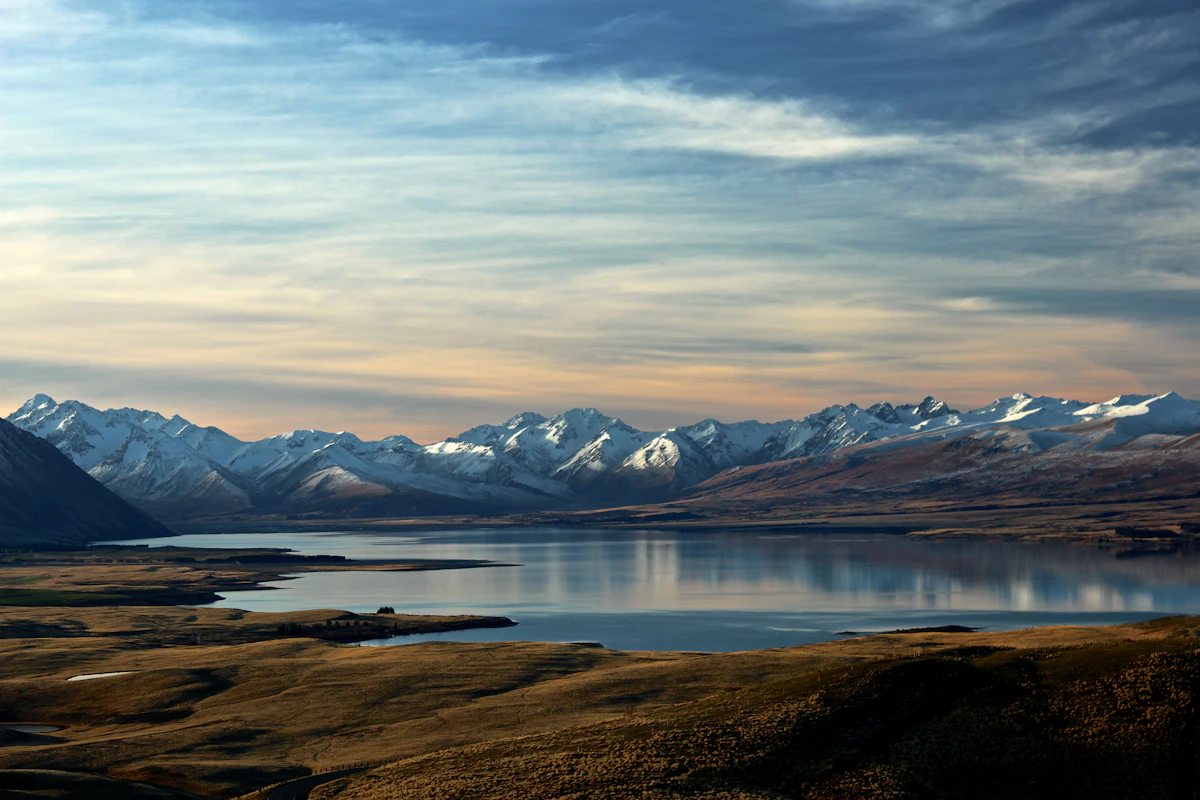
اختر eSIM لنيوزيلندا بحسب المسار واستخدام البيانات وتواريخ السفر. قارن الباقات الحالية، ثم تحقق من هاتفك وتعليمات الإعداد.
تستهلك عطلة نهاية أسبوع طويلة في مدينة نيوزيلندية واحدة 2–4 GB، وأسبوع من التجول 6–10 GB، وأسبوعان أو رحلة برية 12 GB فأكثر. ويبقى رقمك الأسترالي كما هو.
