


اشترِ باقة
اختر الوجهة وحصة البيانات ومدة الصلاحية.






لا يوجد موعد نهائي للاستخدام الأول. يمكنك شراء الباقة الآن والاحتفاظ بها لرحلة مستقبلية.
قارن باقات eSIM جورجيا للوصول إلى مطاري تبليسي وكوتايسي ورحلات السكك الحديدية والإقامة في باتومي ومسارات كازبيغي الجبلية. راجع البيانات والصلاحية والوجهات وتوافق الجهاز والسعر الإجمالي.
قد تبدأ رحلة جورجيا في مطار تبليسي، أو تستخدم حافلة مطار كوتايسي أو وصلة القطار، ثم تتجه بالقطار نحو باتومي وتنتهي على طرق كازبيغي الجبلية. تساعد بيانات الهاتف في مراجعة نقل المطارات الحالي وحجوزات السكك الحديدية والطقس وإرشادات الإقامة، لكن الاستقبال قد يختلف في المباني والأنفاق والوديان والمقاطع الجبلية النائية. احفظ الانتقال الأول وتفاصيل التذاكر وعنوان الإقامة وخطة العودة دون إنترنت؛ فالخدمة تعتمد على الباقة المختارة والجهاز والموقع والشبكة الشريكة.
لهذه الرحلة
أحيانًا، لكن لا تفترض ذلك أبدًا. جورجيا ليست عضوًا في الاتحاد الأوروبي، لذا لا تشملها حصة التجوال الأوروبية، ووصول باقة إقليمية إلى تبليسي يعتمد فقط على ورود جورجيا بالاسم في قائمة وجهات الباقة نفسها. بعض الباقات تشملها، وبعضها يتوقف عند البحر الأسود. تحقق من القائمة قبل مقارنة أي شيء آخر، ثم دع طبيعة الأرض تحدد حجم الباقة: فالإقامة في المدينة والقيادة إلى القوقاز الكبير رحلتان مختلفتان، والطريق شمالًا من تبليسي يصعد عبر ممر يزيد ارتفاعه على ألفي متر قبل الوصول إلى كازبيغي.
تبيع Horizon باقات eSIM لجورجيا. لأنها خارج منطقة التجوال التابعة للاتحاد الأوروبي، راجع إدراجها بالاسم في قائمة وجهات كل مشغّل، بما في ذلك عروضنا.
تشكل تطبيقات النقل والترجمة والعثور على عنوان ذي شرفة في البلدة القديمة معظم استخدامك خلال يوم في المدينة. عادةً ما تتولى شبكة Wi-Fi في بيت الضيافة استخدام المساء، فتقتصر حصة بيانات الهاتف على وقتك في الشوارع.
قد تزيد الإقامة في فندق ساحلي وأيام الشاطئ الطويلة من مشاركة الصور والاتصال بالأهل. الحدود التركية قريبة بما يكفي لرحلة يومية تستلزم تحققًا مستقلًا من الوجهات المشمولة.
تقطع الوديان الجبلية الاتصال بأي شبكة، وقد يكون الوصول إلى بيت ضيافة في ميستيا أو قبو نبيذ في كاخيتي مرهونًا بمنعطف أكثر من عنوان. نزّل المسار والحجز قبل الصعود.
سياسة الاسترداد
نعيد دائمًا كامل المبلغ الذي دفعته عند طلبك، سواء كانت eSIM غير مستخدمة أو مستخدمة جزئيًا أو بالكامل. لا يوجد حد زمني لطلب الاسترداد.
لا موعد نهائي للاستخدام الأول
لا تبدأ الصلاحية إلا عندما يتصل eSIM بشبكة مدعومة في وجهتك. لا يوجد موعد نهائي للاستخدام الأول. يمكنك شراء الباقة الآن والاحتفاظ بها لرحلة مستقبلية.
دفع آمن
البطاقات، Apple Pay، Google Pay — مشفّرة عبر Paysera.
دعم على مدار الساعة بجميع اللغات
ردود فورية مضمونة.
ثبّت eSIM عبر Wi-Fi موثوق واحتفظ بدليل الإعداد خارج الهاتف. اتبع تعليمات تفعيل الباقة المختارة فقط، واخترها لبيانات الهاتف عند طلب ذلك، وأبقِ التجوال معطلًا في شريحتك المعتادة إلا إذا كنت تحتاج إليه عن قصد. نزّل مسار المطار الأول وتذكرة القطار وخريطة كازبيغي قبل مغادرة Wi-Fi الموثوق.
اختر الوجهة وحصة البيانات ومدة الصلاحية.
امسح رمز QR أو ثبّته تلقائيًا داخل التطبيق — دون شريحة SIM فعلية.
تُفعَّل البيانات عند أول اتصال في وجهتك.
اختر النمط الأقرب إلى رحلتك. ويفترض التقدير استخدامًا عاديًا — خرائط ومراسلة وصور ومكالمة قصيرة إلى الأهل.
كقاعدة عامة، تحتاج رحلة مدينة من 3–4 يوم إلى نحو 1–3 GB، ورحلة أسبوع إلى 3–5 GB، وجولة أسبوعين بين عدة دول إلى 8–12 GB، أما العمل أثناء التنقل فيستهلك نحو 1 GB يوميًا، أي 15 GB أو أكثر لأسبوعين.
إجمالًا، تغطي حصة بيانات قدرها 5 GB نحو 1,700 صورة مشاركة، أو 83 ساعة من وسائل التواصل والتصفح، أو 15 ساعة من مكالمات الفيديو، أو 63 ساعة من بث الموسيقى، أو نحو 1000 ساعة من الخرائط والملاحة. أما تطبيقات المراسلة فتستهلك بيانات ضئيلة.
تبليسي · دليل المدينة
تقع محطة الحافلة البلدية الرسمية في مطار تبليسي أمام صالة الوصول، لكن راجع المسار الحالي وقواعد الدفع ومعلومات التشغيل قبل الاعتماد عليها. استخدم البيانات لمقارنة خيارات النقل البري الحالية من المطار مع عنوان الفندق الفعلي، ثم احفظ العنوان ومسارًا بديلًا دون إنترنت. لرحلة لاحقة بالسكك الحديدية الجورجية، جهز التذكرة المسجلة باسمك ووثيقة الهوية الشخصية قبل الوصول إلى المحطة؛ فـeSIM لا تحل محل أي منهما.
eSIM لمدينة تبليسي — أعدّه قبل السفركوتايسي · دليل المدينة
يدرج مطار كوتايسي رسميًا حافلة إلى مركز المدينة ومشغّلي نقل لمسافات طويلة بمواعيد مرتبطة بالرحلات الجوية، ومحطة قطار بعيدة عن المبنى تصلها حافلة مخصصة من المطار. هذه خدمات مختلفة؛ راجع صفحة المطار الحالية لاختيار المحطة والمشغّل والوصلة المناسبة لوصولك. يذكر المطار قنوات لشراء التذاكر في صالة الوصول ومواقع المشغّلين ومحطات محددة؛ تأكد من الخيار الحالي قبل الشراء. للقطار، راجع جدول السكك الحديدية الجورجية الحالي وجهز التذكرة باسمك وتفاصيل الهوية. احفظ عنوان كوتايسي وتعليمات الانتقال دون إنترنت.
eSIM لمدينة كوتايسي — أعدّه قبل السفرباتومي · دليل المدينة
باتومي مدينة ميناء على البحر الأسود يمكن الوصول إليها جوًا أو برًا أو بالقطار. تذكر صفحة المطار الرسمية حافلة بلدية نحو المركز وسيارات أجرة خارج المبنى، بينما للسكك الحديدية الجورجية متطلبات مستقلة للمحطة والتذكرة المسجلة بالاسم. توضح Visit Batumi أن النقل البلدي يستخدم بطاقة سفر، مع أسعار وأنواع بطاقات ينبغي مراجعتها في الإرشادات الحالية. استخدم البيانات لمسار الفندق الدقيق أو باتومي القديمة أو البوليفارد، لكن نزّل العنوان ووصلة العودة لأن الطقس والفعاليات المزدحمة والمباني الكبيرة وأطراف الساحل قد تؤثر في الخطط أو الاستقبال.
eSIM لمدينة باتومي — أعدّه قبل السفركازبيغي · دليل المدينة
كازبيغي، أو ستيبانتسميندا، وجهة جبلية قد تتطلب المسارات نحو غيرغيتي والوديان القريبة فيها المشي أو مركبة محلية أو جولة بمرشد بحسب الاتجاه والظروف الحالية. تنصح Georgia Travel بملابس دافئة، لأن البلدة المرتفعة قد تكون باردة، خصوصًا ليلًا. راجع الطقس المحلي وإرشادات الطرق قرب المغادرة، ثم احفظ المسار وعنوان الإقامة ونقطة اللقاء وخطة العودة دون إنترنت. لا تعتمد على استقبال مستمر، ولا تعتبر بيانات الهاتف تأكيدًا على فتح طريق أو مسار أو معبر حدودي.
eSIM لمدينة كازبيغي — أعدّه قبل السفرلماذا Horizon
حدد البيانات والصلاحية لانتقالات المطارات وحجوزات القطارات والملاحة والرسائل واستخدام الوسائط المتوقع طوال أيام الرحلة. تحقق من إدراج جورجيا ومن أن الهاتف غير مقفل على مشغّل ويدعم eSIM، وأن حجم البيانات يكفي أيضًا لمشاركة الإنترنت خلال الرحلة. لا يعني اسم جورجيا توفر الخدمة في أرمينيا أو أذربيجان أو تركيا أو روسيا؛ راجع قائمة الدول الدقيقة قبل الاقتراب من أي حدود.
باقة إلى
جورجيا
قارن حصص البيانات ومدد الصلاحية المدرجة لوجهتك.
ثبّتها عبر شبكة Wi-Fi موثوقة قبل المغادرة، واتبع تعليمات تفعيل الباقة.
راجع السعر الحالي والبيانات والصلاحية والتغطية قبل الدفع. لا توجد قيود على السرعة في باقات Horizon.
عندما تدعم الباقة المختارة إعادة الاستخدام أو إعادة التعبئة، يعرض قسم «eSIM الخاصة بي» الخيارات المتاحة لملف التعريف المثبّت.
سننبّهك عند اقترابك من الحد. وإذا كانت الباقة تدعم إعادة التعبئة، فسيعرض قسم «eSIM الخاصة بي» الخيارات المتاحة.
اختر تغطية دولة واحدة أو إقليمية أو عالمية، وتحقق من كل وجهة في تفاصيل الباقة.
طابق الباقة مع الإقامة كاملة، بما فيها انتقالات المطارات وأيام الساحل وأي مرحلة جبلية. قبل الشراء، قارن حجم البيانات والصلاحية والوجهات الدقيقة والسعر الإجمالي عند الدفع. تأكد من أن الهاتف غير مقفل على مشغّل ويدعم eSIM. اعتمد على تفاصيل المنتج المختار بدل افتراض أن جميع باقات جورجيا لها البيانات أو سياسة التجديد أو الدول المشمولة نفسها.
ثبّت eSIM قبل السفر عبر شبكة Wi-Fi موثوقة، واحتفظ بدليل إعدادها في مكان يمكنك الوصول إليه دون ذلك الهاتف. لا يبدأ التثبيت الصلاحية، ولن تبدأ مدتها إلا عندما يتصل eSIM لأول مرة بشبكة جوال مدعومة في جورجيا. عندما تطلب التعليمات ذلك، اختر eSIM لجورجيا لبيانات الهاتف واضبط التجوال تمامًا كما هو موضح. أبقِ الملف مثبتًا إذا لم يكتمل الإعداد، لأن الرمز المحذوف قد لا يكون قابلًا لإعادة الاستخدام.
قد يتغير الاستقبال حول كازبيغي، ستيبانتسميندا، وفي الوديان وطرق الجبال بحسب الموقع الدقيق والتضاريس والجهاز والشبكة الشريكة؛ ولا توجد ضمانة لخدمة مستمرة. نزّل الخرائط وعنوان الإقامة ونقطة اللقاء وتعليمات العودة قبل مغادرة Wi-Fi موثوق. راجع الطقس المحلي وإرشادات الطرق قرب موعد الانطلاق، واحمل ملابس دافئة وأكد خطة النقل محليًا. تكمل بيانات الهاتف هذه الاستعدادات، لكنها لا تثبت أن الطريق أو المسار أو الحدود مفتوحة.
باقات Horizon لجورجيا للبيانات فقط، فلا تشمل المكالمات الخلوية العادية أو الرسائل النصية؛ ويمكن لتطبيقات الاتصال والمراسلة استخدام البيانات المتاحة. يستطيع الهاتف المتوافق مع شريحتين عادة إبقاء الخط المعتاد، لكن اختر خط البيانات بعناية وعطّل التبديل التلقائي وأبقِ التجوال مغلقًا في الشريحة المعتادة إلا إذا أردت خدمتها المدفوعة عن قصد. مشاركة الإنترنت عبر نقطة الاتصال مجانية في كل باقات Horizon.
لا تستنتج الخدمة عبر الحدود من اسم جورجيا. يجب أن تظهر أرمينيا وأذربيجان وتركيا وروسيا، كل على حدة، صراحة في قائمة دول الباقة المختارة قبل توقع الخدمة هناك. راجع القائمة الدقيقة ومعلومات السفر الرسمية الحالية للمعبر المقصود؛ فـeSIM لا تؤكد فتح الحدود أو السماح بالدخول. نزّل العنوان التالي والوثائق الأساسية والاتجاهات قبل الاقتراب من الحدود، لأن الاستقبال أو اختيار الشبكة قد يتغير أو يتوقف.
اختر مكانًا آمنًا مع Wi-Fi موثوق في إقامتك بتبليسي أو كوتايسي لاستكشاف المشكلة؛ لا تغيّر الإعدادات وأنت تقود نحو كازبيغي أو تقف بجانب طريق جبلي. اترك ملف جورجيا مثبتًا وافتح التعليمات المرفقة بطلبه. قارن حالة الملف وخط البيانات المختار وAPN والتجوال وشاشة اختيار الشبكة مع الدليل؛ استخدم وضع الطيران أو أعد التشغيل فقط عندما يطلب الدليل أو الدعم. إذا استمر الخلل، سجل طراز الهاتف والبلدة الجورجية الحالية والشبكة أو الخطأ المعروض والخطوة التي فشلت، ثم أرسل رقم الطلب ولقطات شاشة محجوبة البيانات الحساسة. احتفظ بكلمات المرور وبيانات الدفع الكاملة لنفسك، واستخدم المسار وإحداثيات الإقامة المحفوظة دون إنترنت حتى يرد الدعم.
لا. لا توجد قيود على السرعة في باقات Horizon. لا يوجد حد يومي يبطئ اتصالك، لذا يمكنك استخدام باقتك كلها في يوم واحد إذا احتجت إلى ذلك. تعتمد السرعة على الشبكة المحلية وقوة الإشارة ومدى ازدحام الشبكة. وعندما تنفد بياناتك، تتوقف الباقة بدلًا من أن تبطئ.
نعم. نعيد دائمًا كامل المبلغ الذي دفعته عند طلبك، سواء كانت eSIM غير مستخدمة أو مستخدمة جزئيًا أو بالكامل. لا يوجد حد زمني لطلب الاسترداد.
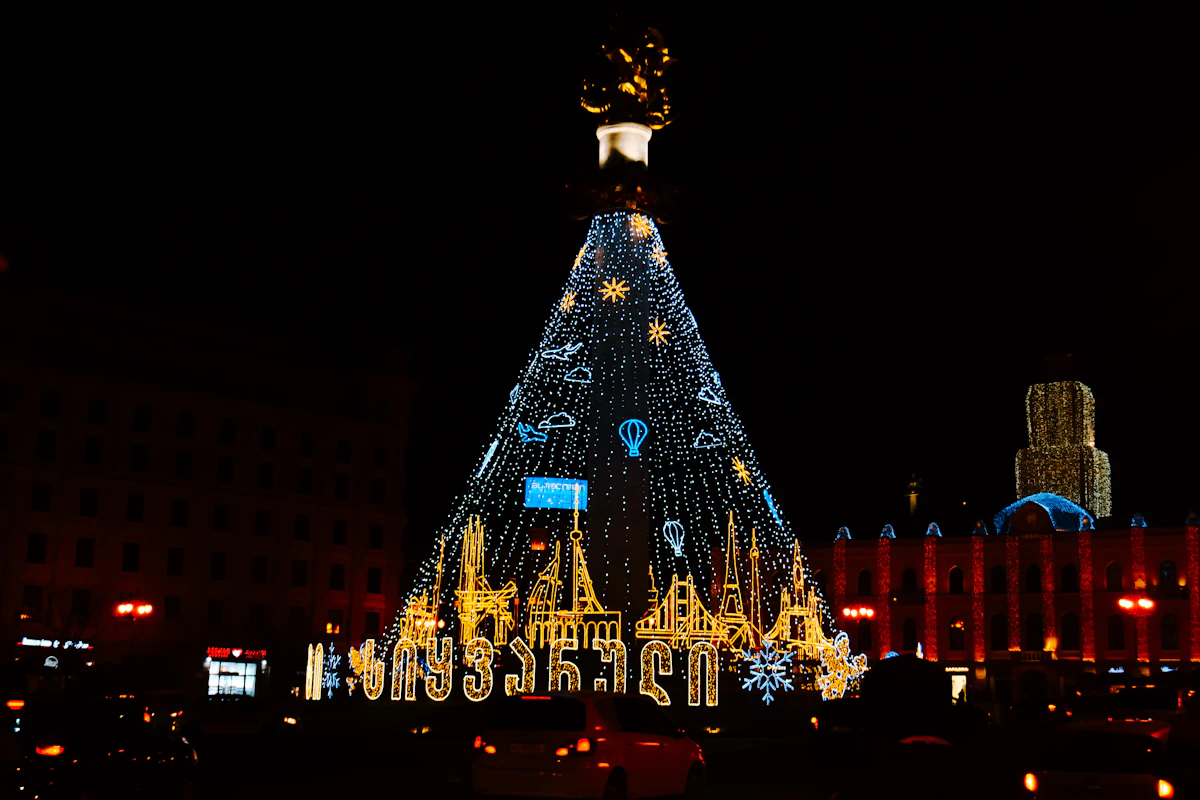
جورجيا بدون تأشيرة لحاملي الجوازات السعودية والتركية والروسية، وصربيا والبوسنة والهرسك لحاملي الجوازين التركي والروسي، ومقدونيا الشمالية لحاملي الجواز التركي. ويشترط الجبل الأسود التأشيرة على حاملي الجوازات الثلاثة اعتبارًا من 1 نوفمبر 2026. إليك مواعيد الأسواق في الموسم الماضي، ووضع موسم 2026/27.

تحدد حدود برية مغلقة واحدة شكل جولة جنوب القوقاز، ولهذا تمر معظم المسارات بتبليسي مرتين. إليك اختيار البيانات وإعدادها لجولة من ثلاث دول قبل مغادرة المنزل.
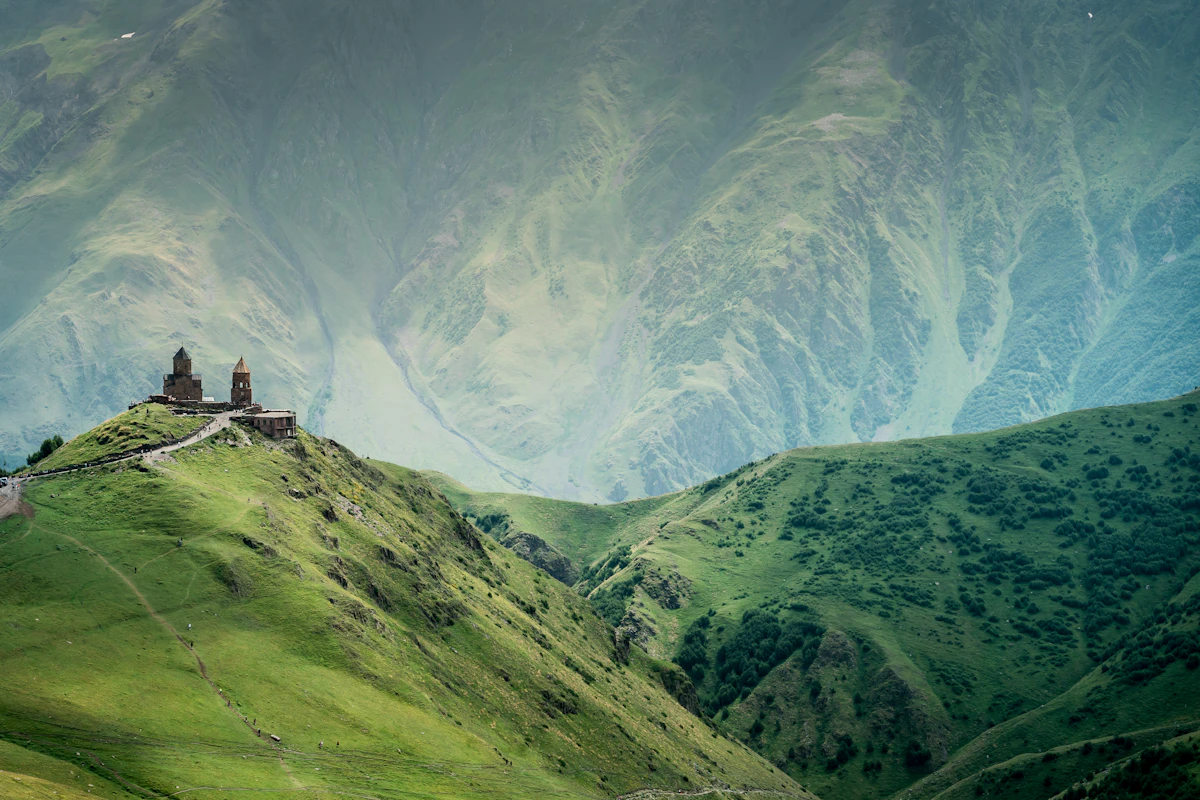
تقع جورجيا بعيداً عن جميع ترتيبات التجوال الأوروبية، لذا يتحدّد ما تدفعه وفق عقدك مباشرة. إليك الشبكتين المذكورتين في الباقات وكيف تختار بيانات تبليسي وباتومي والطريق إلى كازبيغي.


