



EN
“I used the Europe Esim, went through different countries with it and it was working super fast 5G everywhere. Suprised for good!” 





“I used the Europe Esim, went through different countries with it and it was working super fast 5G everywhere. Suprised for good!” “The eSIM worked perfectly during my trip around Europe. It was very easy to install, connected as soon as I arrived, and the internet was fast and reliable everywhere I went. It made travelling much easier because I did not need to buy local SIM cards. Very convenient and worth the price. I would definitely use it again.” لا يوجد موعد نهائي للاستخدام الأول. يمكنك شراء الباقة الآن والاحتفاظ بها لرحلة مستقبلية.
قارن باقات eSIM للمملكة المتحدة لمواصلات لندن والقطارات بين المدن والإقامة الريفية. راجع حجم البيانات والصلاحية والمناطق المشمولة وتوافق الهاتف قبل الاختيار.
قد تبدأ رحلة المملكة المتحدة باختيار قطار من هيثرو، وتستمر بتذكرة قطار رقمية وتنتهي على ساحل ويلزي أو طريق في المرتفعات الاسكتلندية. تساعد بيانات الهاتف على متابعة مواعيد المغادرة وتغييرات الأرصفة ورسائل الإقامة، لكن الاستقبال قد يتفاوت داخل المحطات والوديان النائية. احفظ التذاكر والعناوين المهمة دون إنترنت؛ فالنتائج تعتمد على الباقة والجهاز والموقع وظروف الشبكة المحلية.
سياسة الاسترداد
نعيد دائمًا كامل المبلغ الذي دفعته عند طلبك، سواء كانت eSIM غير مستخدمة أو مستخدمة جزئيًا أو بالكامل. لا يوجد حد زمني لطلب الاسترداد.
لا موعد نهائي للاستخدام الأول
لا تبدأ الصلاحية إلا عندما يتصل eSIM بشبكة مدعومة في وجهتك. لا يوجد موعد نهائي للاستخدام الأول. يمكنك شراء الباقة الآن والاحتفاظ بها لرحلة مستقبلية.
دفع آمن
البطاقات، Apple Pay، Google Pay — مشفّرة عبر Paysera.
دعم على مدار الساعة بجميع اللغات
ردود فورية مضمونة.
ثبّت eSIM عبر Wi-Fi موثوق واحفظ رمز QR والتعليمات دون إنترنت. بعد الوصول، اخترها خطاً لبيانات الهاتف واتبع إرشادات تفعيل الباقة. اترك تجوال البيانات معطلاً على شريحتك الأساسية إلا إذا احتجت إليه وأنت مدرك لتبعاته.
اختر الوجهة وحصة البيانات ومدة الصلاحية.
امسح رمز QR أو ثبّته تلقائيًا داخل التطبيق — دون شريحة SIM فعلية.
تُفعَّل البيانات عند أول اتصال في وجهتك.
اختر النمط الأقرب إلى رحلتك. ويفترض التقدير استخدامًا عاديًا — خرائط ومراسلة وصور ومكالمة قصيرة إلى الأهل.
كقاعدة عامة، تحتاج رحلة مدينة من 3–4 يوم إلى نحو 1–3 GB، ورحلة أسبوع إلى 3–5 GB، وجولة أسبوعين بين عدة دول إلى 8–12 GB، أما العمل أثناء التنقل فيستهلك نحو 1 GB يوميًا، أي 15 GB أو أكثر لأسبوعين.
إجمالًا، تغطي حصة بيانات قدرها 5 GB نحو 1,700 صورة مشاركة، أو 83 ساعة من وسائل التواصل والتصفح، أو 15 ساعة من مكالمات الفيديو، أو 63 ساعة من بث الموسيقى، أو نحو 1000 ساعة من الخرائط والملاحة. أما تطبيقات المراسلة فتستهلك بيانات ضئيلة.
لندن · دليل المدينة
في هيثرو، يخدم خط إليزابيث مباني المطار ويربطها بلندن. استخدم البيانات لمقارنة هذا المسار بمترو الأنفاق وفتح مخرج المحطة الصحيح وتذاكر المسرح أو المعالم؛ واحتفظ بعنوان الفندق دون إنترنت للأنفاق أو صالات المحطات المزدحمة.
eSIM لمدينة لندن — أعدّه قبل السفرمانشستر · دليل المدينة
تنتقل مسارات مانشستر كثيراً بين بيكاديللي وفيكتوريا ومحطات الترام قرب أماكن الموسيقى أو ملاعب كرة القدم. احتفظ بتذكرة الفعالية منزّلة، ثم استخدم البيانات لتغيير رصيف في اللحظة الأخيرة أو مسار مشي يتجنب الطرق المغلقة بدلاً من الاعتماد على الاستقبال عند البوابة.
eSIM لمدينة مانشستر — أعدّه قبل السفرإدنبرة · دليل المدينة
في إدنبرة، تساعد البيانات على تحديد محطة ترام المطار وإظهار تذكرة دخول القلعة في موعد محدد ومراجعة القطارات من ويفرلي. قد تغير إغلاقات البلدة القديمة وحشود المهرجانات مسارات المشي، لذا احفظ عنوان الإقامة قبل المرور بالأزقة شديدة الانحدار.
eSIM لمدينة إدنبرة — أعدّه قبل السفرمنطقة البحيرات · دليل المدينة
للقيادة أو المشي في منطقة البحيرات، نزّل المسار وتفاصيل المواقف وإرشادات الطقس أثناء اتصالك بـ Wi-Fi أو وجودك في بلدة. قد يكون الاستقبال محدوداً في الوديان ومسارات المرتفعات، لذا ينبغي أن تكون بيانات الهاتف وسيلة مساعدة إلى جانب خريطة تعمل دون إنترنت وخطة سلامة مناسبة، لا بديلاً عنهما.
eSIM لمدينة منطقة البحيرات — أعدّه قبل السفرلماذا Horizon
اجعل حجم البيانات والصلاحية مناسبين لأيام السفر واستخدام الملاحة والتذاكر المتوقع. مشاركة الإنترنت عبر نقطة الاتصال مجانية في كل باقات Horizon. لا تفترض أن باقة البلد تغطي أيرلندا أو ملحقات التاج أو محطة لاحقة في أوروبا.
باقة إلى
المملكة المتحدة
قارن حصص البيانات ومدد الصلاحية المدرجة لوجهتك.
ثبّتها عبر شبكة Wi-Fi موثوقة قبل المغادرة، واتبع تعليمات تفعيل الباقة.
راجع السعر الحالي والبيانات والصلاحية والتغطية قبل الدفع. لا توجد قيود على السرعة في باقات Horizon.
عندما تدعم الباقة المختارة إعادة الاستخدام أو إعادة التعبئة، يعرض قسم «eSIM الخاصة بي» الخيارات المتاحة لملف التعريف المثبّت.
سننبّهك عند اقترابك من الحد. وإذا كانت الباقة تدعم إعادة التعبئة، فسيعرض قسم «eSIM الخاصة بي» الخيارات المتاحة.
اختر تغطية دولة واحدة أو إقليمية أو عالمية، وتحقق من كل وجهة في تفاصيل الباقة.
قدّر استخدام الخرائط وتطبيقات القطارات والمراسلة والوسائط، ثم اختر حجم بيانات وصلاحية يغطيان الإقامة كاملة. قد يستهلك البث ومشاركة الإنترنت مع الحاسوب المحمول بيانات أكثر، فاحسبهما ضمن حجم البيانات.
يمكن لهاتف يدعم شريحتين إبقاء الخطين مفعّلين، لكن عيّن eSIM للمملكة المتحدة لبيانات الهاتف وعطّل تبديل البيانات والتجوال على الشريحة الأساسية. قد يفرض مشغّلك الأساسي رسوماً على المكالمات والرسائل والبريد الصوتي أو البيانات على ذلك الخط.
مشاركة الإنترنت عبر نقطة الاتصال مجانية في كل باقات Horizon. باقات Horizon للبيانات فقط ولا تشمل رقم هاتف محليًا أو مكالمات خلوية أو رسائل SMS. تستهلك تطبيقات المكالمات والمراسلة بيانات الباقة. فعّل نقطة الاتصال على هاتف متوافق وأبقِ Horizon محددة لبيانات الهاتف المحمول.
لا تعتمد على اسم البلد وحده. راجع قائمة مناطق الباقة، خصوصاً أيرلندا الشمالية وأي جزر. تختلف الخدمة الفعلية بحسب الجهاز والموقع الدقيق وظروف الشبكة المحلية.
فقط عندما تكون تلك الوجهات مدرجة صراحة. لمسار يعبر الحدود، قارن الباقات الإقليمية بخيار مخصص للمملكة المتحدة، وتحقق من كل محطة، بما فيها أيرلندا، قبل الشراء.
أعِد الاتصال بـ Wi-Fi، وتأكد من أن eSIM مفعّلة ومختارة للبيانات، ثم قارن إعدادات التجوال وAPN بالتعليمات. أعِد تشغيل الهاتف أو اختيار شبكة مدرجة إذا طُلب ذلك. لا تحذف الملف؛ وتواصل مع الدعم مع تفاصيل الطلب ولقطات الشاشة.
لا. لا توجد قيود على السرعة في باقات Horizon. لا يوجد حد يومي يبطئ اتصالك، لذا يمكنك استخدام باقتك كلها في يوم واحد إذا احتجت إلى ذلك. تعتمد السرعة على الشبكة المحلية وقوة الإشارة ومدى ازدحام الشبكة. وعندما تنفد بياناتك، تتوقف الباقة بدلًا من أن تبطئ.
نعم. نعيد دائمًا كامل المبلغ الذي دفعته عند طلبك، سواء كانت eSIM غير مستخدمة أو مستخدمة جزئيًا أو بالكامل. لا يوجد حد زمني لطلب الاسترداد.

تفتح ونتر وندرلاند في هايد بارك بلندن من 19 نوفمبر 2026 حتى 3 يناير 2027، ولا تغلق إلا يوم عيد الميلاد في 25 ديسمبر، والدخول بتذاكر لمواعيد محددة تبدأ من £1. وفي الدليل أيضًا ما أُعلن حتى الآن من مواعيد حلبات التزلج والأسواق والأضواء، وما يعمل يومي 25 و26 ديسمبر، والألعاب النارية ليلة رأس السنة، وتصريح ETA أو التأشيرة التي تحتاج إليها.
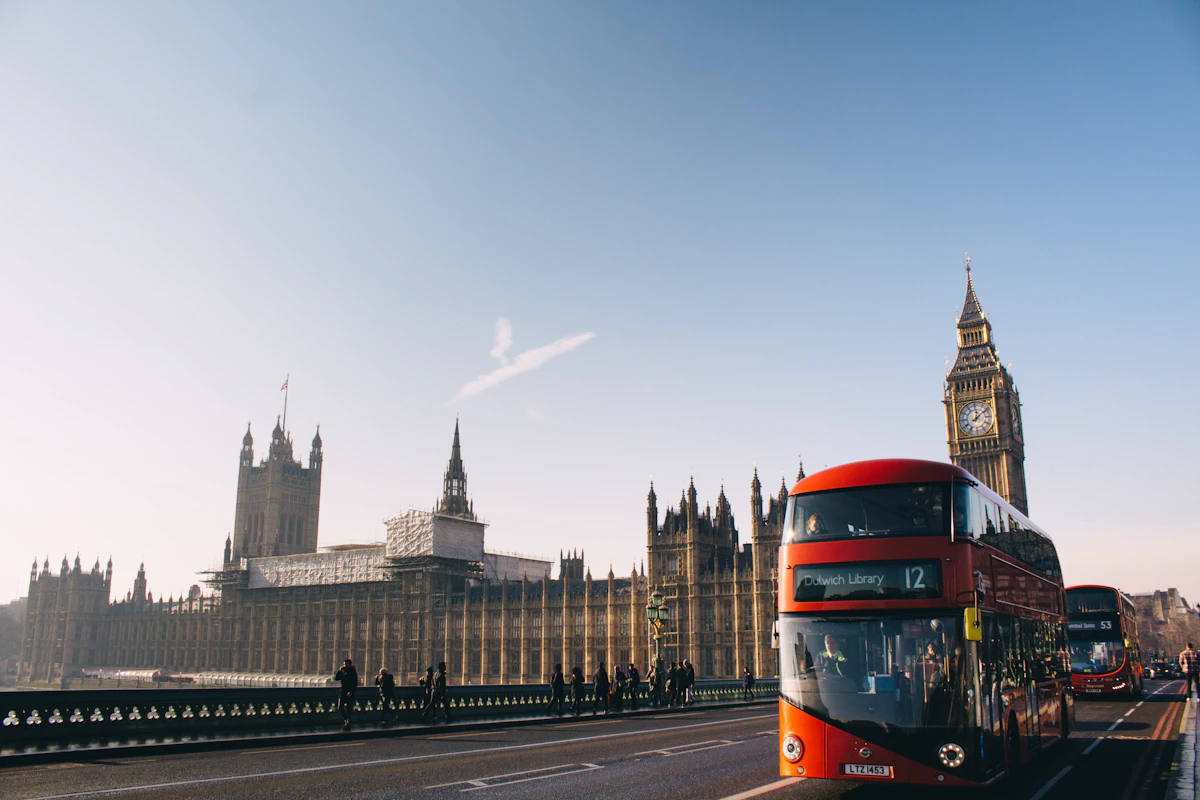
قارن أسعار eSIM في المملكة المتحدة من Horizon و Airalo و Nomad و Saily و Holafly. تحقق من خطط البيانات فقط مقابل خطط الاتصال والدعم الفوري من Horizon.


