



اشترِ باقة
اختر الوجهة وحصة البيانات ومدة الصلاحية.






لا يوجد موعد نهائي للاستخدام الأول. يمكنك شراء الباقة الآن والاحتفاظ بها لرحلة مستقبلية.
قارن باقات eSIM للولايات المتحدة لانتقالات المطارات ومواصلات المدن والقيادة عبر عدة ولايات. راجع حجم البيانات والصلاحية والمناطق المدرجة وتوافق الجهاز قبل الاختيار. تحتاج أربعة أنماط من الرحلات إلى باقات مختلفة: عطلة نهاية أسبوع طويلة في مدينة واحدة، وقيادة عبر عدة ولايات، وإقامة أطول مع الأقارب، ورحلة عمل تعتمد على حاسوب محمول. احسب أيام النمط الذي تقوم به فعلاً واستخدامه اليومي، لأن أسبوعين تقضي أمسياتهما في الفندق وأسبوعين خلف المقود يستهلكان البيانات بمعدلات مختلفة جداً. ثم اقرأ العرض نفسه، من البيانات ومدة الصلاحية والمناطق المسماة وإجمالي الدفع، بدلاً من أكبر رقم على البطاقة.
قد يبدأ مسار الولايات المتحدة بوصلة AirTrain في نيويورك، ويعبر لوس أنجلوس بحافلة المطار وينتهي على طريق صحراوي أو في متنزه وطني. تساعد البيانات على فتح بطاقات الصعود ومتابعة تغييرات النقل والملاحة في القيادة الطويلة، لكن المتنزهات والطرق السريعة النائية قد يكون استقبالها ضعيفاً أو معدوماً. احفظ خرائط المتنزهات الرسمية والحجوزات دون إنترنت؛ فالخدمة تعتمد على الباقة والجهاز والموقع والتضاريس وظروف الشبكة المحلية. نادراً ما تأخذ الرحلة الأمريكية شكلاً واحداً. تبقى عطلة المدينة داخل منطقة حضرية واحدة وتستهلك البيانات في تطبيقات النقل والتذاكر ذات المواعيد وأوقات الفتح. تعبر الرحلة البرية حدود الولايات وتجعل الملاحة المستهلك الرئيسي ساعة بعد ساعة. تنتقل الإقامة الأطول مع الأقارب بين البيوت والضواحي والبلدات الصغيرة، فتهم مدة الصلاحية أكثر من أي يوم مزدحم وحده. تضيف رحلة العمل مكالمات فيديو وملفات مشتركة وحاسوباً محمولاً يتوقع أن يوفّر الهاتف اتصاله بين المكاتب والفنادق. المسافة ليست الاحتياج نفسه: أسبوعان في مدينة واحدة مع Wi-Fi الفندق أو الشقة مساءً قد يستهلكان أقل من خمسة أيام قيادة مستمرة. ويسهل التقليل من شأن المراحل الداخلية أيضاً. قد يجمع مسار واحد مدينة ساحلية ورحلة جوية إلى ولاية أخرى ومرحلة قطار وسيارة مستأجرة، ويغير كل منها نقطة مغادرة آخر Wi-Fi موثوق. يختلف الاستقبال بين مربع سكني في الوسط وضاحية ومقطع طريق سريع طويل وطريق أخدود ووادٍ في متنزه؛ وذكر الولاية ضمن المناطق يحدد أين تنطبق الباقة لا ما سيجده الهاتف هناك. وتتغير الساعة في الطريق أيضاً، لذا أكد التوقيت المحلي للمحطة التالية قبل استقبال محجوز أو تسجيل دخول الفندق أو مكالمة إلى المنزل.
سياسة الاسترداد
نعيد دائمًا كامل المبلغ الذي دفعته عند طلبك، سواء كانت eSIM غير مستخدمة أو مستخدمة جزئيًا أو بالكامل. لا يوجد حد زمني لطلب الاسترداد.
لا موعد نهائي للاستخدام الأول
لا تبدأ الصلاحية إلا عندما يتصل eSIM بشبكة مدعومة في وجهتك. لا يوجد موعد نهائي للاستخدام الأول. يمكنك شراء الباقة الآن والاحتفاظ بها لرحلة مستقبلية.
دفع آمن
البطاقات، Apple Pay، Google Pay — مشفّرة عبر Paysera.
دعم على مدار الساعة بجميع اللغات
ردود فورية مضمونة.
ثبّت eSIM عبر Wi-Fi موثوق واحفظ تعليماتها دون إنترنت. بعد الوصول، اخترها لبيانات الهاتف واتبع إرشادات تفعيل الباقة. نزّل التذاكر وخرائط الطرق قبل القيادة في المناطق النائية، وأبقِ تجوال البيانات معطلاً على الشريحة الأساسية إلا إذا احتجت إليه عن قصد. افعل ذلك قبل المغادرة لا في المطار، بينما يسهل الوصول إلى رسالة الشراء ورمز الإعداد؛ فالجانب الآخر من التفتيش الأمني مكان غير مناسب لاكتشاف عدم أهلية الجهاز. احفظ رمز QR أو الرمز اليدوي خارج الهاتف الذي سيُثبّت عليه؛ فالتثبيت لا يبدأ الصلاحية، إذ لا تبدأ مدتها إلا عندما يتصل eSIM لأول مرة بشبكة جوال مدعومة في الولايات المتحدة. بعد هبوط الطائرة، عيّن الملف خطاً لبيانات الهاتف، ثم اتبع فقط خطوات دليله وتوقف حيث يطلب الانتظار. قبل قيادة طويلة، نزّل الطريق ومحطات الوقود والاستراحة وعنوان الإقامة وسجلات الحجز ومبنى العودة، ليحمل الهاتف نسخة بدلاً من جلبها.
اختر الوجهة وحصة البيانات ومدة الصلاحية.
امسح رمز QR أو ثبّته تلقائيًا داخل التطبيق — دون شريحة SIM فعلية.
تُفعَّل البيانات عند أول اتصال في وجهتك.
اختر النمط الأقرب إلى رحلتك. ويفترض التقدير استخدامًا عاديًا — خرائط ومراسلة وصور ومكالمة قصيرة إلى الأهل.
كقاعدة عامة، تحتاج رحلة مدينة من 3–4 يوم إلى نحو 1–3 GB، ورحلة أسبوع إلى 3–5 GB، وجولة أسبوعين بين عدة دول إلى 8–12 GB، أما العمل أثناء التنقل فيستهلك نحو 1 GB يوميًا، أي 15 GB أو أكثر لأسبوعين.
إجمالًا، تغطي حصة بيانات قدرها 3 GB نحو 1,000 صورة مشاركة، أو 50 ساعة من وسائل التواصل والتصفح، أو 8.8 ساعة من مكالمات الفيديو، أو 38 ساعة من بث الموسيقى، أو نحو 600 ساعة من الخرائط والملاحة. أما تطبيقات المراسلة فتستهلك بيانات ضئيلة.
مدينة نيويورك · دليل المدينة
من JFK، يرتبط AirTrain بخيارات قطار ومترو لاحقة، فتساعد البيانات على تأكيد نقطة التبديل وأي تغيير في الخدمة. نزّل خريطة المترو قبل النزول تحت الأرض، واحتفظ بعنوان الفندق دون إنترنت، وافتح تذاكر برودواي أو المتاحف ذات المواعيد قبل الوصول إلى مدخل مزدحم. غالباً ما تكون هذه المحطة عطلة مدينة: تنقلات قصيرة ودخول في مواعيد وعمليات بحث صغيرة كثيرة، لا يوماً ثقيلاً واحداً. لا يصل كل زوار نيويورك إلى المطار نفسه، ويختلف الانتقال بحسب المطار المكتوب في التذكرة، لذا اقرأ التعليمات الحالية المنشورة للمطار الذي تهبط فيه فعلاً بدلاً من قاعدة عامة للمدينة. قد تقطع المقاطع تحت الأرض والمباني العالية والأرصفة المزدحمة الاستقبال، وهو سبب كافٍ لفتح المرحلة التالية قبل النزول وحمل موعد الدخول ووسيلة دفع للنقل المحلي بصيغة لا تحتاج الشبكة.
eSIM لمدينة مدينة نيويورك — أعدّه قبل السفرلوس أنجلوس · دليل المدينة
في LAX، قد تتغير ترتيبات النقل البري ومناطق الاستقبال، لذا راجع تعليمات المطار الحالية قبل اختيار FlyAway أو النقل العام أو سيارة. عبر المدينة، استخدم البيانات لحركة الطرق السريعة وقواعد الوقوف بين هوليوود وسانتا مونيكا، مع حفظ تفاصيل مبنى العودة دون إنترنت. غالباً ما تكون إقامة لوس أنجلوس نقطة التحول بين زيارة مدينة ورحلة قيادة، لذا يستحق الأمر أن تحسم هنا ما إذا كانت الباقة ما زالت تناسب بقية المسار. المسافات بين الأحياء طويلة، وتحول السيارة المستأجرة الملاحة إلى مهمة تعمل طوال اليوم في الخلفية بدلاً من بحث عابر. إذا رافقك حاسوب محمول للعمل، فاحسب البيانات اللازمة له قبل أول صباح عمل لا عند مكتب الفندق، واحفظ عقد الإيجار وعنوان الإعادة وتعليمات التسليم حيث يمكن قراءتها دون اتصال.
eSIM لمدينة لوس أنجلوس — أعدّه قبل السفرلاس فيغاس · دليل المدينة
لاس فيغاس نقطة عملية للانطلاق في القيادة الصحراوية، لكن المتنزهات الوطنية ومقاطع الطرق السريعة الطويلة قد تفتقر إلى استقبال موثوق أو أي استقبال. نزّل محتوى المتنزه الرسمي من NPS والطريق ومحطات الوقود وتفاصيل الحجز عبر Wi-Fi قبل مغادرة الستريب؛ واعتبر بيانات الهاتف مكملاً للتحضير دون إنترنت. في الرحلة البرية يصبح التحضير هنا ضرورياً. قد تمر بين البلدات مقاطع طويلة باستقبال ضعيف أو معدوم، وما يجده الهاتف تحدده الأرض التي يقف عليها لا الباقة وحدها. جهّز كل مرحلة من آخر مكان متصل بدلاً من مرة واحدة في البداية، واتفق على وقت للاطمئنان مع شخص ليس في السيارة. الهاتف وسيلة راحة في تلك القيادة، ولا يكون خطة السلامة أبداً.
eSIM لمدينة لاس فيغاس — أعدّه قبل السفرميامي · دليل المدينة
تتنقل مسارات ميامي غالباً بين المطار وساوث بيتش وميناء أو مبنى رحلات بحرية. استخدم البيانات لتأكيد منطقة استقبال وفتح مستندات الصعود ومراجعة خطط القوارب المتأثرة بالطقس. قبل جولة في إيفرغليدز، نزّل نقطة الالتقاء وتعليمات العودة لأن الاستقبال قد يتفاوت خارج المدينة. يصل نمطان مختلفان جداً إلى المطار نفسه هنا: عطلة قصيرة تبقى قرب الماء، وإقامة أطول مع العائلة تتنقل بين عناوين الضواحي وما بعدها. يستهلك الأول بياناته على دفعات عند الوصول ورحلة القارب والخروج للطعام؛ ويستهلك الثاني أقل يومياً لكنه يحتاج صلاحية تصل إلى الطائرة إلى المنزل، وطريقة لإعادة الشحن عندما تدعمها الباقة المختارة. قد تغير العواصف وتنبيهات موسم الأعاصير خطة القارب أو المتنزه بمهلة قصيرة، لذا احتفظ بجهة اتصال مشغّل الجولة وسجل الحجز دون إنترنت.
eSIM لمدينة ميامي — أعدّه قبل السفرلماذا Horizon
حدّد حجم الباقة لأيام السفر والملاحة واستخدام الوسائط المتوقع، لا للمسافة وحدها. مشاركة الإنترنت عبر نقطة الاتصال مجانية في كل باقات Horizon. لا تفترض أن باقة البر الرئيسي تشمل بورتوريكو أو إقليماً آخر. لا توجد eSIM واحدة هي الأفضل للولايات المتحدة، بل باقة تناسب مساراً معيناً، لذا قارن العروض حقلاً بحقل. قِس حجم البيانات بالأيام التي ستبتعد فيها فعلاً عن Wi-Fi الآخرين، لا بمدة العطلة. يجب أن تمتد الصلاحية إلى رحلة العودة، لذا اقرأ آخر يوم مشمول وراجع توفر إعادة الشحن عندما تدعمها الباقة المختارة. اقرأ المناطق كما كُتبت: الولايات في المسار، مع بورتوريكو أو جزر العذراء الأمريكية أو غوام بالاسم إذا شملت الرحلة إحداها. احسب أيضاً البيانات اللازمة للعمل على الحاسوب المحمول، لأن رحلة العمل تعتمد عليه عادة. أكد دعم الجهاز، وهو يتبع الطراز الدقيق ومنطقة بيعه وقفل المشغّل لا العلامة التجارية، لذا يجب أن يدعم الهاتف eSIM وألا يكون مقفلاً على مشغّل قبل الدفع. ثم قارن الإجمالي المعروض عند الدفع بدلاً من سعر مشتق لكل جيجابايت. العروض التي يبيعها مزودون آخرون من دون حد للبيانات تخفّض السرعة عادة بعد كمية يومية. لا توجد قيود على السرعة في باقات Horizon. وتأتي كل باقة بحجم بيانات محدد، فاختر هذا الحجم بما يناسب الرحلة.
باقة إلى
أمريكا
قارن حصص البيانات ومدد الصلاحية المدرجة لوجهتك.
ثبّتها عبر شبكة Wi-Fi موثوقة قبل المغادرة، واتبع تعليمات تفعيل الباقة.
راجع السعر الحالي والبيانات والصلاحية والتغطية قبل الدفع. لا توجد قيود على السرعة في باقات Horizon.
عندما تدعم الباقة المختارة إعادة الاستخدام أو إعادة التعبئة، يعرض قسم «eSIM الخاصة بي» الخيارات المتاحة لملف التعريف المثبّت.
سننبّهك عند اقترابك من الحد. وإذا كانت الباقة تدعم إعادة التعبئة، فسيعرض قسم «eSIM الخاصة بي» الخيارات المتاحة.
اختر تغطية دولة واحدة أو إقليمية أو عالمية، وتحقق من كل وجهة في تفاصيل الباقة.
قارن حجم البيانات والصلاحية بالمسار الكامل، بما فيه أيام القيادة الكثيفة بالملاحة. راجع كل منطقة مدرجة وتوافق الجهاز قبل الشراء بدلاً من الاختيار وفق مسافة الرحلة وحدها. ابدأ بنمط الرحلة لا مدتها: عطلة مدينة وقيادة بين ولايات وإقامة أطول مع الأقارب ورحلة عمل تستهلك بصورة مختلفة جداً. احسب الأيام التي لن يتوفر فيها Wi-Fi آخر، وامنح أيام القيادة وزناً أعلى لأن الملاحة تعمل باستمرار، ثم تحقق من وصول الصلاحية إلى رحلة العودة ومن تغطية كل ولاية وإقليم في المسار وفق العرض.
استخدم eSIM للولايات المتحدة لبيانات الهاتف، ثم عطّل تبديل البيانات والتجوال على الخط الأساسي. قد تسبب مكالمات الشريحة الأساسية أو بريدها الصوتي أو رسائلها أو بيانات الخلفية رسوماً من المشغّل، حتى مع بقاء الخطين مفعّلين على هاتف يدعم شريحتين. يعتمد عدد الخطوط النشطة معاً على الهاتف الدقيق وإعداداته وقفل المشغّل، لذا جرّب الترتيب قبل الاعتماد عليه في المطار. تعمل تطبيقات المراسلة والمكالمات عبر الخط المختار لبيانات الهاتف ويُحتسب استخدامها من الباقة، بينما يحتفظ رقمك المعتاد بقواعد حسابه للرسائل والبريد الصوتي.
باقات Horizon للولايات المتحدة للبيانات فقط، من دون مكالمات أو رسائل SMS عادية. يمكن استخدام تطبيقات المكالمات عبر الإنترنت عند توفر الخدمة ويُحتسب استخدامها من الباقة. الرقم الأمريكي سؤال منفصل: باقة Horizon لا توفره، ويظل الرقم المعروض لمن تتصل به متعلقاً بحساب التطبيق. على جهاز متوافق، يمكن خدمة حاسوب محمول أو هاتف ثانٍ من الاتصال؛ احتسب الاستخدام الإضافي، لأن الاتصال المشترك يستهلك من الرصيد نفسه. مشاركة الإنترنت عبر نقطة الاتصال مجانية في كل باقات Horizon.
لا تفترض استقبالاً متواصلاً. تؤثر التضاريس والمسافة عن البنية التحتية والجهاز والباقة المختارة وظروف الشبكة المحلية. نزّل محتوى المتنزه الرسمي والخرائط والحجوزات وتفاصيل الطوارئ قبل مغادرة منطقة متصلة. احصل على التنزيلات من مصدر المتنزه المنشور نفسه وأضف موعد العودة وشخصاً يعرف الخطة. لا تعتبر اتصالاً يعمل في بلدة دليلاً على الأخدود أو الطريق الصحراوي أو الوادي بعد ساعة، ولا تتنقل قرب المرور أو الجروف أو الماء أو على طريق ناءٍ للبحث عن إشارة.
فقط إذا كانت تلك الوجهات مشمولة في الباقة المختارة. تحقق صراحة من بورتوريكو وكل محطة عبر الحدود، وقارن باقة إقليمية عندما يمتد المسار خارج التغطية الأمريكية المدرجة. للسفر الداخلي، راجع تغطية الشبكة المنشورة للولايات التي تنوي زيارتها؛ فالعرض على مستوى الولايات المتحدة كبلد لا يحتاج إلى تسمية كل ولاية منفردة. أكد بورتوريكو أو جزر العذراء الأمريكية أو غوام بصورة منفصلة ولا تفترض شمولها تحت اسم الولايات المتحدة. ويجب شمول كندا والمكسيك أيضاً إذا كنت ستستخدم الباقة عبر حدودهما.
على Wi-Fi، تأكد من أن eSIM للولايات المتحدة هي خط البيانات واختر شبكة أمريكية مدرجة للباقة إذا طُلب ذلك. أعد مراجعة إرشادات التفعيل والتجوال وAPN، وأبقِ الملف مثبتاً، وأرسل للدعم رقم الطلب ولقطات الشاشة إذا لم تبدأ البيانات بعد ذلك. افعل ذلك عبر Wi-Fi مع دليل الإعداد مفتوحاً، ولا تحذف الملف فقد لا يكون رمزه قابلاً لإعادة الاستخدام. اجعل رسالة الدعم محددة: طراز الجهاز والموقع الحالي والشبكة أو الخطأ المعروض، مع حجب الحقول الحساسة في الصور، ودون كلمة مرور أو بيانات دفع كاملة أبداً. وفي الأثناء أبقِ الحجز التالي والعنوان وجهة اتصال الاستقبال قابلة للاستخدام دون إنترنت حتى لا تعتمد الرحلة على الإصلاح.
لا. لا توجد قيود على السرعة في باقات Horizon. لا يوجد حد يومي يبطئ اتصالك، لذا يمكنك استخدام باقتك كلها في يوم واحد إذا احتجت إلى ذلك. تعتمد السرعة على الشبكة المحلية وقوة الإشارة ومدى ازدحام الشبكة. وعندما تنفد بياناتك، تتوقف الباقة بدلًا من أن تبطئ.
نعم. نعيد دائمًا كامل المبلغ الذي دفعته عند طلبك، سواء كانت eSIM غير مستخدمة أو مستخدمة جزئيًا أو بالكامل. لا يوجد حد زمني لطلب الاسترداد.
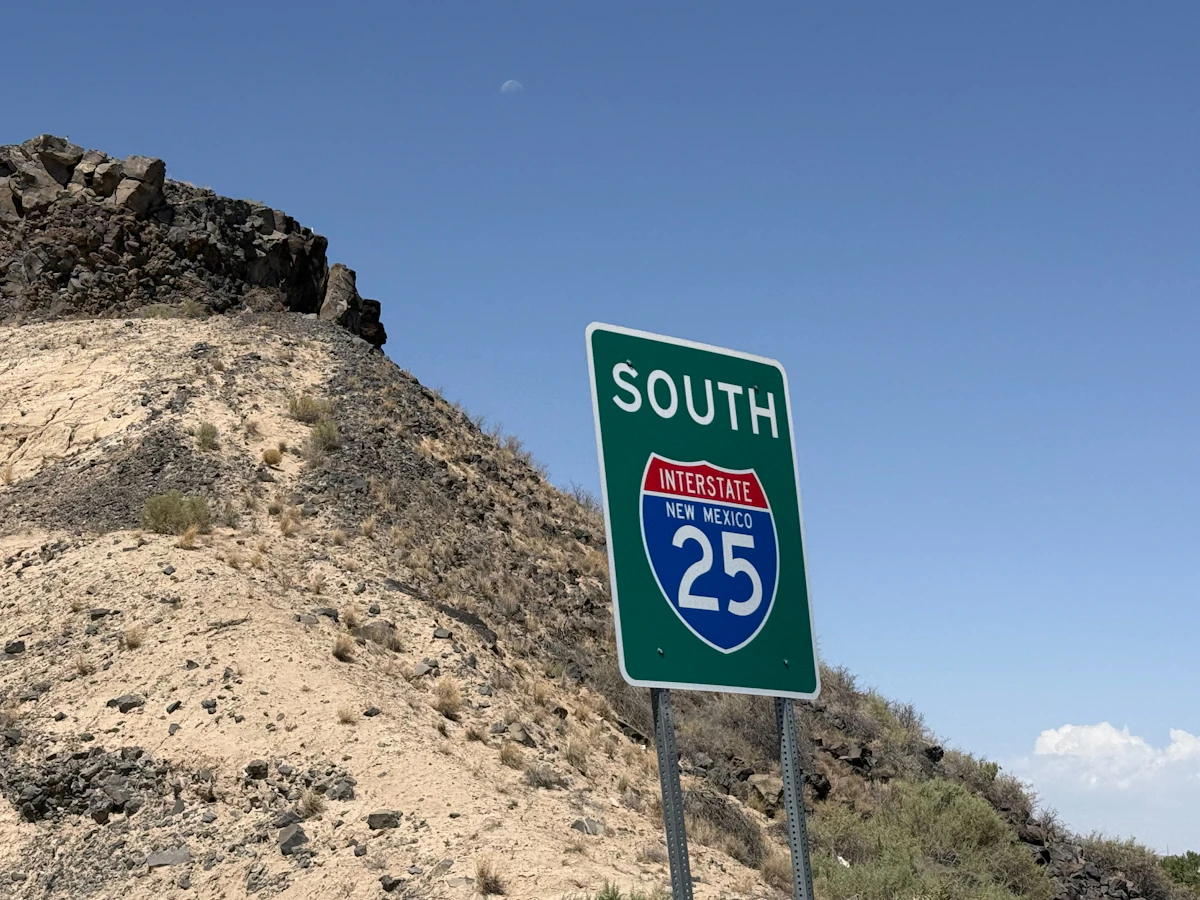
معظم رحلات الولايات المتحدة التي تستغرق من أسبوع إلى أسبوعين تكفيها 5 إلى 15 GB، لكن شكل الرحلة هو الذي يحسم الرقم: عطلة المدينة مشياً تستهلك جزءاً يسيراً مما يستهلكه أسبوع من القيادة.

كان سعر Horizon الأدنى في كل باقات الولايات المتحدة التي قارنّاها هنا، بحسب مراجعة الأسعار في 29 سبتمبر 2026. لباقة 10 GB لمدة 30 يومًا: €9.53 لدى Horizon، و€20.50 لدى Airalo، و€20.49 لدى Saily.

قارن أسعار eSIM للولايات المتحدة من Horizon وUbigi وNomad وAiralo وSaily وHolafly، مع الصلاحية وشروط مشاركة الإنترنت ودعم Horizon الفوري.

