



Buy a plan
Pick a destination, data allowance and validity period.






Compare prepaid Morocco eSIM plans by data, validity, listed coverage, and total price. Install before departure and use mobile data for maps, transfers, messages, translation, and bookings in Casablanca, Marrakech, Rabat, Fes, and other listed stops. Two very different trips share the same flights. A visit to relatives often runs for several weeks, changes address along the way, and hinges on the validity window printed on the plan and on whether the selected plan supports a top-up. A holiday runs one or two weeks and concentrates the usage into the arrival, the transfers, and the excursion days, if the evenings run on riad or hotel Wi-Fi. Work each shape out by itself before settling on a data amount.
Use a Morocco eSIM for train and coach checks between Casablanca, Rabat and Marrakech, maps through medinas, translation, and riad messages. Install over Wi-Fi before departure and review the selected plan's listed coverage for each stop; availability varies with the device, terrain, and local network conditions. The usual route runs from the airport to the city and then into a lane where the address is a landmark rather than a street name, so save the neighbourhood map, the exact address of the stay, and the host's number offline before you step into the medina. Keep the same habit for the coast and the southern roads: the booking, the meeting point, and the way back, held offline before you leave the last town.
Refund policy
We always refund the full amount you paid when you request it, whether your eSIM is unused, partly used or fully used. There is no time limit for requesting a refund.
Activation window
Validity does not start until your eSIM connects to a supported network at your destination. Check the package details for the first-use deadline.
Secure checkout
Cards, Apple Pay & Google Pay — encrypted by Paysera.
Customer support
Contact support before or during your trip if you need help.
Install over Wi-Fi at home, a day or two before flying, and keep the plan's own instructions saved offline. After landing, set the eSIM as the mobile-data line, follow only the activation steps of the plan you bought, and leave the usual SIM on calls and texts. Where the stay is with relatives rather than in a hotel, plan for a household Wi-Fi you may not be able to use and for an address that can change part-way through the visit; a pinned location travels better than a street name here.
Pick a destination, data allowance and validity period.
Scan the QR or auto-install in the app — no physical SIM.
Data activates on first connection at your destination.
Pick the profile closest to your trip. The estimate assumes normal use — maps, messaging, photos, a short call home.
As a rule of thumb, a 3–4 day city break runs on about 1–3 GB, a one-week trip on 3–5 GB, a two-week multi-country tour on 8–12 GB, and working on the road takes about 1 GB a day, so 15 GB or more for two weeks.
In total, a 3 GB data allowance covers roughly 1,000 shared photos, 50 hours of social media and browsing, 8.8 hours of video calls, 38 hours of music streaming, or about 600 hours of maps and navigation. Messaging apps barely use data.
Marrakesh · City guide
Marrakesh wraps you in a labyrinth, and a Marrakesh eSIM keeps your map alive as you weave from the Jemaa el-Fnaa square into the tangle of the medina and souks. When a shopping lane bends back on itself, mobile data helps you retrace your steps or simply drop a pin so you can find your way back to the Koutoubia minaret. Staying connected here means you can wander freely without worrying about getting lost in the maze. If the riad sits inside the medina, ask for the drop-off point a car can reach and save it, because the last stretch is walked and it hands over more easily as a shared pin than as a street name.
Marrakesh eSIM — set up before you fly →Casablanca · City guide
Many Morocco trips begin in Casablanca. Use mobile data for directions to the Hassan II Mosque, rides from the airport, Atlantic corniche maps, business-district addresses, and messages when service is available. Availability varies by plan, device, building, location, and local network conditions, so save the hotel address offline. On a family visit this is often where the rest of the journey starts, so keep the onward address and the meeting point offline as well, and check that the validity window covers the whole stay rather than the first few days.
Casablanca eSIM — set up before you fly →Fez · City guide
Fez has one of the most bewildering old quarters anywhere, and a Fez eSIM is what keeps your bearings as you slip through the medieval medina. Use mobile data to navigate the narrow lanes toward the tanneries, look up the history of the Al-Qarawiyyin quarter as you stand in it, or signal a contact when the alleys all start to look the same. Staying connected turns a maze you could get lost in into one you can explore with confidence. Note the medina gate you came in by: it is an easy landmark to give a driver or your host once the lanes stop matching the map.
Fez eSIM — set up before you fly →Rabat · City guide
As the capital, Rabat rewards a slower pace, and a Rabat eSIM lets you take it without losing the thread. Pull up directions from the Kasbah of the Udayas down to the riverside, read about the Hassan Tower as you approach it, and use mobile data the whole way. With mobile data on hand you can check opening times, message your group, and keep your route close while you move between the city's landmarks. If the stay is split between the capital and Casablanca, hold the departure time you settled on and the evening address offline before you set out.
Rabat eSIM — set up before you fly →Why Horizon
Choose the data amount and validity for the complete itinerary, and confirm every city, coast, mountain, or desert stop in the selected plan's coverage details. Download maps and booking information before remote drives where reception may vary. Five points are worth reading on the selected plan's own details before you pay: the data amount, the validity window it states, Morocco's presence in the destination list, the fair-use terms, and the device question, meaning whether the phone supports eSIM and carries no carrier lock. Morocco does not belong to a Europe offer as a matter of course, so on any regional plan, ours included, check that the country appears by name in the destination list.
Plan for
Morocco
Compare the listed data allowances and validity periods for your destination.
Install over reliable Wi-Fi before departure and follow the plan's activation instructions.
Review the current price, data, validity, coverage and fair-use terms before checkout.
When the selected plan supports reuse or top-ups, My eSIMs shows the eligible options for the installed profile.
We'll alert you as you approach your limit. If the plan supports a top-up, My eSIMs shows the eligible options.
Choose country, regional or global coverage and check every destination in the plan details.
Supported networks depend on the selected Morocco plan. Check its listed local networks and whether 4G is offered for your device and stops before purchase. After arrival, select the eSIM for mobile data and follow the phone's network settings; availability varies by location and local conditions.
Coverage in and around the cities depends on the location and on local network conditions, and it becomes more variable once you head into remote areas. On tours into the Atlas Mountains and the Sahara, signal drops away from towns, so download your maps offline beforehand and rely on data while you are still near built-up areas. Before a desert night or a long mountain drive, save the pickup point, the return leg and the accommodation contact as well.
A Morocco product page does not establish service outside Morocco. Open the selected plan's destination list and, for an itinerary that also reaches Spain, Portugal, or another country, compare regional options and confirm each country before checkout.
Install the Morocco eSIM over Wi-Fi a day or two before departure and keep the setup details offline. After landing at Casablanca Mohammed V Airport, select it for mobile data and follow the plan instructions. Validity does not start until the eSIM first connects to a supported mobile network in Morocco; the selected plan terms list its connection steps. Put the riad or family address, the transfer reference and one offline map of the first neighbourhood into the same saved bundle.
Most phones from the last few years support eSIM and are unlocked, which is all you need. Check your settings for an option to add a data plan or eSIM; if it is there and your phone is not carrier-locked, you are ready to install before you travel. If the option is missing, the handset will not take a travel eSIM at all, and a local physical SIM bought on arrival stays the alternative.
Yes. The eSIM adds data alongside your usual SIM, so your home number stays active for calls and texts while the eSIM carries your data. Sharing draws on the same allowance, and a laptop can use it up faster than a phone. Hotspot sharing is free on every Horizon plan.

Most one-week Morocco trips fit 3–5 GB for light use or 5–10 GB for maps, messages and photos; plan 15 GB or more for hotspotting, video or work.
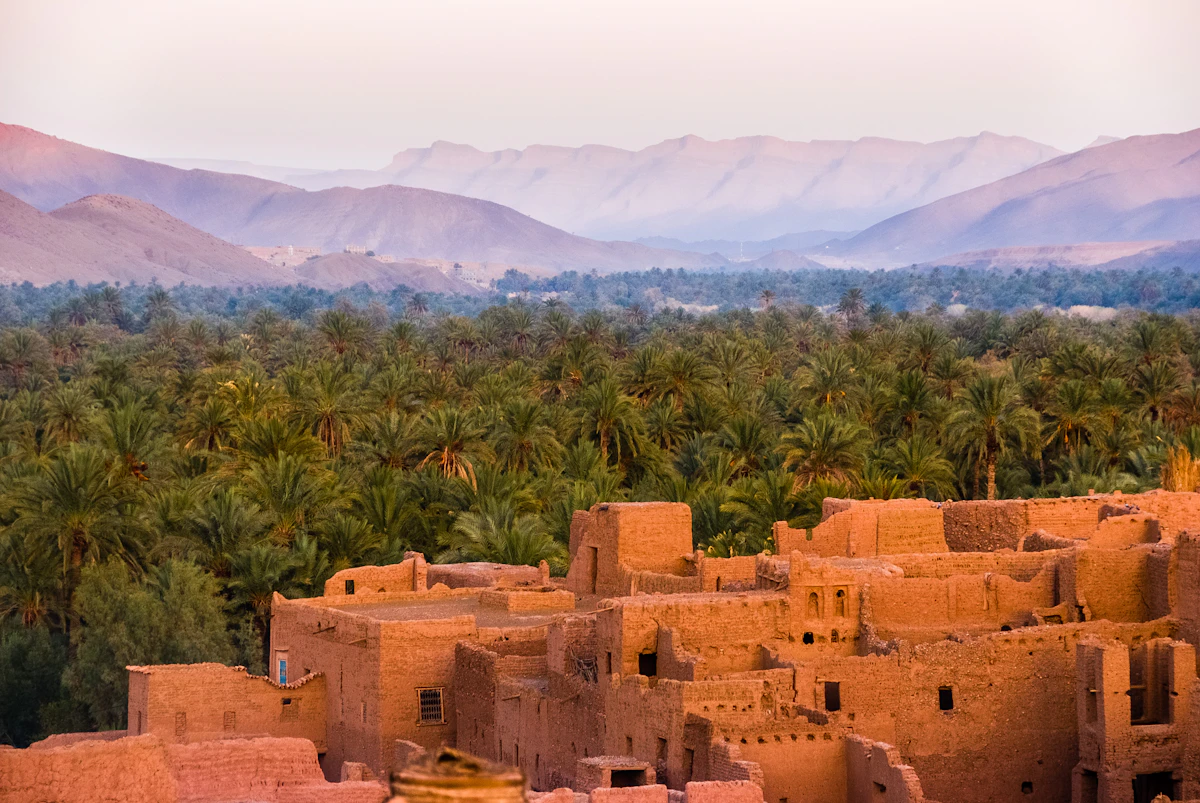
Marrakech, the coast, the Sahara — most Morocco trips fit 8–10 GB, with 3–5 GB enough for maps and messaging and 15 GB or more if you hotspot.
Compare Morocco eSIM prices at 5, 10 and 20 GB, including where Nomad costs less, regional exclusions and Horizon instant support.


