



اشترِ باقة
اختر الوجهة وحصة البيانات ومدة الصلاحية.






لا يوجد موعد نهائي للاستخدام الأول. يمكنك شراء الباقة الآن والاحتفاظ بها لرحلة مستقبلية.
ابنِ مسار أستراليا على مباني الوصول والنقل داخل المدن ونقاط لقاء الجولات وكل مرحلة قيادة طويلة، ثم قارن باقات eSIM حسب البيانات والصلاحية والمناطق ودعم الجهاز والسعر النهائي. تحتاج سيدني وملبورن وكيرنز إلى تحديد دقيق للانتقال من المطار؛ وتحتاج الطرق النائية إلى تحضير دون اتصال يتجاوز بيانات الهاتف.
قد تبدأ رحلة أستراليا بالانتقال بين مباني المطار، ثم تمر بمنطقة استقبال داخل المدينة وتنتهي برحلة إلى الشعاب المرجانية أو طريق بعيد عن المناطق المأهولة. تفيد البيانات في متابعة النقل الحالي وتغييرات الحجز ورسائل السكن حيث تتاح الخدمة، لكن مساحة البلد تجعل التخطيط دون اتصال ضروريًا. لا تثبت eSIM أستراليا وجود استقبال على طريق ناءٍ أو في المناطق الداخلية أو على قارب أو طائرة أو بعيدًا عن الساحل، وليست معدات للطوارئ.
سياسة الاسترداد
نعيد دائمًا كامل المبلغ الذي دفعته عند طلبك، سواء كانت eSIM غير مستخدمة أو مستخدمة جزئيًا أو بالكامل. لا يوجد حد زمني لطلب الاسترداد.
لا موعد نهائي للاستخدام الأول
لا تبدأ الصلاحية إلا عندما يتصل eSIM بشبكة مدعومة في وجهتك. لا يوجد موعد نهائي للاستخدام الأول. يمكنك شراء الباقة الآن والاحتفاظ بها لرحلة مستقبلية.
دفع آمن
البطاقات، Apple Pay، Google Pay — مشفّرة عبر Paysera.
دعم على مدار الساعة بجميع اللغات
ردود فورية مضمونة.
قبل المغادرة، تأكد من أن الهاتف غير المقفل يدعم eSIM، واقرأ الدول الدقيقة والبيانات ومدة الصلاحية ومتطلبات الإعداد للمنتج المختار. لا يبدأ التثبيت الصلاحية، ولن تبدأ مدتها إلا عندما يتصل eSIM لأول مرة بشبكة جوال مدعومة في أستراليا. ثبّتها على Wi-Fi موثوق عندما تنص التعليمات على ذلك فقط، واحتفظ برمز QR والتفاصيل اليدوية خارج الهاتف، ونزّل وسائل الانتقال بين المباني والحجوزات وخرائط الطرق ومعلومات السلامة. في أستراليا، اختر الملف لبيانات الهاتف وطبّق فقط خطوات التجوال أو APN أو اختيار الشبكة التي تحددها الباقة.
اختر الوجهة وحصة البيانات ومدة الصلاحية.
امسح رمز QR أو ثبّته تلقائيًا داخل التطبيق — دون شريحة SIM فعلية.
تُفعَّل البيانات عند أول اتصال في وجهتك.
اختر النمط الأقرب إلى رحلتك. ويفترض التقدير استخدامًا عاديًا — خرائط ومراسلة وصور ومكالمة قصيرة إلى الأهل.
كقاعدة عامة، تحتاج رحلة مدينة من 3–4 يوم إلى نحو 1–3 GB، ورحلة أسبوع إلى 3–5 GB، وجولة أسبوعين بين عدة دول إلى 8–12 GB، أما العمل أثناء التنقل فيستهلك نحو 1 GB يوميًا، أي 15 GB أو أكثر لأسبوعين.
إجمالًا، تغطي حصة بيانات قدرها 5 GB نحو 1,700 صورة مشاركة، أو 83 ساعة من وسائل التواصل والتصفح، أو 15 ساعة من مكالمات الفيديو، أو 63 ساعة من بث الموسيقى، أو نحو 1000 ساعة من الخرائط والملاحة. أما تطبيقات المراسلة فتستهلك بيانات ضئيلة.
مطار سيدني · دليل المدينة
في مطار سيدني، يخدم T1 الرحلات الدولية بينما يخدم T2 وT3 الرحلات المحلية. لا يمكن المشي من T1 إلى T2 أو T3، لذا يجب أن يشمل أي اتصال برحلة محلية أو قطار أو استقبال خطوة انتقال فعلية وفق إرشادات المطار الحالية، لا مجرد خط على خريطته. طابق خدمة الانتقال العاملة وتعليمات القطار وشركة الطيران ومنطقة الاستقبال مع الحجز التالي وعنوان السكن الكامل. احفظ اسمي المبنيين وسجل الصعود ومسار الانتقال ونقطة التبديل الأخيرة والمدخل قبل مغادرة الوصول.
eSIM لمدينة مطار سيدني — أعدّه قبل السفرمطار ملبورن · دليل المدينة
يستخدم مطار ملبورن المباني T1 إلى T4، ويبدأ مسار التنقل الأرضي المفيد بالمبنى الموضح في سجل الرحلة الحالي. قد تتغير مداخل الساحات ومناطق الاستقبال والحافلات وترتيبات النقل الأخرى، لذا استخدم صفحة النقل الحالية للمطار واللافتات بدل موقف تتذكره أو مدة ثابتة. طابق الخيار العامل مع الأمتعة ووقت الوصول والعنوان الدقيق داخل المدينة أو خارجها، ثم أضف التبديل أو المشي الأخير. احفظ المبنى وتعليمات الاستقبال الحالية وطريقة الدفع والحجز ومدخل السكن دون اتصال.
eSIM لمدينة مطار ملبورن — أعدّه قبل السفركيرنز · دليل المدينة
لمطار كيرنز مبنيان منفصلان للركاب: T1 الدولي وT2 المحلي. يربطهما ممر مغطى؛ اتبع الخط الأصفر المعلّم بالمطار عند الانتقال بينهما. استخدم مبنى الوصول الفعلي، لا اسم كيرنز وحده، لمطابقة الحافلة أو سيارة الأجرة أو التأجير أو الاستقبال المرتب مع مدخل الفندق النهائي. قد تبدأ جولات الشعاب والشمال الاستوائي من مرسى أو موقف حافلة أو نقطة لقاء مبكر منفصلة، لذا أكد آخر رسالة من المشغّل وتعليمات العودة قبل المغادرة. قد تساعد البيانات في تعديل الترتيب حيث تتوفر الخدمة الأرضية، لكنها لا تثبت الاستقبال على القارب أو عند الشعاب أو بعيدًا عن الساحل أو طوال مسار ناءٍ.
eSIM لمدينة كيرنز — أعدّه قبل السفررحلات الطرق في المناطق الداخلية النائية · دليل المدينة
لرحلة في المناطق الداخلية النائية أو قيادة طويلة، جهّز كل مرحلة قبل مغادرة نقطة خدمات مأهولة. نزّل خرائط المسار وإغلاقات الطرق والطقس وتنبيهات السلامة وسجلات السكن وتفاصيل محطات الوقود ووسيلة التواصل المؤكدة التالية، ثم احمل بديلًا مناسبًا للمسار لا يعتمد على الهاتف الخلوي. لا تعتبر نجاح الاتصال داخل المدينة دليلًا على خدمة في الطريق السريع أو المتنزه الوطني أو الصحراء أو الوجهة. لا تحل eSIM السفر محل اتصالات الطوارئ أو الماء أو تجهيز المركبة أو الإرشادات الرسمية أو مشاركة خطة الرحلة، ويجب أن تبقى الملاحة قابلة للاستخدام دون اتصال.
eSIM لمدينة رحلات الطرق في المناطق الداخلية النائية — أعدّه قبل السفرلماذا Horizon
مشاركة الإنترنت عبر نقطة الاتصال مجانية في كل باقات Horizon. احتفظ بالتذاكر والعناوين وتحضيرات الطرق النائية دون اتصال. لا يثبت إدراج أستراليا وحدها الخدمة في نيوزيلندا أو إندونيسيا أو أي جزيرة في المحيط الهادئ، أو على عبّارة أو سفينة سياحية أو طائرة، أو بعيدًا عن الساحل أو عند الشعاب أو في جميع أنحاء تسمانيا أو المناطق النائية من البر الرئيسي؛ يجب التحقق صراحة من كل مكان وشرط تحتاج إليهما.
باقة إلى
أستراليا
قارن حصص البيانات ومدد الصلاحية المدرجة لوجهتك.
ثبّتها عبر شبكة Wi-Fi موثوقة قبل المغادرة، واتبع تعليمات تفعيل الباقة.
راجع السعر الحالي والبيانات والصلاحية والتغطية قبل الدفع. لا توجد قيود على السرعة في باقات Horizon.
عندما تدعم الباقة المختارة إعادة الاستخدام أو إعادة التعبئة، يعرض قسم «eSIM الخاصة بي» الخيارات المتاحة لملف التعريف المثبّت.
سننبّهك عند اقترابك من الحد. وإذا كانت الباقة تدعم إعادة التعبئة، فسيعرض قسم «eSIM الخاصة بي» الخيارات المتاحة.
اختر تغطية دولة واحدة أو إقليمية أو عالمية، وتحقق من كل وجهة في تفاصيل الباقة.
اعتمد الأماكن المكتوبة في الباقة المختارة فقط. إدراج أستراليا وحدها لا يثبت الخدمة في نيوزيلندا أو إندونيسيا أو أي جزيرة في المحيط الهادئ، حتى عندما يتابع المسار أو الطيران إليها. تسمانيا جزء من أستراليا، لكن اسم البلد لا يضمن الاستقبال في كل موقع بتسمانيا أو البر الرئيسي. تحقق صراحة من كل دولة ومنطقة وجزيرة تحتاج إليها قبل الدفع، واحفظ قائمة التغطية والحجز التالي دون اتصال.
لا تفترض الخدمة من اسم الوجهة أو من نجاح الاتصال داخل مدينة. قد يكون استقبال الهاتف محدودًا أو معدومًا على الطرق النائية والمتنزهات والصحارى، والهاتف أو eSIM السفر ليسا معدات طوارئ للمناطق البعيدة. قبل مغادرة منطقة مأهولة، نزّل الخرائط والإغلاقات والتوقعات والحجوزات ونقاط الوقود وجهات السلامة، وأخبر شخصًا بمسارك، واحمل بديل الاتصال أو الملاحة المناسب للرحلة الذي لا يعتمد على الشبكة الخلوية.
لا يمكن تقديم وعد عام بالخدمة على متن وسيلة النقل أو بعيدًا عن الساحل. قد تنتهي التغطية الخلوية الأرضية بعد مغادرة الميناء أو الساحل، واتصال السفينة أو الطائرة خدمة مستقلة بشروطها. قبل الصعود، نزّل التذكرة والمبنى أو الرصيف ورسالة المشغّل ونقطة اللقاء وموعد العودة وبيانات التواصل مع السكن. تكون البيانات مفيدة عندما تتوفر فعلًا خدمة أرضية متوافقة أو خدمة منفصلة مشتراة على متن الوسيلة.
باقات Horizon لأستراليا للبيانات فقط. قد تستخدم تطبيقات المراسلة أو الاتصال عبر الإنترنت البيانات عند توفر الخدمة، لكنها لا تنشئ مكالمات تقليدية أو SMS أو إمكانية تلقي رموز التحقق. قد تبقى شريحتك المعتادة مثبتة على هاتف متوافق بشريحتين، لكن مكالماتها ورسائلها ورسوم تجوالها والتبديل التلقائي إلى بياناتها تظل إعدادات وتكاليف منفصلة. مشاركة الإنترنت عبر نقطة الاتصال مجانية في كل باقات Horizon.
لا تبدأ مدة الصلاحية إلا عندما يتصل eSIM لأول مرة بشبكة جوال مدعومة في أستراليا. تأكد من توافق الهاتف غير المقفل، واحفظ رمز QR والتفاصيل اليدوية خارجه، وثبّت عبر Wi-Fi موثوق قبل السفر. ولا حاجة إلى خطوة تفعيل منفصلة. في المرحلة المحددة، فعّل الملف واختره لبيانات الهاتف وطبّق فقط إعدادات التجوال أو APN المذكورة.
عبر Wi-Fi، تأكد من إدراج أستراليا وأن الباقة سارية وبها بيانات متبقية، وأن الملف مفعّل ومختار لبيانات الهاتف. اتبع تعليماتها لتجوال البيانات وAPN واختيار الشبكة تلقائيًا أو يدويًا؛ وامنع التبديل غير المقصود إلى خطك المعتاد، وبدّل وضع الطيران ثم أعد تشغيل الهاتف. إذا استمر فشل التسجيل على الشبكة، فاتصل بمسار دعم الباقة مع تفاصيل الطلب ولقطات الشاشة. لا تحذف eSIM المثبتة إلا إذا أكد الدعم إمكانية استعادتها.
لا. لا توجد قيود على السرعة في باقات Horizon. لا يوجد حد يومي يبطئ اتصالك، لذا يمكنك استخدام باقتك كلها في يوم واحد إذا احتجت إلى ذلك. تعتمد السرعة على الشبكة المحلية وقوة الإشارة ومدى ازدحام الشبكة. وعندما تنفد بياناتك، تتوقف الباقة بدلًا من أن تبطئ.
نعم. نعيد دائمًا كامل المبلغ الذي دفعته عند طلبك، سواء كانت eSIM غير مستخدمة أو مستخدمة جزئيًا أو بالكامل. لا يوجد حد زمني لطلب الاسترداد.
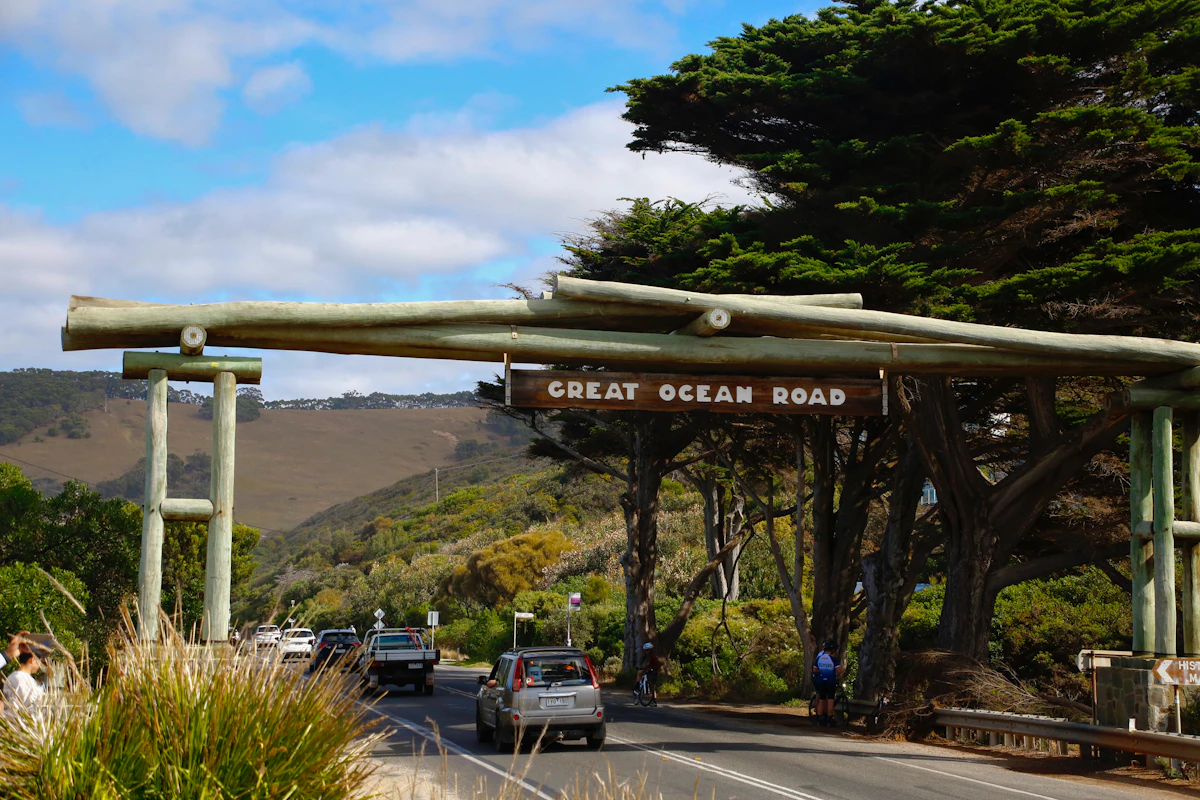
تكفي 3 GB لأسبوع و10 GB لأسبوعين في معظم رحلات أستراليا. ما يغيّر الرقم هو أيام القيادة والاتصال بالوطن عبر فارق زمني يبلغ ثماني ساعات.

قارن أسعار eSIM لأستراليا من Horizon وSaily وAiralo وUbigi وNomad وHolafly، مع الصلاحية وشروط مشاركة الإنترنت ودعم Horizon الفوري.

كان سعر Horizon الأدنى في كل باقات أستراليا التي قارنّاها هنا، بحسب مراجعة الأسعار في 29 سبتمبر 2026. لباقة 10 GB لمدة 30 يومًا: €7.19 لدى Horizon، و€16.50 لدى Airalo، و€15.99 لدى Saily.
