





اشترِ باقة
اختر الوجهة وحصة البيانات ومدة الصلاحية.

Compare Montenegro eSIM plans for arrivals through Podgorica or Tivat, coastal stays and inland drives. Check data, validity, listed territory, tethering terms and phone compatibility before choosing.
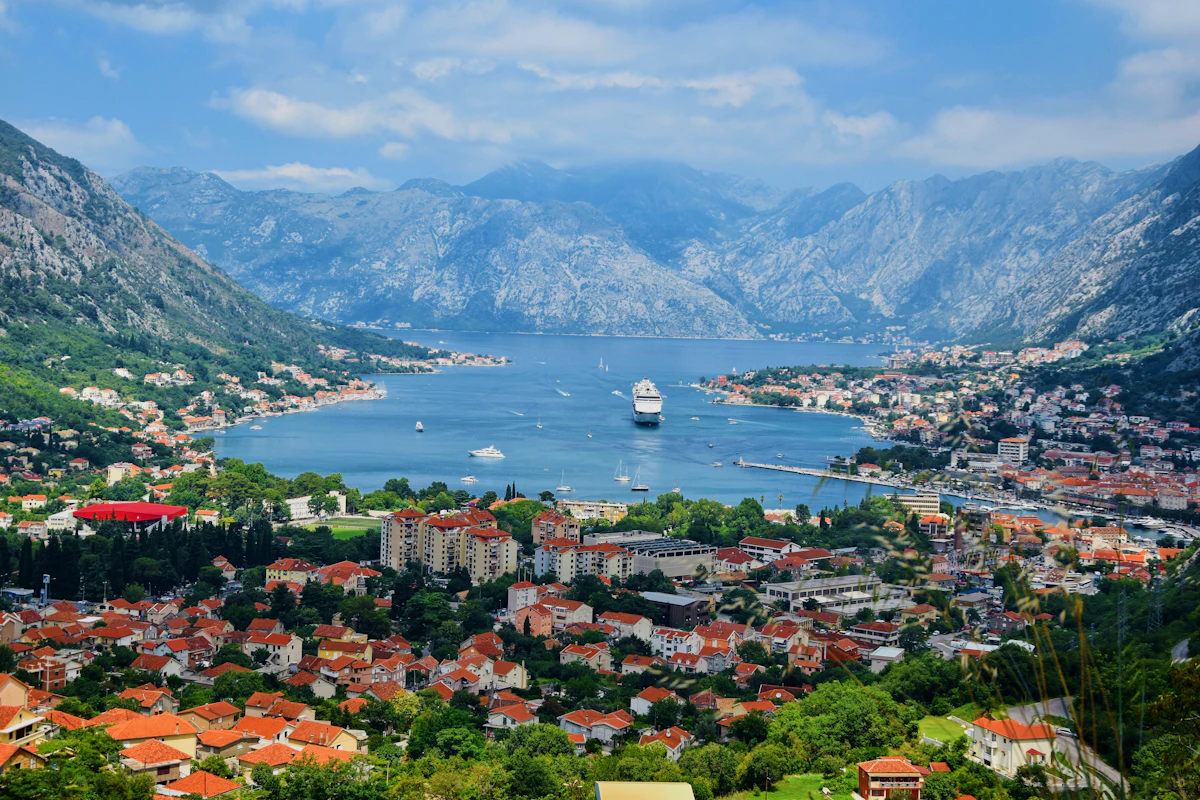
Montenegro's official tourism site identifies Podgorica and Tivat as its two international-airport gateways. A route can continue through Budva and Kotor before turning onto inland or mountain roads. Mobile data helps check current transport, retrieve accommodation details and navigate coastal junctions, but reception can vary in old stone buildings, tunnels, coves and mountain terrain. Keep the first transfer, lodging pin and next road section offline; service depends on the plan, device, exact location and partner network.
Prepare the Montenegro profile on airport or accommodation Wi-Fi and retain its order instructions away from the phone. At the step named by the purchased plan, choose that profile for mobile data. Before leaving Podgorica or Tivat, reopen the current coastal transfer, save the onward route toward Kotor or the mountain interior and check which line the handset will use after a restart. Prevent the home subscription from taking over data unless that is a deliberate, billed choice.
اختر الوجهة وحصة البيانات ومدة الصلاحية.
امسح رمز QR أو ثبّته تلقائيًا داخل التطبيق — دون شريحة SIM فعلية.
تُفعَّل البيانات عند أول اتصال في وجهتك.
اختر النمط الأقرب إلى رحلتك. ويفترض التقدير استخدامًا عاديًا — خرائط ومراسلة وصور ومكالمة قصيرة إلى الأهل.
كقاعدة عامة، تحتاج رحلة مدينة من 3–4 يوم إلى نحو 1–3 GB، ورحلة أسبوع إلى 3–5 GB، وجولة أسبوعين بين عدة دول إلى 8–12 GB، أما العمل أثناء التنقل فيستهلك نحو 1 GB يوميًا، أي 15 GB أو أكثر لأسبوعين.
إجمالًا، تغطي حصة بيانات قدرها 1 GB نحو 330 صورة مشاركة، أو 17 ساعة من وسائل التواصل والتصفح، أو 2.9 ساعة من مكالمات الفيديو، أو 13 ساعة من بث الموسيقى، أو نحو 200 ساعة من الخرائط والملاحة. أما تطبيقات المراسلة فتستهلك بيانات ضئيلة.
Podgorica · City guide
Podgorica Airport says its public-transport stop is in front of the terminal and advises travellers to confirm schedules with the operators because they can change. Check the current departure before leaving arrivals, then use data for the correct city stop, accommodation messages and an onward bus or rail connection. Save the address and backup pickup point offline.
eSIM لمدينة Podgorica — أعدّه قبل السفر →Budva · City guide
Budva's tourism organization publishes local bus routes linking the centre with places such as Sveti Stefan, Petrovac and beaches west of town. Check the current route and boarding point rather than relying on a saved timetable. Use data to navigate from the bus stop to the Old Town or lodging, retrieve a reservation and message the host; keep the return stop offline for busy coastal periods.
eSIM لمدينة Budva — أعدّه قبل السفر →Kotor · City guide
Around the Bay of Kotor, the city's tourism organization describes the Old Town inside stone ramparts, with narrow streets below the walls. Use data to find the intended gate, check current attraction or event information and retrieve any booked ticket before entering. Crowds and stone buildings can affect both walking routes and reception, so save the lodging entrance and return point offline before climbing or exploring.
eSIM لمدينة Kotor — أعدّه قبل السفر →Tivat · City guide
Tivat is Montenegro's coastal airport gateway, and the airport publishes live flight information and passenger guidance. After landing, use data to confirm the current pickup arrangement and send the driver or host the terminal meeting point. Coastal traffic can alter onward plans toward Kotor or Budva, so keep the accommodation pin, booking reference and an alternative contact method available offline.
eSIM لمدينة Tivat — أعدّه قبل السفر →لماذا Horizon
Match data and validity to the whole trip, including navigation, booking retrieval and any tethering. Verify that Montenegro and every country on the itinerary are listed. Do not assume a Montenegro-only plan continues after a border crossing into Albania, Croatia, Bosnia and Herzegovina, Serbia or Kosovo.
باقة إلى
الجبل الأسود
قارن حصص البيانات ومدد الصلاحية المدرجة لوجهتك.
ثبّتها عبر شبكة Wi-Fi موثوقة قبل المغادرة، واتبع تعليمات تفعيل الباقة.
راجع السعر الحالي والبيانات والصلاحية والتغطية وشروط الاستخدام العادل قبل الدفع.
عندما تدعم الباقة المختارة إعادة الاستخدام أو إعادة التعبئة، يعرض قسم «eSIM الخاصة بي» الخيارات المتاحة لملف التعريف المثبّت.
سننبّهك عند اقترابك من الحد. وإذا كانت الباقة تدعم إعادة التعبئة، فسيعرض قسم «eSIM الخاصة بي» الخيارات المتاحة.
اختر تغطية دولة واحدة أو إقليمية أو عالمية، وتحقق من كل وجهة في تفاصيل الباقة.
Match the data allowance and validity to every travel day, including navigation and reservation retrieval. Before buying, confirm Montenegro is listed, the phone supports eSIM and the tethering terms fit any laptop or shared connection; do not choose only by the short distance between coastal towns.
Set the Montenegro eSIM as the phone's mobile-data line. The home SIM may remain enabled for your usual number, but switch off data switching and roaming there unless you intentionally need them. Making or receiving calls, checking voicemail, sending texts or allowing background data on the home line can still trigger carrier charges.
The selected product determines these features. Before checkout, inspect its labels and details for voice service, SMS and hotspot permission; the Montenegro destination alone does not establish them. On a data-only option, app-based calls and messages use the allowance whenever a supported local connection is available.
Do not assume continuous reception. Tunnels, coves, old stone buildings, mountain terrain, the device and local network conditions can all affect service even when Montenegro is listed. Download the next road section, lodging coordinates and safety information before leaving a connected town.
Only when every country after the border appears in the plan's coverage list. Do not infer coverage in Albania, Croatia, Bosnia and Herzegovina, Serbia or Kosovo from the Montenegro label. For a multi-country route, compare an eligible regional plan or separate country plans before departure.
Use airport or hotel Wi-Fi to reopen the chosen plan's setup guide. Confirm the Montenegro profile is on and assigned to mobile data, then match its roaming, network-selection and APN requirements; toggle airplane mode or reboot only if instructed. Leave the eSIM installed and give support the order number, phone model and screenshots if the connection still fails.