




Montenegro eSIM

MTEL Montenegro 5G
Hotspot
How much data, for how long?
Validity follows the selected plan terms. Refundable within 7 days if unactivated.
Going elsewhere too?
Add another country — each one is its own eSIM, all managed in one app.
Montenegro
1 GB · 7 days
Total
€0.27
VisaMastercardApple PayGoogle Pay

Montenegro eSIM for coastal stays and mountain roads

Compare Montenegro eSIM plans for arrivals through Podgorica or Tivat, coastal stays and inland drives. Check data, validity, listed territory, tethering terms and phone compatibility before choosing.

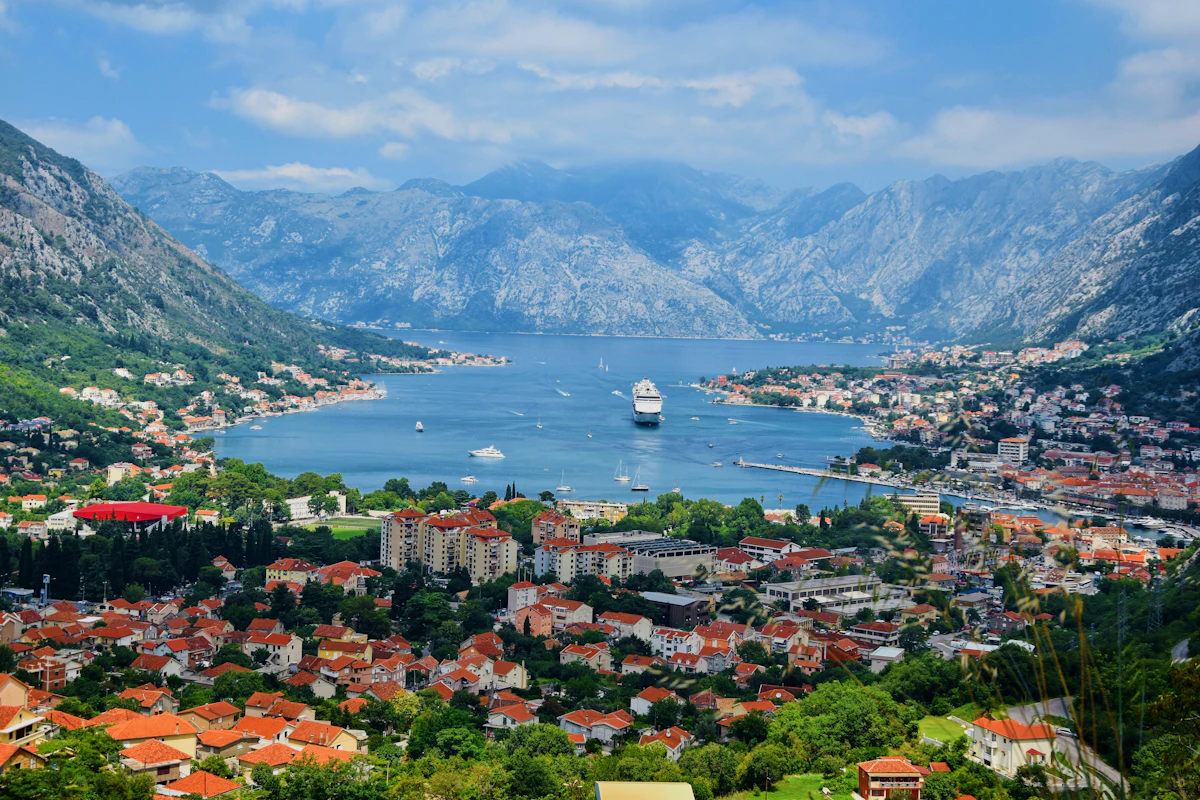
Montenegro's official tourism site identifies Podgorica and Tivat as its two international-airport gateways. A route can continue through Budva and Kotor before turning onto inland or mountain roads. Mobile data helps check current transport, retrieve accommodation details and navigate coastal junctions, but reception can vary in old stone buildings, tunnels, coves and mountain terrain. Keep the first transfer, lodging pin and next road section offline; service depends on the plan, device, exact location and partner network.

  • Refund policy

    Review refund eligibility before installation or activation.

  • Activation window

    Check the package details for the first-use deadline and validity rules.

  • Secure checkout

    Cards, Apple Pay & Google Pay — encrypted by Paysera.

  • Customer support

    Contact support before or during your trip if you need help.

How eSIM works in Montenegro

Prepare the Montenegro profile on airport or accommodation Wi-Fi and retain its order instructions away from the phone. At the step named by the purchased plan, choose that profile for mobile data. Before leaving Podgorica or Tivat, reopen the current coastal transfer, save the onward route toward Kotor or the mountain interior and check which line the handset will use after a restart. Prevent the home subscription from taking over data unless that is a deliberate, billed choice.

  1. Buy a plan

    Pick a destination, data allowance and validity period.

  2. Install your eSIM

    Scan the QR or auto-install in the app — no physical SIM.

  3. Land & connect

    Data activates on first connection at your destination.

What you can do with 1 GB

In total, a 1 GB data allowance covers roughly 330 shared photos, 17 hours of social media and browsing, 2.9 hours of video calls, 13 hours of music streaming, or about 200 hours of maps and navigation. Messaging apps barely use data.

  • ≈ 200 hrs
    Maps & navigation
  • Unlimited
    Messages
  • ≈ 330
    Photos shared
  • ≈ 17 hrs
    Social & browsing
  • ≈ 2.9 hrs
    Video calls
  • ≈ 13 hrs
    Music streaming

Important cities in Montenegro

Podgorica · City guide

Podgorica

Podgorica Airport says its public-transport stop is in front of the terminal and advises travellers to confirm schedules with the operators because they can change. Check the current departure before leaving arrivals, then use data for the correct city stop, accommodation messages and an onward bus or rail connection. Save the address and backup pickup point offline.

Podgorica eSIM — online before you land

Why Horizon

Choose for both the coast and inland route

Match data and validity to the whole trip, including navigation, booking retrieval and any tethering. Verify that Montenegro and every country on the itinerary are listed. Do not assume a Montenegro-only plan continues after a border crossing into Albania, Croatia, Bosnia and Herzegovina, Serbia or Kosovo.

  • Better plans, built for real trips

    Compare the listed data allowances and validity periods for your destination.

  • Easy to use

    Install over reliable Wi-Fi before departure and follow the plan's activation instructions.

  • Compare the full plan

    Review the current price, data, validity, coverage and fair-use terms before checkout.

  • Reuse an eligible eSIM

    When the selected plan supports reuse or top-ups, My eSIMs shows the eligible options for the installed profile.

  • Stay connected

    We'll alert you as you approach your limit. If the plan supports a top-up, My eSIMs shows the eligible options.

  • Global & regional plans

    Choose country, regional or global coverage and check every destination in the plan details.

Frequently asked questions

How do I choose a Montenegro eSIM for a coastal or road trip?

Match the data allowance and validity to every travel day, including navigation and reservation retrieval. Before buying, confirm Montenegro is listed, the phone supports eSIM and the tethering terms fit any laptop or shared connection; do not choose only by the short distance between coastal towns.

Can I keep my home number active beside the Montenegro eSIM?

Set the Montenegro eSIM as the phone's mobile-data line. The home SIM may remain enabled for your usual number, but switch off data switching and roaming there unless you intentionally need them. Making or receiving calls, checking voicemail, sending texts or allowing background data on the home line can still trigger carrier charges.

Does a Montenegro eSIM include calls, SMS or tethering?

The selected product determines these features. Before checkout, inspect its labels and details for voice service, SMS and hotspot permission; the Montenegro destination alone does not establish them. On a data-only option, app-based calls and messages use the allowance whenever a supported local connection is available.

Will it work continuously along the coast and in the mountains?

Do not assume continuous reception. Tunnels, coves, old stone buildings, mountain terrain, the device and local network conditions can all affect service even when Montenegro is listed. Download the next road section, lodging coordinates and safety information before leaving a connected town.

Does a Montenegro plan continue across neighbouring borders?

Only when every country after the border appears in the plan's coverage list. Do not infer coverage in Albania, Croatia, Bosnia and Herzegovina, Serbia or Kosovo from the Montenegro label. For a multi-country route, compare an eligible regional plan or separate country plans before departure.

What should I do if the Montenegro eSIM has no data after arrival?

Use airport or hotel Wi-Fi to reopen the chosen plan's setup guide. Confirm the Montenegro profile is on and assigned to mobile data, then match its roaming, network-selection and APN requirements; toggle airplane mode or reboot only if instructed. Leave the eSIM installed and give support the order number, phone model and screenshots if the connection still fails.

Where next
Travel guides for Montenegro