




Only the versions sold in twelve markets. Apple makes the iPhone 18 Pro and 18 Pro Max without a SIM tray for the United States, Canada, Mexico, Japan, Guam, the U.S. Virgin Islands, Saudi Arabia, the UAE, Qatar, Kuwait, Bahrain and Oman, the same twelve it chose for the iPhone 17 Pro. Everywhere else the phone keeps a nano-SIM tray beside dual eSIM. Apple announced both models on 9 September 2026; they went on sale on 18 September in more than sixty-five countries and regions, with twenty more following on 25 September. The iPhone Duo, the foldable from the same event, has no tray in any country.
For travel, both versions end up in the same place: two lines at once, your home number on one and a travel eSIM on the other. What differs is the form your home number takes. On a tray version it can stay on the plastic SIM you already own. On an eSIM-only version it must become an eSIM before the phone is any use, and a SIM card from an airport kiosk has nowhere to go. If the whole idea is new, our eSIM explainer starts from zero.
What Apple's spec sheet says, version by version
Apple's specs differ by country; the SIM line tells you which version that country gets.
- Tray version (the UK, Germany, France, Spain, Italy, Poland, Türkiye, Australia and India, among others): "Dual SIM (nano-SIM and eSIM)" and "Dual eSIM support".
- eSIM-only version (the twelve markets): "Dual eSIM (two active eSIMs; stores eight or more eSIMs)", not compatible with physical SIM cards.
- Mainland China version: two nano-SIM cards, a nano-SIM and an eSIM, or two eSIMs.
What the missing tray buys is battery. The launch announcement says the eSIM-only models fill the old SIM space with a larger battery, rated at up to 36 hours of video playback on the 18 Pro and 45 on the Pro Max; the tray markets' spec pages list 34 and 43.
Apple says nothing about which travel eSIMs run on the phone, and we have not yet published a hands-on test of this model. A Horizon eSIM is a standard eSIM profile of the kind every iPhone since the XS installs, and both Pro models are on Horizon's supported devices list.
Bought abroad: no tray, and maybe a lock
A phone bought in New York, Toronto, Tokyo or Dubai stays eSIM-only wherever it goes next. Take it home where the local iPhone 18 Pro has a tray and yours still has none: your home number has to move onto an eSIM. In the shop, the frame gives it away: the tray version has a thin slot with a pinhole.
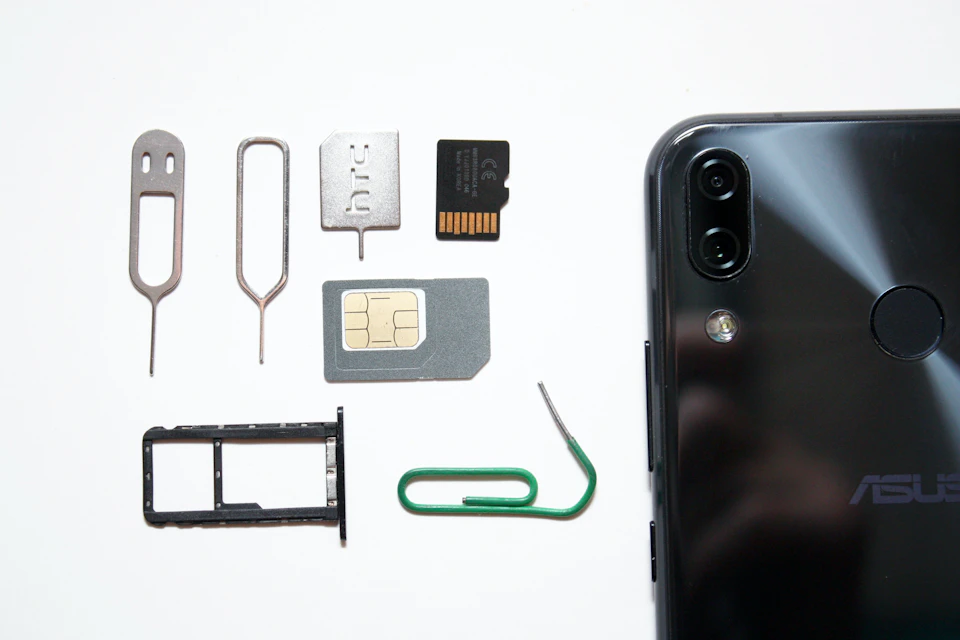
Two checks belong in the shop, before you pay.
- Can your home line live on an eSIM? Ask your operator whether eSIM is supported on your particular plan, as Apple advises; that is narrower than whether the operator offers eSIM at all. If it is, the line can move from your old iPhone during setup where the operator supports that, or the operator issues a new eSIM; moving your number to a new iPhone 18 Pro goes through each route.
- Is it locked to a carrier? Open Settings, General, About and read the Carrier Lock line. "No SIM restrictions" means it is unlocked. Anything else means only that carrier can unlock it, and Apple warns the request can take a few days.
Apple's page on using eSIM while traveling says an unlocked eSIM-only iPhone can be activated with carriers all over the world, and adds one more check: cellular band support for the country where it will live.
Living in one of the twelve markets
The rule runs the other way too. Buy your iPhone 18 Pro at home in the US, Canada, Mexico, Japan or the Gulf and it travels eSIM-only, so a plastic SIM from the arrivals hall is no longer an option.
Besides your own operator's roaming, that leaves two routes: a local operator's eSIM, bought online or at a counter, sometimes against a passport, or a travel eSIM installed at home before the flight. Apple singles out China: an eSIM from a mainland China carrier cannot be used on a phone bought outside mainland China, so an eSIM-only phone cannot take a local line there.
Two lines at once, on either version
Every iPhone 18 Pro runs two lines at the same time, never three; on a tray version that means a nano-SIM and an eSIM, or two eSIMs. Other profiles wait in the background, switched off; a travel profile from an earlier trip can stay installed if its plan permits reuse.
For a trip, the useful pair is your home line for calls, texts and bank codes, and a travel eSIM for data. Only one line carries cellular data at a time, so the settings below matter more than hardware.
Setting up the two lines before a trip
The menus are identical on both versions; Cellular appears as Mobile Service or Mobile Data in some regions.
- Name the lines. Settings, Cellular, tap each line, then Cellular Plan Label. Call them "Home" and "Travel".
- Give data to the travel line. Settings, Cellular, Cellular Data, then the travel line.
- Switch on Data Roaming, but only on the travel line, in that line's settings. A travel eSIM rides a partner network, so the phone counts it as roaming.
- Leave Allow Cellular Data Switching off. With it on, Apple says the phone may use data from both plans depending on coverage and availability, and abroad the second plan is your home one, under your operator's roaming terms.
- Decide what the home line does. Left on, it can take calls and texts where your operator roams, on your tariff's terms. Switched off, Apple says FaceTime and iMessage still use your home number over the travel line's data.
Apple's notes on Dual SIM with an eSIM flag one side effect: while data roaming is on for the data line, the voice-only line disables Visual Voicemail and MMS. Personal Hotspot, its iPhone guide adds, uses whichever line is selected for cellular data. Since iOS 26 the phone may also show a Turn On Travel eSIM prompt abroad; choosing both lines sends data through the travel eSIM, and Apple warns the home line can still incur roaming charges.
Where a Horizon eSIM fits
A Horizon plan is a data-only eSIM that takes the second line beside your home number on either version. Pick your destination's plan from the local eSIM pages and read the validity line on the listing: it names the event that opens the plan's window, which differs by plan. Where the plan allows it, install it at home over Wi-Fi a few days before the flight, label the line and keep it off until you are there.
The installation guide has every step. The usual snag is a QR code in an email on the same screen. On iOS 17.4 and later, Apple lets you tap and hold a QR code in the default email app or a browser, then tap Add eSIM. If that option is missing, go to Settings, Cellular, Add eSIM, open the QR code option, tap Enter Details Manually at the bottom and paste the SM-DP+ address and activation code from the order email; My eSIMs in your Horizon account keeps them too.
Abroad, the counter under Cellular follows the line selected for cellular data, which keeps checking data usage on iPhone simple. Horizon's own figure in My eSIMs is updated periodically, so the two rarely match to the megabyte.
Short answers
Does the iPhone 18 Pro have a SIM card slot? In most countries, yes: a nano-SIM tray plus dual eSIM. In the twelve markets above it is eSIM-only, and the 18 Pro Max follows the same list.
How many eSIMs does it hold? Two active at once, never a nano-SIM plus two eSIMs. Apple's spec for the eSIM-only version says it stores eight or more.
Will an iPhone 18 Pro bought in the US or Dubai work back home? If it is unlocked, Apple says an eSIM-only model can be activated with carriers worldwide. Your home line has to exist as an eSIM, and band support for your country is worth a check.
Does a Horizon eSIM work on it? Both Pro models are on Horizon's device list and take a standard eSIM profile. We have not yet published a hands-on test of this model.
What about the iPhone Duo? It is eSIM-only in every country and goes on sale on 23 October; our iPhone Duo guide covers it.