



A phone can save several eSIMs without using them all at once. Compatible iPhones store eight or more profiles; dual-eSIM models support up to two active eSIMs. Older phones may allow only one active eSIM. The exact limit depends on your phone model, sales region and carrier.
What is the difference between a saved and active eSIM?
Saved means the profile is installed on your phone. Active means its line is switched on in Settings. Your mobile-data line is the SIM selected to provide internet. An iPhone uses one mobile-data line at a time. Automatic data switching does not combine two plans into one allowance.
An installed profile does not prove that you have signal or a valid data plan. For Horizon, validity does not start until the first connection to a supported network at your destination. Installing the eSIM does not start it.
How many eSIMs do iPhone, Samsung and Pixel phones support?
| Phone | Saved profiles | Active eSIMs |
|---|---|---|
| iPhone 18 Pro / Pro Max | 8+ | 2 |
| iPhone Duo | 8+ | 2 |
| iPhone Air / 17e | 8+ | 2 |
| iPhone 13 / 14 / 15 / 16 / 17 / 16e | 8+ | 2 |
| iPhone SE (2022) | Multiple | 2 |
| iPhone XS / XS Max / XR / 11 / 12 / SE (2020) | Multiple | 1 |
| Samsung Galaxy S26 / S26+ / S26 Ultra | Varies | Up to 2 |
| Samsung Galaxy S24 / S25 | Varies | Up to 2 |
| Samsung Galaxy Z Fold8 / Z Flip8 | Varies | Up to 2 |
| Google Pixel 11 / 11 Pro / 11 Pro XL / 10 / 10 Pro / 10 Pro XL | 8+ (US) | Up to 2 |
| Google Pixel 7 / 8 / 9 | Multiple | Up to 2 |
| Google Pixel 3a / 4 / 5 / 6 | Check model | 1 |
These figures apply to eSIM-capable variants. Two active eSIMs can also depend on carrier support and software. New US iPhone and Pixel models can be eSIM-only; do not apply their tray specifications to every market or Fold model. An enabled physical SIM counts toward the two-line total.
Samsung says compatible devices can download up to 20 profiles, but profile size and the device's eSIM memory can reduce that number. That is not 20 active lines. For Xiaomi, Motorola, OnePlus and OPPO, check eSIM compatibility, saved-profile capacity and active-SIM combinations separately. “Dual SIM” alone does not guarantee two active eSIMs.
Why won't my new eSIM turn on?
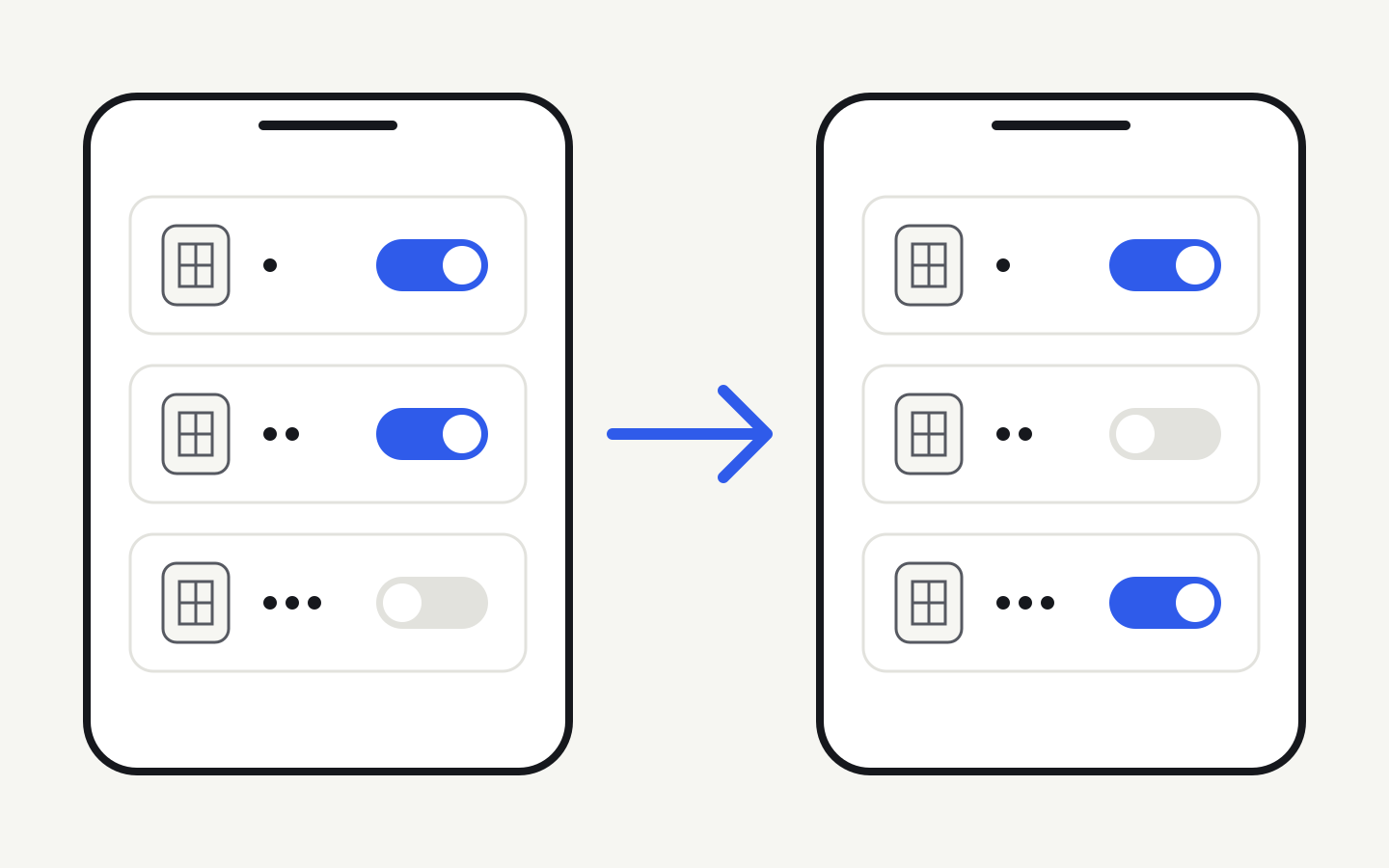
If two lines are already active, a third eSIM cannot join them. Turn off one existing line, then turn on the new eSIM. Your phone may ask which line to replace during installation.
For example, keep your personal line on, switch your work line off and turn your travel eSIM on. All three profiles can stay saved. On a phone supporting only one active eSIM, you must switch between eSIMs even when the physical SIM is off.
Turning data roaming off or choosing a different data SIM does not switch the old line off or free an active-line slot.
How do I switch eSIMs without deleting them?
- iPhone: Settings → Cellular/Mobile Service → the old line → switch off “Turn On This Line.” Turn Horizon on and select it for mobile data.
- Samsung: Settings → Connections → SIM manager. Turn off the line you do not need, enable your travel eSIM and select it for mobile data.
- Pixel: Settings → Network & internet → SIMs. Disable use of the old SIM, enable the new one and select it for mobile data.
Menu names vary by language, software and carrier. Follow the installation guide. Disabling keeps the profile; deleting removes it. Apple advises against deleting an eSIM to troubleshoot unless your carrier tells you to. The QR code may not be reusable.
The line is on but there is no internet: what should I check?
Check that Horizon is enabled and selected for mobile data, its roaming setting follows the plan instructions, your destination is covered, and your plan has data and validity remaining. Change the APN only according to the supplied instructions. If the line will not turn on at all, check the active-line limit first.
To keep your usual number, leave your personal line on if your phone supports the combination and turn its data roaming off. Check your carrier's call and SMS charges, plus the automatic data-switching setting. A travel data plan does not remove charges on your regular SIM.
Frequently asked questions
Can I have three eSIMs on one phone?
Yes, as saved profiles, if there is enough storage. On a phone limited to two active lines, all three cannot stay switched on together.
Can I use two eSIMs and a physical SIM at the same time?
Not on models with a maximum of two active lines. The physical SIM counts toward that total too.
What about the newest iPhones and iPhone 11 or 12?
Compatible new models support two active eSIMs. iPhone 11 and 12 pair one eSIM with a physical SIM; they do not support two active eSIMs.
Does turning an eSIM off pause its validity?
No. Once your Horizon plan's validity has started, switching the line off does not pause the countdown.
Can I scan the same QR code again?
Do not assume so. If you deleted the profile, contact support before trying to reinstall it.
Does turning roaming off free a slot?
No. You must switch the line itself off to free an active-line slot.
What if the phone's profile storage is full?
Disabling frees an active-line slot, but does not recover profile storage. Check with your carrier before deleting a profile you may need again.
Help with your trip
Check your device and [compare plans](/). Horizon offers 24/7 human support in all languages, with guaranteed instant replies. Contact our team.
Official sources
Checked on 25 September 2026. This guide is based on manufacturer documentation, not hands-on testing of every regional device. Japan’s Pixel 3a is an exception.
Apple iPhone 18 Pro · Apple iPhone 18 Pro (PL) · Apple iPhone Duo · Apple iPhone Air · Apple iPhone 17e · Apple eSIM · Apple Dual SIM · Samsung S26 · Samsung S26 Ultra · Samsung S24 · Samsung S25 · Samsung Z Fold8 · Samsung Z Flip8 · Google Pixel · Google Dual SIM · Samsung eSIM · Apple eSIM · Samsung SIM